
The gap between building an AI prototype and shipping it to production used to be measured in engineering months. No-code AI platforms changed the first half of that equation, letting anyone assemble image generators, video pipelines, and text workflows without writing model-serving code. But most of these tools hit a wall the moment you need to call them from your own app. You build something impressive inside a visual canvas, then realize there is no way to trigger it from a backend, embed it in a SaaS product, or run it on a schedule via cron. That wall is coming down fast.
A new generation of platforms now pairs drag-and-drop workflow builders with production-grade REST APIs. You design visually, test interactively, then hit an endpoint from whatever stack you already use. The result: creative teams move faster, developers skip boilerplate, and the whole pipeline stays maintainable because the logic lives in one place.
Why API Access Matters for No-Code AI
Visual builders are great for exploration. You wire up a text prompt to an image model, preview the output, tweak parameters, and iterate in minutes. The trouble starts when someone asks "can we put this in our app?"
Without API access, the answer is usually a workaround: export the config, rebuild it in code, maintain two versions. With API access, the visual workflow becomes the production artifact. You call it the same way you would call any microservice, pass inputs as JSON, get outputs back. Your frontend never needs to know the logic was built in a drag-and-drop editor.
Teams that treat their no-code canvas as a prototyping-only tool end up duplicating logic. Teams that treat it as the source of truth, with the API as the delivery mechanism, ship faster and debug in one place.
What to Look for in a Platform
Not every "API" label means the same thing. Some platforms expose a single generate endpoint that accepts a prompt and returns an image. Others let you build entire multi-step pipelines and trigger them via API with custom inputs. The difference matters when you are comparing orchestration APIs for production use.
Here is what separates a real API integration from a marketing checkbox:
- Per-workflow endpoints. Each workflow you build should get its own callable endpoint, not a shared generic one that requires you to pass workflow IDs and configs in the body.
- Input/output schema. The API should accept typed inputs (text, image URL, number) and return structured outputs, not just a blob.
- Authentication and rate limits. API keys with scoped permissions, usage-based billing, and documented rate limits. If none of this is published, expect surprises.
- Webhook callbacks. For long-running tasks like video generation, the platform should support webhooks so you do not need to poll.
- Versioning. When you update a workflow in the canvas, does the API endpoint break for existing callers? Good platforms version workflows or let you pin deployments.
Three Categories of Platforms

The market has more options than ever, but most fall into three buckets. Understanding each category helps you pick the right tool for your use case, especially if you are evaluating content generation APIs.
Visual-first builders with built-in API. Tools like Buildship and Stack AI are purpose-built for creating backend APIs visually. You design logic as a flowchart, connect AI nodes (OpenAI, Anthropic, Google), and the platform generates a live API endpoint. They excel at text and LLM workflows, though image and video generation support varies.
Open-source orchestrators. n8n and Flowise let you self-host for full infrastructure control. n8n supports 400+ integrations and exposes any workflow as a webhook endpoint. Flowise focuses on LLM chains with LangChain under the hood. Both are free but require your own hosting and DevOps. Teams already running batch image generation via API often pair these with external model providers.
Multi-model canvas platforms. For teams that need to chain image generation, video, audio, and LLM nodes in a single visual pipeline, a multi-model AI workflow tool offers a different approach. Instead of integrating separate APIs for each modality, you connect nodes on a canvas and the platform handles model routing, queuing, and output passing between steps. This category is newer but growing fast, especially for creative and media workflows.
The Hidden Costs Nobody Mentions
Every platform charges for compute, but the real costs hide in places the pricing page skips. Understanding the full picture of API pricing saves painful surprises later.
Model markup. Most no-code platforms charge a margin on top of the underlying model cost. If FLUX costs $0.03 per image at the provider, you might pay $0.05 through the platform. That is fine for prototyping but adds up at scale.
Idle infrastructure. Some platforms charge for always-on endpoints even when nothing is running. Check whether your API endpoint incurs costs when idle. This is especially relevant when you are comparing video generation tools that require GPU-backed endpoints.
Export lock-in. If the platform goes down or raises prices, can you export your workflows? Very few offer portable formats. This is the single biggest risk of building on a no-code AI platform, and open-source options like n8n reduce it significantly.
Rate limit surprises. Free tiers often cap at 100 API calls per day. That sounds generous until you realize each workflow step counts as a separate call on some platforms. Always check the fine print before scaling up image generation workloads.
Building Something Real: A Practical Test
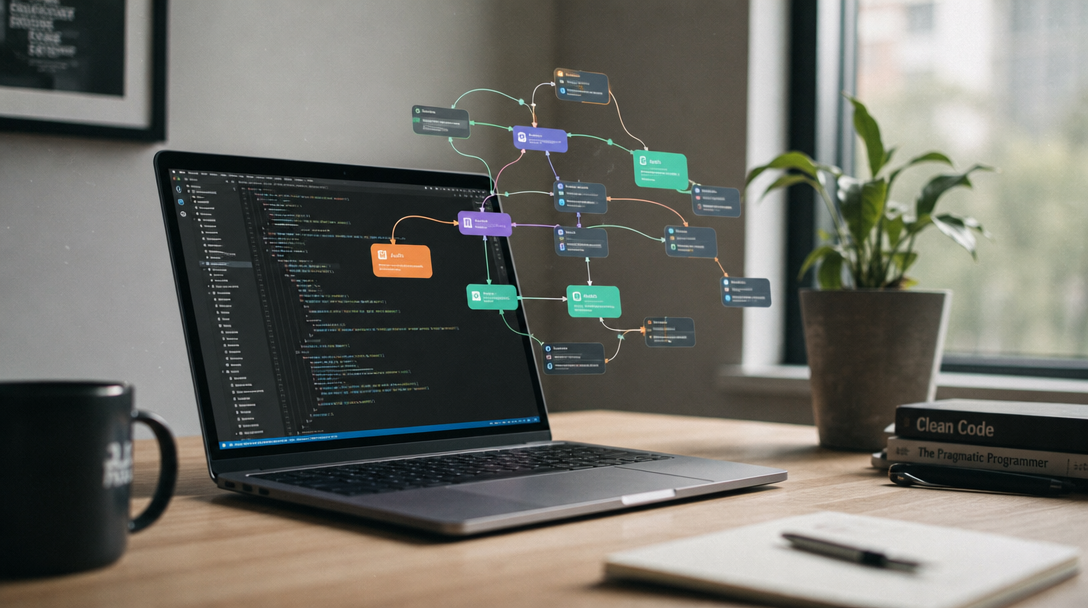
The best way to evaluate any platform is to build the same project on each one. A good test case: take a product description, generate three marketing images, pick the best one, resize it for social media, and return the final URL via API. This touches text input, image generation, conditional logic, image processing, and structured output, the kind of pipeline headless AI platforms are built for.
What you learn fast: how long setup takes (minutes vs hours), whether the API documentation matches reality, how errors propagate through the pipeline, and what the actual per-run cost is compared to the estimate. Most platforms handle the first two steps fine. The conditional logic and post-processing is where they diverge, similar to what you see when converting text to video across different tools.
Security and Data Residency
If you are calling AI APIs from a production app, security is not optional. Questions to ask before going to production: are API keys scoped per workflow, or does one key unlock everything? Is data encrypted in transit and at rest? Can you self-host? Does the platform process your inputs through third-party models, and if so, which data retention policies apply? For audio pipelines specifically, consider how each platform handles voice processing quality, as provider-level differences can affect final output.
Open-source options score well here because you control the infrastructure. Hosted platforms vary widely, and few publish clear data handling policies for the models they integrate.
When to Skip No-Code Entirely
No-code AI with API access is not always the right choice. If your workflow is a single model call with no pre/post-processing, writing a 10-line script is simpler than maintaining a visual pipeline. If you need sub-100ms latency, the orchestration layer adds overhead. And if your team has strong ML engineering talent, the visual canvas adds abstraction without adding value.
The sweet spot is mid-complexity workflows: multiple models chained together, conditional branches, human-in-the-loop review steps, and outputs that need to reach multiple destinations. That is where visual builders save real time and the API layer makes it production-ready. Wireflow and similar canvas-first tools are most useful in exactly this zone, where the workflow is too complex for a script but not complex enough to justify a dedicated ML engineering team.
FAQ
What does "no code AI with API access" mean?
It refers to platforms where you build AI workflows visually, then call those workflows programmatically through REST APIs or webhooks. No custom code is required to build the logic, but you get full programmatic control over execution. Several platforms now let you call models like FLUX from code alongside visual pipeline design.
Can I use multiple AI models in one no-code workflow?
Yes. Most modern platforms support chaining multiple models in a single pipeline. For example, you might use an LLM to generate a prompt, feed it to an image model, then run the output through an upscaler, all in one visual graph. Canvas-based tools handle multi-model orchestration natively.
Is no-code AI with API access secure enough for production?
It depends on the platform. Look for API key authentication, role-based access controls, data encryption in transit and at rest, and SOC 2 compliance. Open-source options let you self-host for full control over data residency, which matters for teams processing personal data like AI avatars from photos.
How much does it cost to run AI workflows via API?
Pricing varies widely. Some platforms charge per workflow execution ($0.01 to $0.10 per run), others charge for compute time, and open-source tools are free but require your own hosting. The AI model costs are usually billed separately. Compare pricing at your expected volume against free tier options that may work for lower-volume use cases.
What is the difference between no-code AI and low-code AI?
No-code means you build the entire workflow visually without writing any code. Low-code gives you a visual builder but expects code for custom logic, transformations, or integrations. Most platforms in this space are no-code with optional code nodes for advanced use cases.
Can I version-control my no-code AI workflows?
Some platforms support workflow versioning natively with draft vs. published states and rollback. Others let you export workflows as JSON, which you can commit to Git. If version control is critical, check for export and import capabilities before choosing your platform.
What happens if a no-code AI platform goes down?
Your API calls will fail until the platform recovers. For mission-critical workflows, consider self-hosting options or platforms with published SLA guarantees. Multi-region deployment and fallback endpoints reduce downtime risk for production-grade applications.