 AI TikTok app - Go viral!NEW: Seedream 5 by ByteDance. Sharper prompts, native text in 14 languages, precise edits. Try it now.Try It Now →
AI Video Extender
Add seconds of new footage to the end of any clip, keep style, motion, and lighting consistent, and export a seamless result.


How to use AI Video Extender
Steps to get you started in BasedLabs.
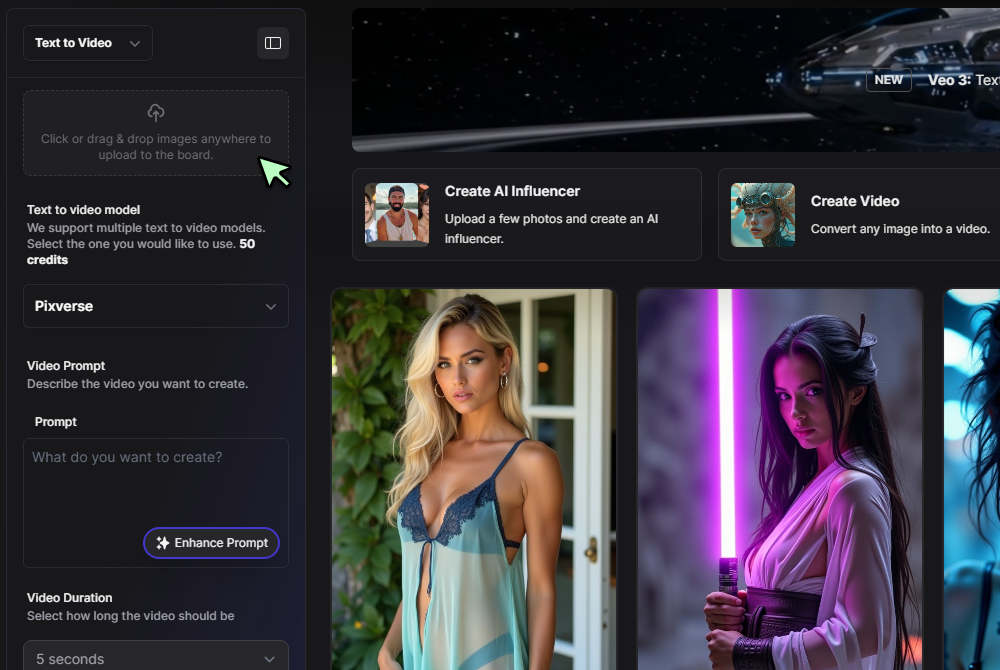
Step 1
Upload your or generate your clip
Upload a video to the workspace and wait for it to appear on the canvas or generate a video from text or an image.
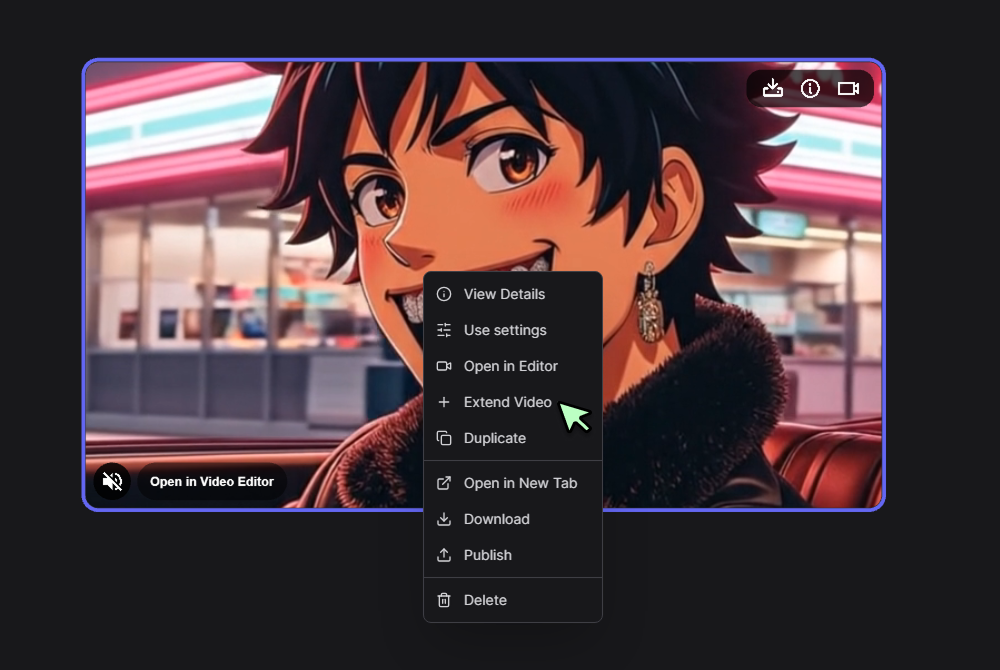
Step 2
Open the Extend panel
Right click the clip, select Extend Video, then choose a Model and Version. In the Prompt field, briefly describe how the video should continue, for example slow push in, subject turns and smiles, city lights brighten.
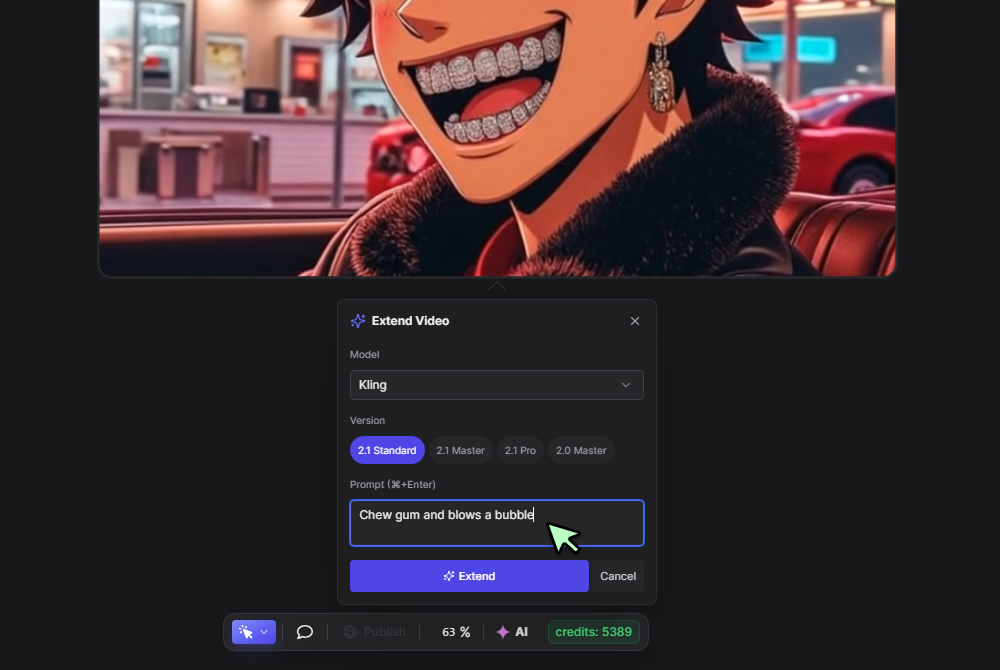
Step 3
Click Extend and review
Click Extend, preview the new tail, and check the join. If needed, tweak the prompt or switch model versions, then save the result.
Seamless motion growth from any moment
Extend a clip without visible joins, the system predicts what happens just before or after your chosen frame range, then blends motion, grain, and lighting for a natural flow. For fast paced shots, pair the extension with the Hailuo motion model to keep parallax and depth believable, a simple way to compare approaches when you evaluate a video extender ai.
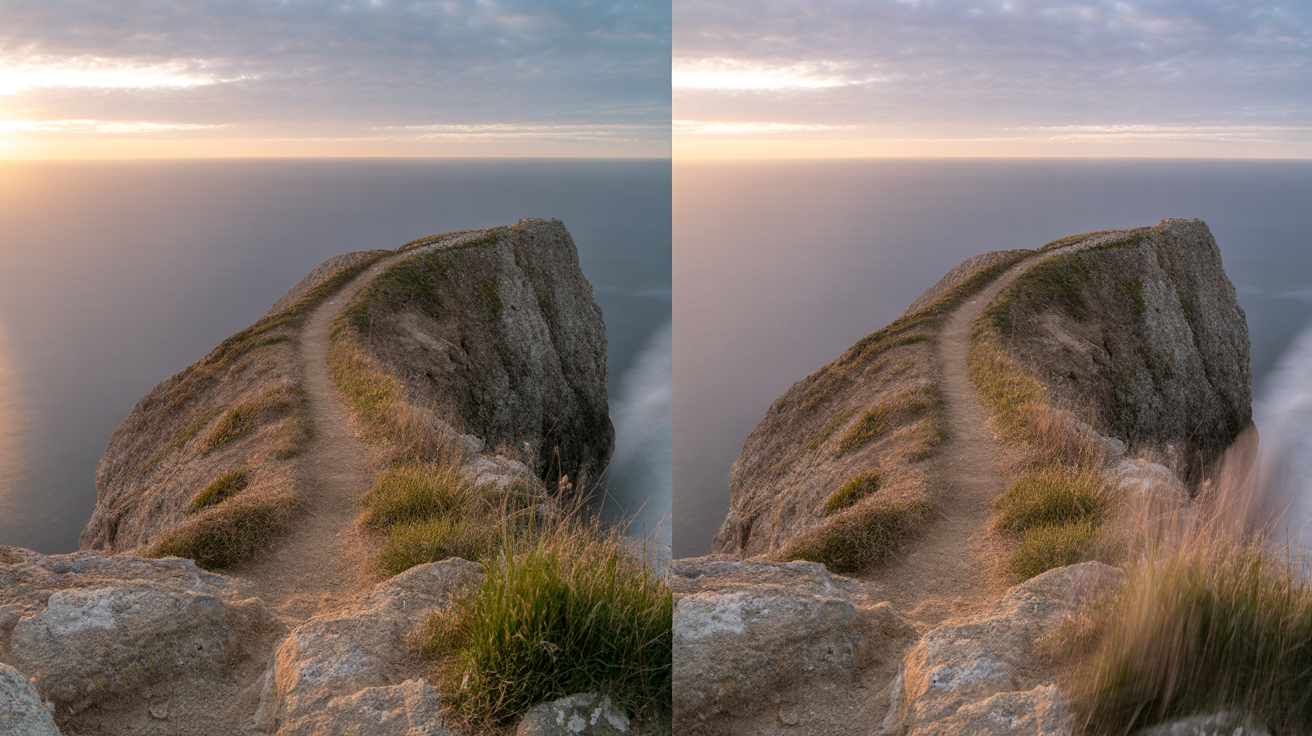
Start with a photo, grow into a scene
When you only have a still, animate it into a short shot, then add seconds to build a fuller beat. The frame aware image to video path and the photo to video workflow help you seed the first motion, a pattern many teams explore while researching an ai video extender free trial landscape.

Keep style locked across variants
Reuse seeds, color notes, and camera cues so every extension matches your base spot. If you need to create alternates for reels, stories, and widescreen, finish trims and exports in the AI Video Generator, a practical step when comparing free ai video extender options and planning delivery.

Build intros, outros, and loops that feel intentional
Add a beat up front for a clean hook, or grow a tail for end cards and CTAs, then test a loop where the last frame blends back into the first. When you want extra energy, generate the extension with the Hailuo video generator and refine pacing with simple prompt tweaks, a helpful pattern for teams searching video extender ai free techniques.

Text guided timing and camera moves
Describe the move you want, for example slow push in, gentle rack focus, or quick whip pan, and the engine extends with matching rhythm. If you prefer a prompt first flow for new shots that you will extend later, draft them in Text to Video, then return here to grow the head or tail without losing the look.

FAQs
Discover related AI tools:
Browse Related Content
Explore AI-generated video extender artwork from our community
Related Resources






More Than Just AI Extensions
Join millions of creators using BasedLabs to generate professional, scroll-stopping content for social media, YouTube, marketing, and more — in seconds. Produce high-quality AI-generated videos and images optimized for engagement and reach. Streamline your content workflow and scale faster.
