
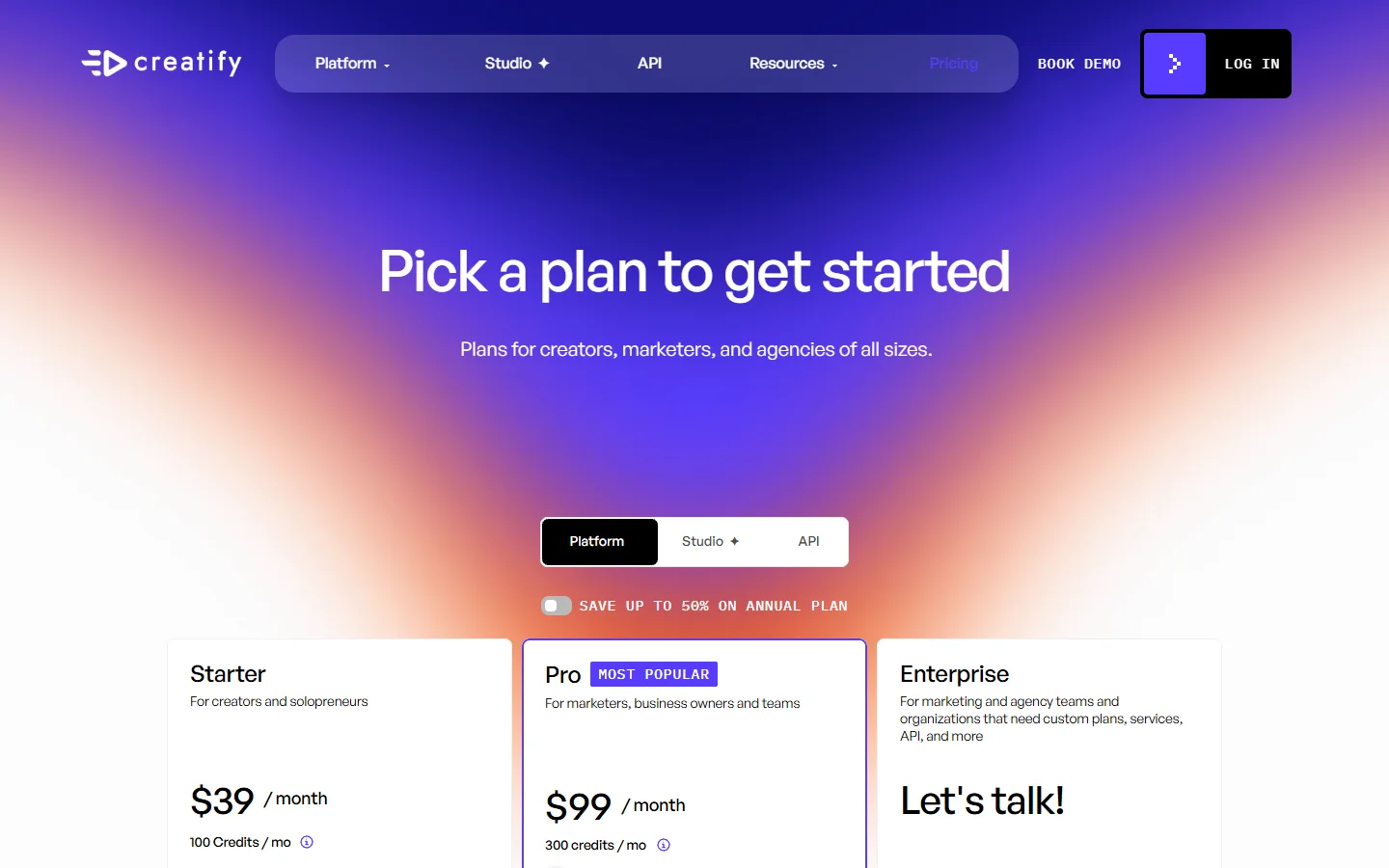
Creatify pricing is easy to read at the top level: $39 a month for Starter, $99 a month for Pro, and custom quotes for Enterprise. The number that matters to anyone running paid social is a different one, and it is not printed anywhere on the pricing page. It is the cost of one finished, usable ad after you have thrown away the takes where the avatar mispronounced your product name. That number is a function of the credit system, not the plan price, and the two behave very differently. We have watched teams pick a plan on the monthly figure alone and then hit the ceiling three weeks in, which is the same failure mode we ran into while testing UGC.ai against Arcads.
Creatify sits in the AI UGC ad category: you feed it a product URL or a script, it assembles a video with a synthetic presenter, and you push the output straight into TikTok or Meta. The pitch is volume. Twenty hooks tested this week instead of two, without booking a creator.
This is a breakdown of what the plans include, how credits are actually consumed per tool, and how to calculate your own cost per finished ad before you commit to a year. Everything below is drawn from Creatify's public pricing page and help documentation as of August 2026, plus the same arithmetic anyone evaluating a subscription should run. If you are still deciding whether AI UGC belongs in your ad rotation at all, the wider tool landscape for TikTok UGC ads is worth reading first.
The plans, in plain numbers
Creatify's self-serve pricing page lists three tiers, and new accounts get a small allocation of trial credits to test with before paying. That trial allocation is the only sane way to benchmark output quality, the same way you would sanity-check any of the avatar video generators driving short-form content right now before committing budget.
- Starter, $39 per month - 100 credits per month, 300 AI actors, 200+ ad templates, 5GB of asset storage, videos up to 2 minutes, 1 seat. Exports carry a watermark.
- Pro, $99 per month - 300 credits per month, 1,500 AI actors plus 3 custom avatars, 500+ ad templates, 100+ premium models, 10GB of storage, videos up to 10 minutes, up to 5 seats. Watermark removal included.
- Enterprise, custom - negotiated credit volume, all actors, unlimited templates, 6+ seats or multiple brand spaces, white-label options and a dedicated account manager.
Annual billing is advertised at up to 50% off, which is a steeper discount than most tools in this bracket offer and a strong hint that retention on monthly plans is the pressure point. The watermark line is the one most people underestimate: on Starter, every export carries Creatify branding, so the $39 tier is realistically an evaluation plan rather than a production one. That constraint shows up across the category, and it is why so many buyers end up filtering for video generators that export clean at the entry tier.
Credits are the real price tag
The plan fee buys credits. The credits are what get spent, and the burn rate varies sharply by tool and by model, which is the same metering pattern you see on image generation APIs priced per call.
- Video Ad, Avatar Video and AI Shorts - 5 credits for every 15 seconds of output, rounded up.
- Revisions - 3 credits per 15 seconds, though Pro and above get free revisions when you do not change the script, avatar or voice.
- Product Video, image generation - 1 credit per image.
- Product Video, Aurora model - 5 credits per 15 seconds.
- Product Video, Google Veo 3 - a flat 10 credits for a maximum of 8 seconds.
- Agent, Ad Flow and Ad Clone - variable, and Creatify states the cost cannot be determined upfront because it depends on prompt complexity and how many generation attempts the run takes.

Put a price on a credit and the picture sharpens. On Starter, 100 credits for $39 works out to $0.39 per credit. On Pro, 300 credits for $99 is $0.33. A standard 30-second ad consumes 10 credits under the 5-per-15-seconds rule, so it costs $3.90 on Starter and $3.30 on Pro. That is genuinely cheap against a human UGC creator, and it is the number Creatify's marketing is built on. The premium models break the pattern: Veo 3 charges a flat 10 credits for up to 8 seconds, meaning eight seconds of Veo output costs the same as a full 30-second standard ad. Per-second pricing that swings by model is normal now, and it mirrors what we found looking at Veo 3.1 API pricing.
Volume follows directly. Starter's 100 credits buy roughly ten 30-second ads a month. Pro's 300 buy about thirty. If your testing cadence is five creatives a week, which is roughly the rhythm most teams settle into when testing short-form hooks at volume, Pro is the floor rather than the comfortable middle.
How to work out your real cost per finished ad
The published math assumes every render is a keeper. It never is, and the gap between generated and usable is mostly a scripting and prompting problem rather than a model problem, which is why prompt control over your video output moves the number more than the plan does. Here is the calculation worth doing before you subscribe.
Step one: set your keep rate. Generate ten ads on trial credits and count how many you would actually put behind spend. Most teams land somewhere between one in three and one in two on first pass, mostly due to pronunciation errors, awkward pacing, or a hook that reads fine on paper and lands badly out loud.
Step two: divide. If a 30-second ad costs $3.30 on Pro and your keep rate is one in three, your true cost per usable ad is $9.90, not $3.30. That is still competitive against most of the general-purpose video generators we have compared, but it is a different conversation than the one the pricing page starts.
Step three: add the revision tax. Revisions are 3 credits per 15 seconds unless you leave the script, avatar and voice untouched, which is exactly the thing you change when a take fails. Budget one paid revision per two accepted ads and add it in.
Step four: cross-check the arithmetic. Rather than build the spreadsheet from scratch, run your numbers against this plan-by-plan walkthrough of Creatify's credit math and true per-video cost, which works through the same tiers with the rounding rules applied, then compare the result to your own keep-rate figure. If the two land far apart, your keep rate is the variable to fix before your plan is.
Step five: price the ceiling, not the average. Pick the busiest month you expect, not a typical one. Credit overages and mid-cycle upgrades are where subscription budgets quietly break, and the fix is usually a cheaper base plan with a plan to burst rather than a permanent tier upgrade.
Where the bill grows faster than expected
Three line items catch people out. Custom avatars are capped at three on Pro. If you run several brands or want a distinct face per product line, you are into Enterprise conversations sooner than the feature list suggests. Cloning a presenter is also a slower, more deliberate process than generating a stock one, which is worth knowing before you plan a launch around it. The same tradeoff applies to any tool in this space, and the practical workflow for building a reusable presenter is covered in our guide to creating AI avatars from photos.
Seats are the second. Starter is a single seat. Pro includes one and allows up to five, which for a small agency means the sticker price is not the real price. The third is the variable-cost tools. Agent, Ad Flow and Ad Clone are the features that make the platform feel automated, and they are the ones with no published credit cost. Creatify does display the charge before you render on most tools, so the discipline is simply to look at that number every time rather than assume it matches the standard rate.

How it prices against the obvious alternatives
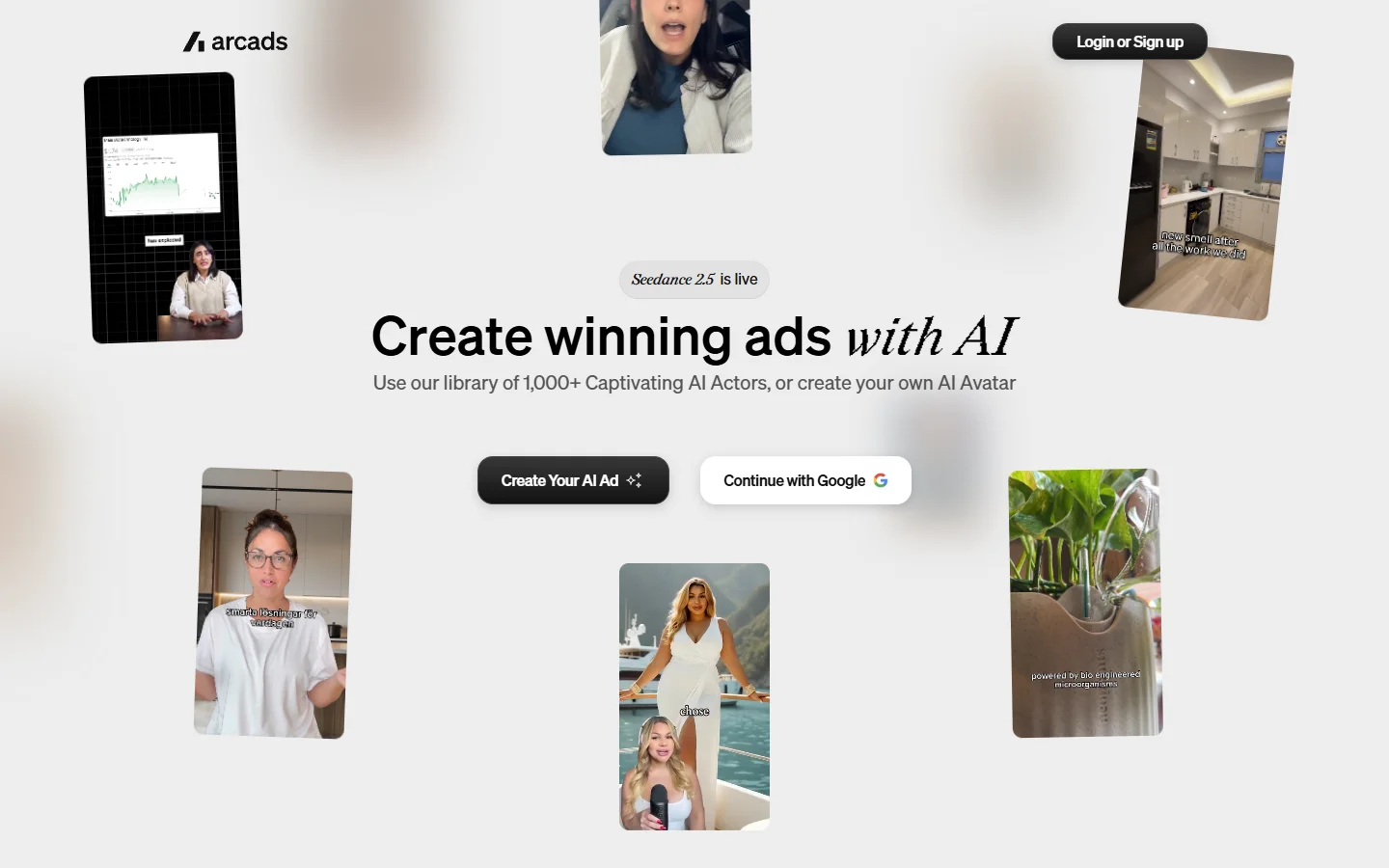
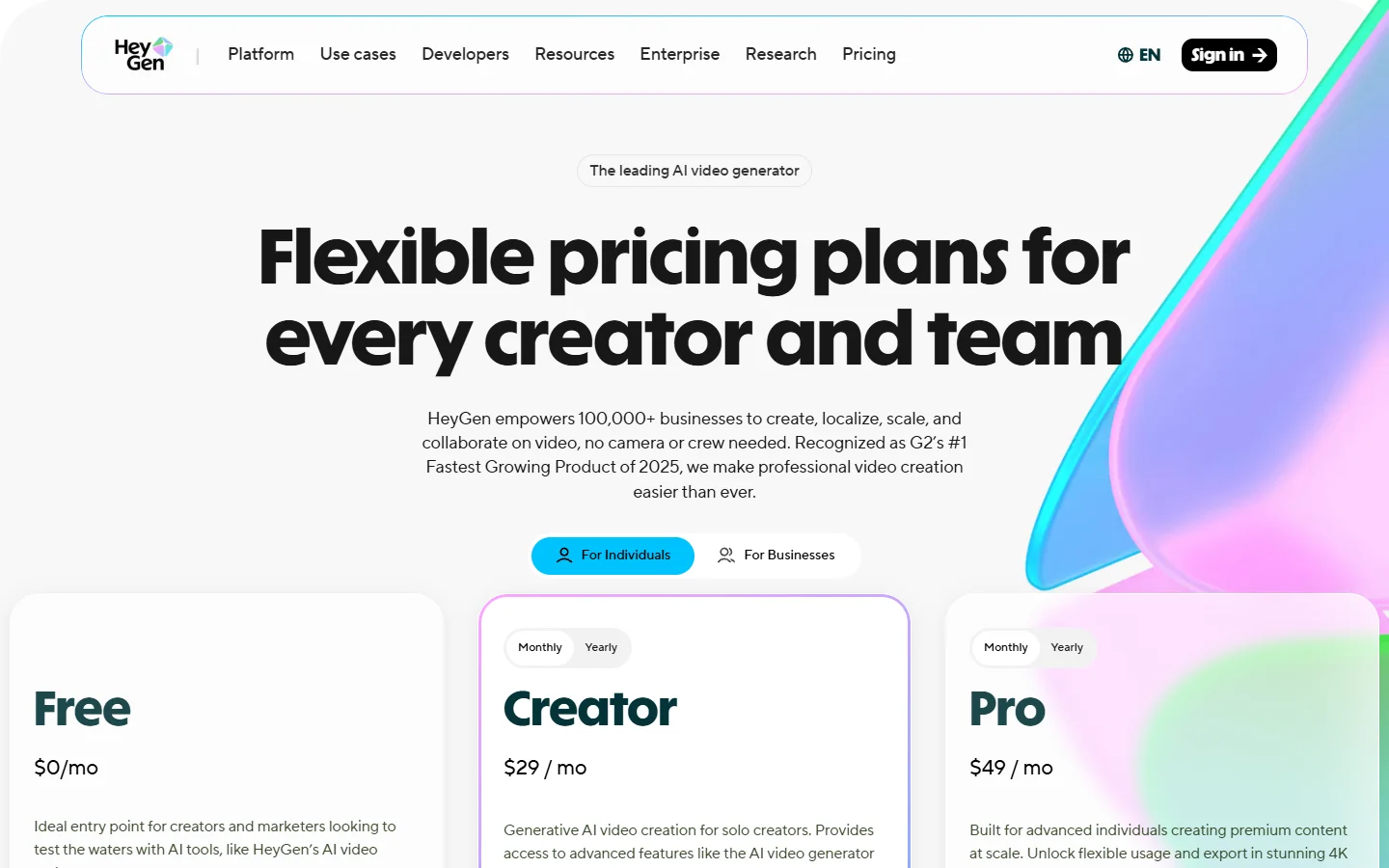
Arcads sells the same core promise with a different meter, pricing by video volume rather than a granular credit unit, which makes forecasting easier and fine-grained optimisation harder. HeyGen is the broader avatar platform, stronger on presenter quality and localisation, weaker on the ad-specific scaffolding like hook variants and competitor ad libraries. Neither is a straight swap, and the honest read is that the meter you prefer usually decides the tool.
- Creatify - Strength: ad-native workflow, product URL to finished creative, competitor ad tracking on Pro. Weakness: credit math is opaque on the automated tools, watermark on Starter. Best for: performance marketers testing many hooks per week.
- Arcads - Strength: predictable per-video pricing, strong actor library. Weakness: less granular control over model choice. Best for: teams that want a flat forecast.
- HeyGen - Strength: avatar realism, 100+ languages, mature API. Weakness: not built around ad testing. Best for: localisation and spokesperson content.
Pricing in this category moves every quarter, so treat any comparison, including this one, as a snapshot. Anyone shortlisting more broadly will find the current field mapped in our roundup of AI ad generators for social media.
Who each plan actually fits
Starter is for evaluation and for solo creators who can live with a watermark or who only need drafts to sell an idea internally. Ten usable ads a month is not a testing programme. Pro is the working tier: watermark-free, thirty standard ads a month, five seats, and the competitor tracking that justifies most of the gap. Enterprise is a seat-count and brand-count decision far more than a credit-volume one. If you are producing for ecommerce specifically, the volume you need scales with SKU count rather than campaign count, which changes the math considerably and is worth reading about alongside ecommerce product video tooling.
FAQ
How much does Creatify cost per month? Starter is $39 per month for 100 credits and Pro is $99 per month for 300 credits. Enterprise is custom-quoted. Annual billing is advertised at up to 50% off, which brings the effective monthly rate down substantially if you can commit for a year and puts it in the same bracket as most of the paid video generators worth shortlisting this year.
How many credits does one video use? For Video Ad, Avatar Video and AI Shorts, 5 credits per 15 seconds of finished output, rounded up. A 30-second ad is therefore 10 credits. Google Veo 3 renders are a flat 10 credits for up to 8 seconds, so premium models cost several times more per second.
What is the actual cost per video? About $3.90 on Starter and $3.30 on Pro for a 30-second standard ad, before accounting for rejected takes. Factor in a realistic keep rate and revisions and most teams land between $7 and $12 per ad they would actually run. Marketers running the same calculation for other formats will find comparable per-asset math in our marketing video guide.
Does the free plan have a watermark? Trial output and Starter exports carry Creatify branding. Watermark removal starts at Pro. This is the single most common reason people upgrade earlier than they planned, and it is a near-universal pattern across tools that gate clean exports behind a paid tier.
Do unused credits roll over? Credits are allocated per billing cycle and are not designed to bank indefinitely. Plan for the month you are in rather than saving toward a big production push, and check your account's current terms before assuming any rollover, since this is the detail Creatify has changed most often.
Is Creatify worth it versus hiring UGC creators? On raw cost, yes, by a wide margin. A human creator video typically runs $75 to $250. On performance, it depends entirely on your category and how well synthetic presenters land with your audience. The reasonable approach is to use AI for hook and angle testing at volume, then commission human creators for the two or three concepts that prove out. Avatar quality is the swing factor, and it varies more between platforms than most demos suggest, as the field of Synthesia alternatives shows.
Which plan should a small agency buy? Pro, almost always. Starter's single seat and watermark rule it out for client work, and Enterprise only becomes necessary when you pass five seats or need separate brand spaces per client. Agencies running multiple channels per client should also budget for the adjacent tooling covered in our roundup of AI tools for social media video creation.
The short version
Creatify's pricing is straightforward on the surface and conditional underneath. The $39 and $99 figures are accurate, but the unit that governs your spend is the credit, and the credit burns at different rates depending on which tool and which model you pick. Work out your keep rate on trial credits, multiply the published per-video cost by the inverse of it, add a revision allowance, and you will have a number you can actually budget against. That number, not the plan price, is what should decide the tier.