
We have all been there. You open a brand-new creative tool, type a quick prompt like "cool futuristic city," and hit enter. Ten seconds later, you are staring at a chaotic, melting mess of pixels that looks nothing like the masterpiece in your head.
The truth is, getting great results from automation is not about luck. It is about understanding how to communicate your exact vision to the machine.
Why Traditional Video Sourcing is Broken
According to recent data from HubSpot, video remains the absolute king of social media engagement. Audiences crave dynamic visuals, but creating them the old-fashioned way is exhausting. Sifting through generic stock libraries or filming your own B-roll takes hours of unpaid labor.
For solo creators and small marketing teams, this is a massive bottleneck. You need a fast, affordable way to produce high-quality, custom clips that match your specific brand voice.
Traditional stock footage often feels soulless and disconnected from your message. To stand out, you need absolute control over your visual assets.
Enter the Era of Custom Prompting with VideoAI
This is where advanced media synthesis platforms step in to change the game. By using VideoAI, you can bypass the stock libraries entirely.
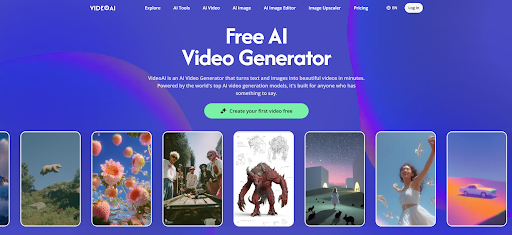
This platform acts as a highly responsive AI Video Generator that turns structured text into tailored visual scenes. Instead of hoping for a lucky match in a database, you build exactly what you need from scratch.
However, to get the most out of this technology, you cannot just type random words. You need to learn the art of structured prompting to unlock its true potential.
The Anatomy of a Perfect Video Prompt
Think of a video prompt as a set of instructions for a highly skilled, literal-minded camera operator. If you give vague directions, they will make creative guesses that might not match your vision.
A great prompt always contains four distinct pillars. You need a clear subject, a detailed environment, specific lighting, and precise camera movement.
When you balance these four elements, your chosen AI Video Generator can render scenes with incredible accuracy. Let's break this down into a practical, step-by-step workflow using a real-world scenario.
Step-by-Step Tutorial: Crafting a Custom Product Clip
For this tutorial, we will design a highly stylized, ten-second social media ad for a minimalist, matte-black reusable water bottle. This is a common task for e-commerce brands looking to scale their social ad production.
Step 1: Defining the Core Subject
During my own tests, I started with a very basic prompt: "a water bottle on a desk." The resulting clip was incredibly dull and looked like a low-res stock photo from 2010.
To fix this, we need to be highly specific about the object's materials and design. We must describe the texture, color, and shape to give the rendering engine clear boundaries.
Our updated subject prompt becomes: "A premium matte-black stainless steel water bottle with clean minimalist lines." This simple change immediately gives the object a high-end, tactile feel.
Step 2: Designing the Environment and Style
Now that the bottle looks great, we need to place it in an environment that tells a cohesive story. Leaving the background blank forces the system to make random guesses, which often ruins the composition.
We want a modern, professional, and organic aesthetic for our product. We can achieve this by adding specific environmental details to our prompt.
Our expanded text now reads: "A premium matte-black stainless steel water bottle sitting on a raw concrete desk, surrounded by soft green Monstera leaves." These specific details help the video generation AI understand the exact mood and context of the scene.
Step 3: Directing the Virtual Camera
A static image can be beautiful, but video requires intentional motion to keep viewers engaged. Without camera directions, the generated clip might remain static or drift aimlessly.
We want to create a sense of premium luxury, which is best achieved with slow, controlled camera movements. Fast pans or shaky movements would ruin the high-end feel of our product.
We will append specific camera instructions to our text: "Slow cinematic tracking shot zooming in, shallow depth of field, background softly blurred." This tells the system exactly how to move through the virtual space.
Step 4: Setting the Light and Mood
Lighting is the secret ingredient that separates amateur video from professional cinematography. It defines the emotional tone of your clip and highlights the physical textures of your subject.
For our minimalist water bottle, harsh studio lighting would look too clinical. Instead, we want soft, natural light that creates gentle shadows and a warm, inviting atmosphere.
We add our final lighting modifiers: "Bathed in warm morning sunlight filtering through a nearby window, casting soft realistic shadows." With this final touch, the prompt is complete and ready for rendering.
Reviewing the Final Prompt Structure
Let us look at our completed, structured prompt. It is clean, descriptive, and free of confusing jargon.
Our final input is: "A premium matte-black stainless steel water bottle on a raw concrete desk, surrounded by green Monstera leaves, warm morning sunlight filtering through a window, slow cinematic tracking shot, shallow depth of field."
When you input this structured formula into VideoAI, the system has all the data points it needs. It no longer has to guess the style, lighting, or movement, resulting in a highly customized, professional clip on the very first try.
Real-World Results: Moving Beyond the Sandbox
Taking the time to master this prompting structure yields massive real-world benefits for businesses and creators. When you can generate precise assets on demand, your entire production pipeline speeds up.
A recent digital marketing case study revealed that brands using highly customized, localized video ads saw a 30% increase in viewer retention compared to those using generic stock templates. Audiences simply respond better to visuals that feel tailored and authentic.
By adopting a capable AI Video Generator and utilizing structured prompting, small teams can produce dozens of highly specific ad variations in a single afternoon. This level of rapid creative testing was once reserved for agencies with massive budgets.
Finding Your Creative Balance
While these automated tools are incredibly powerful, they are designed to amplify your creativity, not replace it. The software handles the tedious rendering and asset generation, but you still provide the strategic vision.
No algorithm can understand your target audience or craft your brand's unique story quite like you can. Use these tools to eliminate the bottleneck of manual production, but keep your human perspective at the heart of your content.
By mastering the art of the prompt, you transform technology from a chaotic novelty into a reliable, everyday creative partner.