AI TikTok app - Go viral!NEW: Seedream 5 by ByteDance. Sharper prompts, native text in 14 languages, precise edits. Try it now.Try It Now →
Uncensored AI Image Generator, No Filters
Create unrestricted AI images with precise control over style, realism, and detail. Private, fast, and adult-only. Here is why: clear tools, reliable models, and exports that match your prompt.


Our Uncensored AI Image Generator puts creative power directly in your hands. Unlike other platforms, we offer genuine freedom to explore your artistic vision without limitations. When you use our tool, you'll find that you have granular control over every aspect of your image, from the overall style and level of realism to minute details. This allows for incredibly precise outputs that truly match your prompt. Our users typically leverage this for character design, custom artwork for personal projects, and even generating unique visual assets for marketing and advertising campaigns.
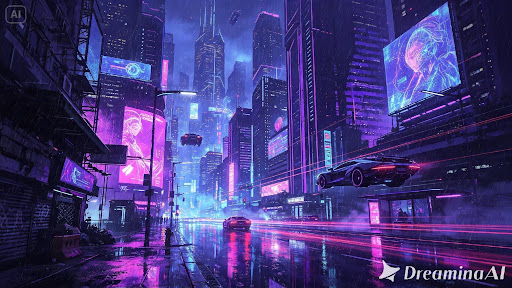
A practical tip for getting the best results from this no filter AI image generator is to experiment with different prompt structures. Try breaking down complex ideas into simpler phrases or incorporating specific artistic styles like "cyberpunk," "impressionist," or "photorealistic." The more detail you provide, the better the AI can understand and execute your vision. You'll be amazed at the high-quality, unique images you can create with our meticulously trained models. It’s time to unleash your creativity with an uncensored ai art generator that respects your artistic intent!
What "Uncensored" Actually Means in AI Image Generation
Most AI image generators have aggressive content filters that reject prompts at multiple stages: before generation (prompt filtering), during generation (concept filtering), and after generation (output filtering). Even harmless artistic prompts get blocked because the filters are overly broad. You type a prompt with the word "sensual" and hit a wall.
BasedLabs takes a different approach. The platform runs multiple AI models — some optimized specifically for creative freedom, others for photorealism or specific art styles — and you choose which one handles your prompt. The result is generation that respects your creative intent without the constant "this content violates our policies" interruptions that ruin creative flow on mainstream platforms.
Models Optimized for Creative Freedom
Different AI models have different training data and different sensitivities. BasedLabs gives you access to models that were trained with fewer restrictions, allowing for broader artistic expression. Whether you're working on:
- Fine art studies with classical nude references
- Fantasy character design with mature themes
- Adult illustration and comic art
- Photorealistic portraits in private commissions
- Experimental art that pushes boundaries
...you can pick the right model for the job instead of fighting against filters designed for corporate marketing content.
Privacy and Generation
Everything you generate on BasedLabs is private by default. No social feed, no public gallery, no requirement to share your creations. Your prompts and outputs are yours. This matters more than most platforms admit — creative work often happens in private before it's ready to be seen, and that privacy needs to be respected.
The generation infrastructure uses distributed GPUs so speed stays consistent regardless of traffic. No queue times, no "high demand" messages interrupting your workflow. Generate, iterate, generate again until you have exactly what you wanted.
Common Questions About Uncensored Generation
Is this safe to use? The platform is safe from a technical and privacy standpoint. Generated content belongs to you. Legal and ethical use of the output is your responsibility — the same as with any creative tool.
Does Google penalize uncensored tools? Google ranks pages based on content quality and search intent match. There's no specific penalty for adult content generators that properly declare their intent and aren't trying to rank for unrelated queries.
Can I use generated images commercially? Output is typically yours to use, subject to the specific model's license terms. For commercial use, always check the model's terms since they vary.
How to use Uncensored AI Image Generator, No Filters
Steps to get you started in BasedLabs.

Step 1
Add Your Concept
Start with text, an image, or both. Describe your scene, pose, lighting, and style. Upload a reference if needed. Keep prompts clear for better fidelity.

Step 2
Pick Tool and Model
Choose Text to Image for fresh renders or Image Editor for edits. Seedream 4 delivers photorealism and prompt adherence. Flux and Hunyuan Image 3.0 support stylized looks with rich detail.

Step 3
Generate and Export
Hit Generate and review variations. Adjust seed, guidance, or sampler for the right look. Export PNG or JPG. Save presets for next time.
Clear Boundaries
Create with freedom while staying within clear rules. Our systems block illegal content automatically, so you can focus on art and style. Start with our Uncensored AI Image Generator and keep your workflow private and predictable. Controls cover prompts, styles, and outputs.

Photoreal Detail Control
Dial realism, lighting, and texture with sampler, steps, and CFG settings. Models like Seedream 4 and Flux track complex prompts closely. Need help describing scenes? Try the AI image description generator for clear, structured prompts. Control style weights and composition guides for consistent results.

Private Creation
Your prompts, images, and exports stay private. We process jobs securely and clear temporary files quickly. Build sets of unrestricted AI images without public galleries. Explore styles in our AI Image Generator when you want broader creative tools. Batch upload references for faster rounds.

Precision Style Presets
Lock in looks with presets for camera, color grading, and composition. Reuse seeds for consistent poses and framing. Our ai image generator no filter tools help when creative boundaries matter. Try the AI image generator with no restrictions to keep styles consistent.

Fast, High Quality
Render quickly without sacrificing detail. Preview low-res drafts, then upscale final selects. Queue multiple prompts and references. Our NSFW AI image generator pairs well with the ChatGPT image generator for brainstorming prompts and refining wording. Schedule batches during off-hours for uninterrupted rendering.

FAQs
Discover related AI tools:
Browse Related Content
Explore AI-generated uncensored image generator, no filters artwork from our community