 AI TikTok app - Go viral!NEW: Seedream 5 by ByteDance. Sharper prompts, native text in 14 languages, precise edits. Try it now.Try It Now →
Interior Design Visualizer Free
Plan room makeovers with AI on one canvas. Upload a photo, choose a model, and describe the style. Get photoreal results you can export. Let's break it down. Next steps: start free and test your ideas today.

When you use this interior design tool, you'll immediately notice how it simplifies the entire visualization process. Instead of juggling multiple apps or hiring expensive designers for initial concepts, you can upload a photo of any room in your home and experiment with different styles in real-time. Our users typically start by testing bold ideas they're unsure about—like converting a traditional living room to mid-century modern or trying out maximalist wallpaper in a bedroom. The AI generates photorealistic renderings that help you commit to design decisions before spending a dollar on furniture or paint.
The real power of this design visualizer comes from its flexibility. You're not locked into preset templates or limited style options. Describe exactly what you want—"Scandinavian minimalist with warm wood tones and plants" or "industrial loft with exposed brick and leather accents"—and watch the AI interpret your vision. You'll find that it's particularly useful for visualizing tricky spaces like awkward corners, small bathrooms, or open-concept areas where you're struggling to define zones. The export feature lets you save multiple variations, which is perfect for comparing options side-by-side or sharing concepts with family members or roommates before making final decisions. Start with your most challenging room and see how quickly you can generate ideas that actually work.
How to use Interior Design Visualizer Free
Steps to get you started in BasedLabs.
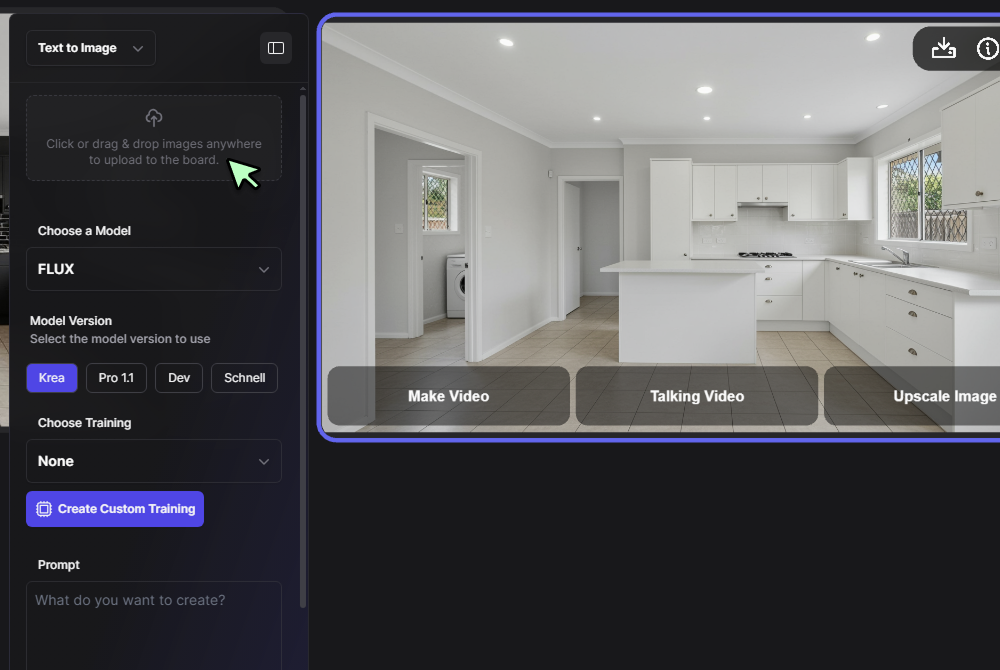
Step 1
Upload your room photo
Add a room photo to the canvas or start with Text to Image. Use Seedream 4 for fresh renders. Keep full resolution for accurate walls, floors, and lighting.
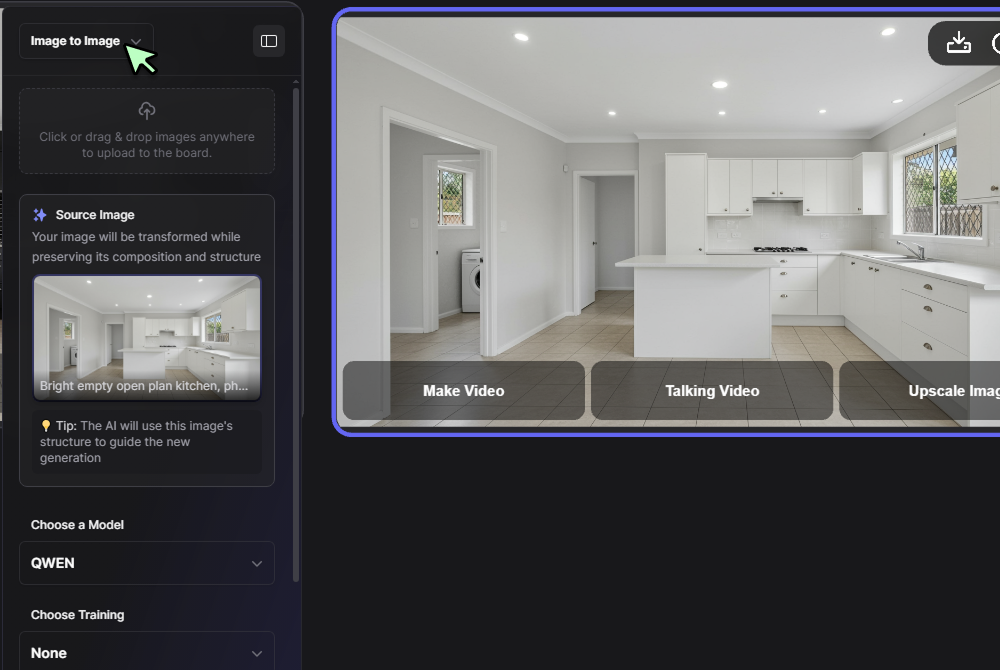
Step 2
Select model and prompt
Select the image on canvas. Choose Image Editor with Seedream 4 or Nano Banana. Describe style, materials, furniture layout, and colors. Example: Scandinavian living room, oak floors, built-ins, soft neutrals.
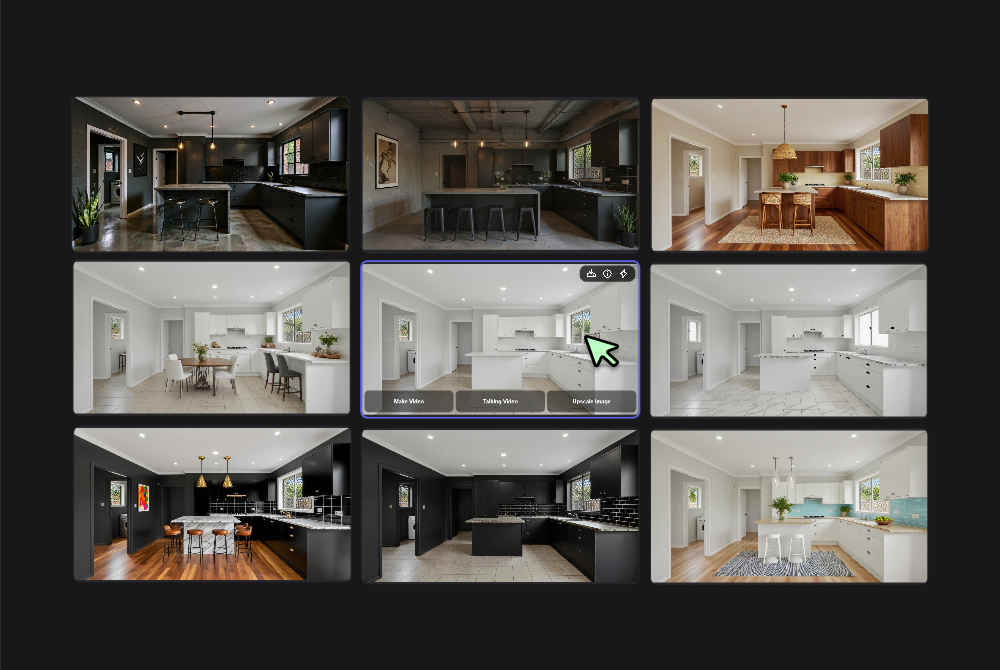
Step 3
Generate and refine
Click Generate, review results, and iterate. Adjust prompts, try different models, or mask specific areas. Export your favorite render as PNG or PSD for sharing or further editing.
Photoreal room redesigns
Produce high-quality renders from simple prompts. Our design visualizer keeps lighting, walls, and perspective consistent while swapping finishes and furniture. Try styles fast, from modern coastal to Japandi, without manual masking. Great for makeovers, staging, and concept boards in minutes. Try our AI interior design tool for more creative options.
Precise area control
Brush to target cabinets, floors, or walls only. Lock protected regions to keep windows and art intact. The interior design tool respects geometry and scale, so updates look natural and aligned with your original room photo. Use our AI room planner for layout changes and space planning.
Style presets and prompts
Save prompt templates for favorite looks like mid-century, rustic farmhouse, or art deco. Reuse across projects. The interior design app keeps your presets available, so teams stay consistent and produce repeatable outputs without rewriting long instructions every time. Explore more styles with our remodel AI tool.
Multiple quality models
Pick Seedream 4 for top detail or switch to Nano Banana for fast drafts. The interior planner adapts to your needs, so you can compare renders side-by-side and choose the best result for each room. Try different seeds and guidance values for controlled changes. Check out our AI kitchen design tool for specialized room designs.
Export ready deliverables
Download PNGs for quick shares or layered PSDs for detailed edits. Keep originals and versions organized on the canvas. Hand off clean files to clients or contractors from the same design app without extra steps. Export thumbnails for moodboards and social previews. Use our virtual staging AI for professional presentations.
FAQs
Discover related AI tools:
Browse Related Content
Explore AI-generated interior design visualizer free artwork from our community
Related Resources






More Than Interior Design
Join millions of creators using BasedLabs to generate professional, scroll-stopping content for social media, YouTube, marketing, and more — in seconds. Produce high-quality AI-generated videos and images optimized for engagement and reach. Streamline your content workflow and scale faster.
