
Most advice on ai animation software starts with the wrong question, which is “What's the best tool?” The better question is, “What production problem are you trying to solve?” A team making rapid generative clips does not need the same workflow as a studio doing motion capture, character replacement, or final polish. The market has moved fast enough to make that distinction real, especially since the jump from early text-to-video demos in 2022 to commercial tools in 2023 and more coherent high-fidelity outputs in 2024, a shift that turned prompt-based video creation into a production category rather than a curiosity (AI video generation history).
That's why the most useful comparison is by workflow fit, not by feature list. Output type, control, pricing structure, commercial-use terms, learning curve, and handoff options matter more than a long catalog of buttons. BasedLabs is especially useful as a browser-first hub for testing multiple image and video models, preparing assets, upscaling results, and producing social-ready edits, while specialized tools stay stronger for mocap or 3D animation. If you choose well, you'll often combine tools instead of forcing one platform to do everything.
Table of Contents
- 1. Knowlify
- 2. BasedLabs
- 3. Runway
- 4. Pika
- 5. Luma Dream Machine
- 6. Kaiber
- 7. Immersity AI
- 8. Move AI
- 9. Plask
- 10. Cascadeur
- 11. Autodesk Flow Studio
- AI Animation Software: 11-Tool Feature Comparison
- Final Thoughts
1. Knowlify
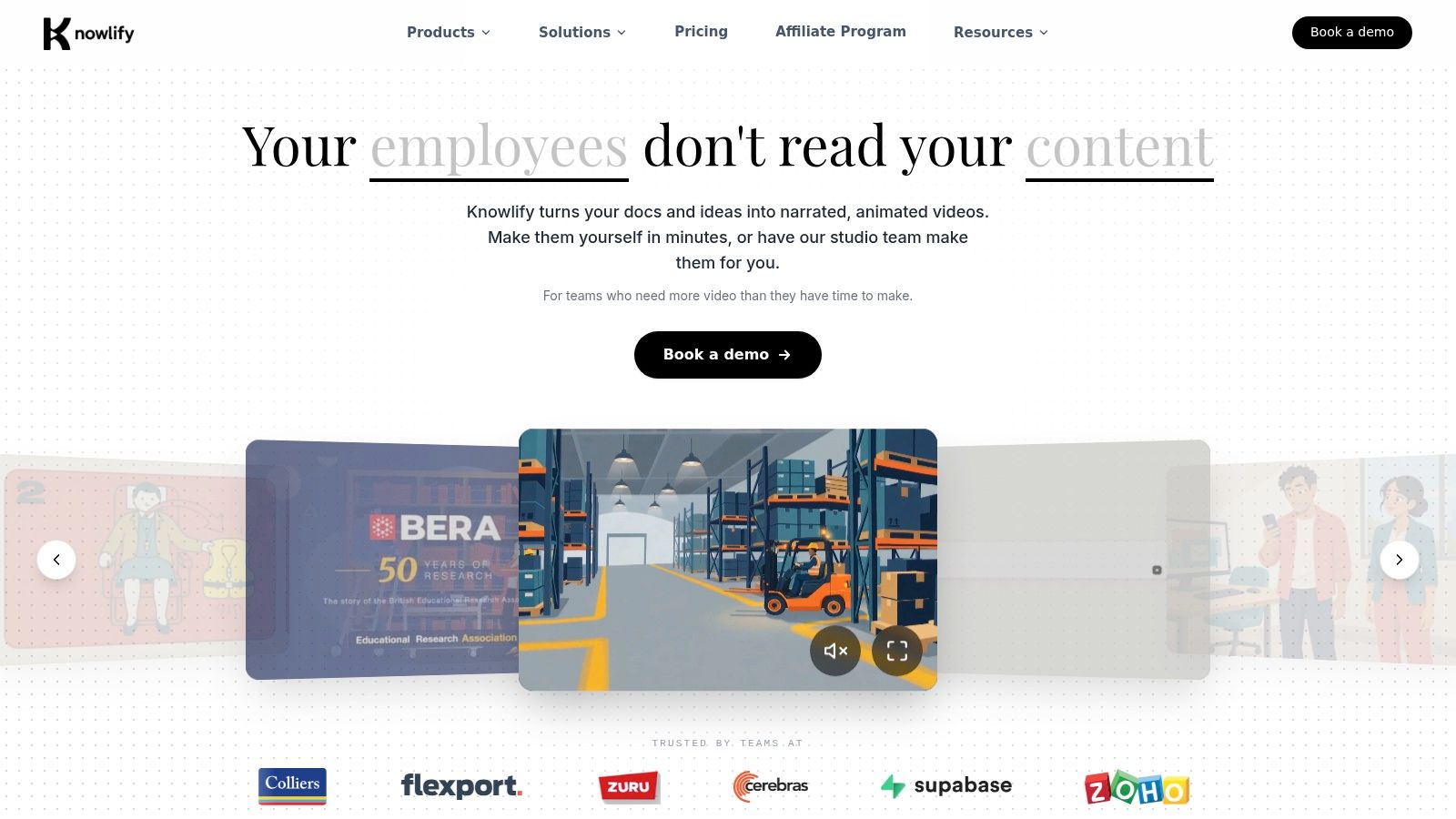
Knowlify addresses the core challenge many teams face, turning documents, URLs, and rough ideas into narrated, animated videos without starting from a blank timeline. For training, onboarding, and explainers, that matters more than having the flashiest model because the bottleneck is usually not motion quality, it's turning dense source material into something people will watch and remember. You can see the platform positioning on Knowlify's AI animation platform, and the useful distinction is that it pairs a self-serve product with a full-service studio.
Where Knowlify wins
The platform is strongest when the input already exists and the output needs to be clear, branded, and repeatable. Its document-to-video, URL-to-video, and video-to-video flows make it a practical choice for SOPs, policy updates, internal training, and customer education. The studio option matters too, because some teams want output without hiring scriptwriters, storyboard artists, or animators in-house.
Practical rule: choose Knowlify when the content problem is communication, not cinematic experimentation.
Its broader utility comes from the support stack around the generator. Brand kits, reference images, custom characters, saved templates, and 30+ language localization make it more appropriate for organizations that need consistency across teams or regions. The inclusion of SCORM packaging and LMS integrations also makes it relevant for learning workflows, not just marketing clips.
When it's the right choice
Knowlify makes the most sense if you need:
- Fast production of narrated explainers from existing documents or URLs.
- Localization and re-voicing for distributed teams.
- Interactive training videos with quizzes or clickable calls to action.
- Studio support when the project needs a done-for-you handoff.
The trade-off is that Knowlify is built for communication outcomes, not deep animation craft. If your goal is motion capture, live-action compositing, or highly stylized social experimentation, a specialized tool will usually fit better. For operations, onboarding, and training, though, Knowlify is one of the clearest examples of ai animation software solving a business problem instead of just generating footage.
2. BasedLabs
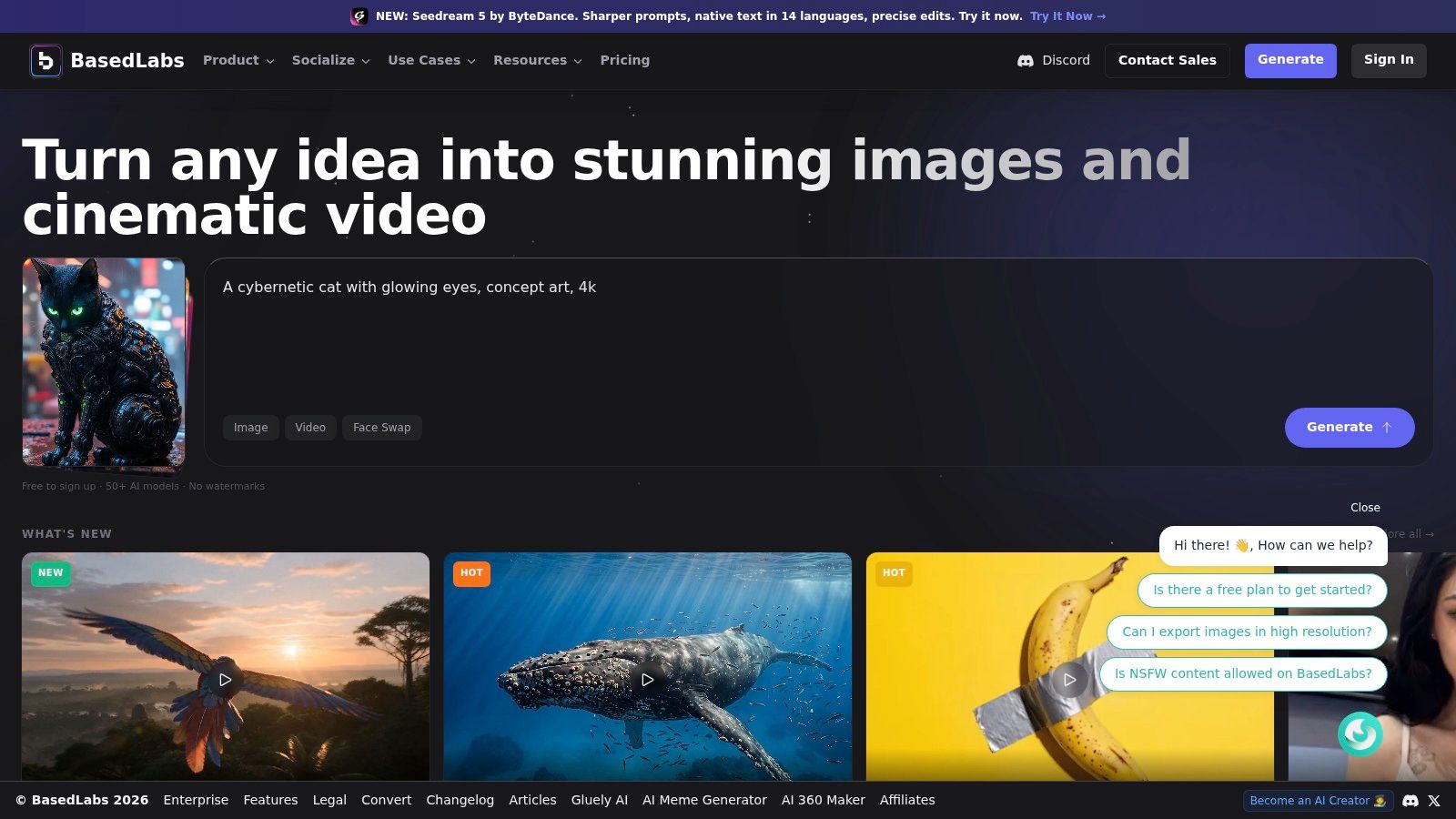
BasedLabs is the best match for teams that want a browser-first production hub rather than a single-model tool. It consolidates a large set of image and video models in one account, which is useful when the actual task is comparing outputs quickly, then routing the job to the model that fits the brief. That matters in ai animation software because benchmark work shows no single model wins every quality dimension, and practical users often value different traits for different jobs (EvalCrafter benchmark analysis).
The workflow it solves
BasedLabs is strongest for creators and agencies that need rapid asset testing, social-first animation, and post-generation cleanup. It can generate from text or images, animate stills, swap faces, upscale results, and edit video in-browser, so the workflow stays inside one web app instead of bouncing between tools. That makes it especially handy when a team needs fast turnaround on TikTok or YouTube-style content, or when they want to compare several model outputs before committing to a final version.
The browser-first model also changes the adoption curve. There's no local install and no GPU setup, which lowers the operational friction that often blocks small teams and freelancers. For production managers, the big advantage is that the platform can act as a testing layer and delivery layer at the same time.
Why it complements specialized platforms
BasedLabs is not the tool you'd pick for every serious character animation or mocap workflow. It's the tool you use when you need model variety, fast iteration, and social delivery without building a custom stack. Its transparent, credit-based billing also helps when you're managing costs across mixed tasks, although long-form or high-volume video can still eat credits quickly.
Use BasedLabs as the place where ideas become usable assets, then hand off to deeper specialist tools when the shot needs motion capture, rigging, or final compositing.
That handoff logic is the main reason BasedLabs stands out. It's not trying to replace every animation pipeline. It's useful because it shortens the distance between prompt, test, and publish, which is exactly where a lot of teams lose time.
3. Runway
Runway is the platform you reach for when the task sits between generation and editorial control. It supports text, image, and video-to-video workflows, but the bigger value is that generation and editing live in the same environment. For teams that already know they'll need to refine clips after generation, that's a practical advantage over jumping between a generator and a separate editor.
Where Runway fits best
Runway makes the most sense for creators who want broad capability in one place. It combines modern video generation models with editing apps, motion tools, upscaling, and team features, so it can handle early ideation and later-stage cleanup without breaking the workflow. That's useful for marketing teams and studios that need both speed and a familiar production cadence.
The price model matters here too. Runway uses credit-based metering for generation and API usage, so cost predictability depends on how often the team iterates. That can work well for disciplined workflows, but power users should watch plan changes carefully because the cost structure can affect how comfortably they scale.
Why it's not always the default
The strength of Runway is breadth, but breadth can also be a liability. Some legacy tools and models disappear over time, and that means teams can't treat the platform as static infrastructure. If you're building a repeatable creative process, you'll want to confirm what's currently available before committing a workflow around it.
For developers and technical teams, there's also an ecosystem consideration. The platform sits in a broader field of API and workflow alternatives, and the practical comparison for your team starts with how much you need to control the pipeline versus how much you want an integrated studio experience. A useful reference point is the discussion around Runway API alternatives for developer teams, which helps frame when a generalist platform is enough and when a more modular stack makes sense.
Runway is a good pick when you want a serious cloud-based creative environment and don't mind paying attention to credits and product changes. If your team values integration more than model shopping, it stays near the top of the list.
4. Pika
Pika is built for speed, and that makes it a strong fit for social creators who care more about turnaround than deep pipeline control. It offers multiple tiers, parallel generation, and paid-plan output without watermarks, which makes it easy to use for short-form testing and quick publishing. The workflow is less about building a production department and more about getting usable motion out fast.
Why creators pick it
The most important thing about Pika is throughput. Parallel generation lets users move faster when they're testing ideas for shorts, reels, or ad concepts, and the tier structure is straightforward enough that individual creators can enter at a low cost. From a workflow standpoint, that lowers the barrier to experimentation.
The commercial-use cutoff matters. Free and Starter plans don't include the same commercial rights as higher tiers, so teams using Pika for client work need to treat the plan choice as part of the production decision, not an afterthought. That's especially important in ai animation software, where output terms can matter as much as output quality.
What it doesn't solve
Pika is not trying to be a full studio environment. If you need team review flows, complex asset governance, or multi-stage handoffs, you'll probably outgrow it. But if your main job is producing motion content quickly for platforms where freshness matters, the simplicity works in its favor.
Pika is strongest when the brief is short, the deadline is tight, and the team wants volume without installing a bigger toolchain.
That's the core decision. Choose Pika for rapid social output, not for large-scale production architecture. It's a good example of a tool that wins by reducing friction, not by pretending to replace every other step in the process.
5. Luma Dream Machine
Luma Dream Machine is the option to look at when camera motion and cinematic feel matter more than broad tooling. It's known for film-like motion coherence, which makes it useful for creators who want a stronger sense of shot language rather than just movement. In practice, that means it can be a better fit for concept work, previsualization, and atmospheric clips than tools focused mainly on fast social throughput.
Where it earns attention
Luma's strongest appeal is visual style. The motion quality gives clips a more cinematic feel, which helps when a team is trying to communicate a look before a shoot or prototype a sequence for stakeholders. The platform also supports clip extension and iterative editing, which makes it easier to shape a shot rather than accept the first output.
That said, visibility around pricing can be less straightforward than with some competitors, and the product has included upgrade paths that help users bypass waitlists. For planning purposes, that means teams should expect some variability in access and prioritize it as a creative tool, not a fixed-cost utility.
Why it's not a universal answer
The benchmark takeaway from video generation research still applies here. Users often care more about perceived quality than exact prompt alignment, but no one model dominates every category. Luma can be an excellent fit for projects where the emotional feel of the motion matters, yet it may not be the fastest route for high-volume batch production.
For creators comparing it against image-animation workflows, a practical reference point is the guide on animating still images with AI, which helps show where simple image-to-motion work ends and more cinematic generation begins.
Luma is best when you want your output to feel directed. If your project needs mood, motion, and a more filmic look, it belongs near the top of the shortlist.
6. Kaiber
Kaiber solves the timing problem: keeping animation locked to rhythm when the track drives the cut. Its Beat Sync, batch creation, and editing workflow suit musicians, labels, and social teams producing multiple versions from one creative direction. The production value lies in coordinating cadence and visual variation, not just generating movement.
Kaiber's plan structure is straightforward, while credit rollover helps sporadic creators avoid wasting unused capacity. That model suits teams that produce in bursts rather than on a fixed studio schedule. Higher plans include commercial-use allowance, which makes Kaiber more practical for campaign work than tools intended mainly for experimentation.
Batch creation is the stronger workflow advantage. Once a visual idea is established, creators can develop several variations without manually rebuilding every motion decision. This reduces repetitive editing for social campaigns and music releases, where one concept may need multiple cuts.
For a quick text-to-animation test before committing to a music-synced edit, use the text-to-animation workflow to generate base clips for Beat Sync. That handoff lets BasedLabs support early concept generation while Kaiber handles rhythm-led assembly.
Kaiber's limits appear when the project requires advanced 3D workflows, technical handoff, motion capture, or engine integration. Those requirements place it outside the center of the pipeline. A specialized platform should handle the technical animation, with Kaiber reserved for timing, style, and campaign variations.
Choose Kaiber when the soundtrack determines the edit. Combine it with a generative clip tool upstream or a technical animation platform downstream when the project demands more control than rhythm-based editing can provide.
7. Immersity AI
Immersity AI solves a narrow but very common problem, which is how to make a still image feel alive without rebuilding it as full animation. Its 2D-to-3D conversion and depth-based motion are ideal for product promos, thumbnails, and social posts that need quick movement rather than character performance. The lower learning curve is a major part of the appeal.
What it does well
The tool is built around parallax and immersive motion, so it's best when you want subtle camera movement, not full scene animation. That's why it's strong for social-scale outputs, because the goal is often to turn a static asset into something more engaging in seconds. The mobile and web options also help teams move quickly.
Its paid tiers matter because they remove watermarks and support higher-resolution exports, which makes the workflow more useful for commercial work. The free tier is still valuable for testing, but the watermark means it's more of a try-before-you-buy path than a publishing path.
Where it stops
Immersity AI is not a replacement for character animation or mocap. If your project needs body movement, acting, or interaction between animated elements, this tool is too narrow. That's not a weakness if you choose it for the right job.
Use Immersity AI when the source is already a strong image and the production need is motion, not reinvention. It's one of the clearest examples of a tool that wins by doing one thing very efficiently.
8. Move AI
Move AI is for teams that need production-grade motion capture, not just animated effects. It captures human motion from single or multi-camera video and exposes a per-second pricing model for API usage, which makes it relevant to studios, game teams, and VTubing workflows where real performance data matters. If the creative problem is convincing movement, this is closer to infrastructure than a consumer app.
Where it fits in the stack
The advantage of Move AI is that it can handle more demanding capture scenarios, including multi-performer work and higher-FPS or 4K inputs. That matters because mocap quality is often limited by input quality, and production teams need a system that can scale with the shot. The mobile app gives creators another entry point, but the platform is clearly built for serious downstream use.
Its cost model is more complex than a simple subscription, because pricing can vary with resolution, camera count, and processing demands. That complexity is not a flaw by itself, but it does mean producers need to budget per shot rather than treat the platform like an unlimited monthly toy.
Who should skip it
If you're not already comfortable with 3D pipelines, retargeting, and DCC handoff, Move AI can feel like overkill. It solves the mocap step, but it expects you to know what to do with the capture afterward. That makes it excellent for technical teams and less appealing for pure marketers.
For the right team, though, Move AI is one of the most practical choices in ai animation software because it removes a major production constraint without pretending the rest of the pipeline disappears.
9. Plask
Plask is the low-friction choice for browser-based motion capture. It lets users capture body and hand motion from ordinary video without suits or sensors, then export the result into common 3D formats. That makes it useful for creators who need a fast mocap workflow without investing in a heavier pipeline on day one.
Why it stands out
The biggest advantage is accessibility. A browser workflow and a free tier make it easy to test, and the export formats like FBX, GLB, and BVH help the output move into other tools. For small teams, that lowers the barrier to trying mocap before they've standardized a broader animation stack.
Plask is also a sensible choice when the input video is good and the output target is simple. If you have a clear subject, decent framing, and a downstream tool ready to consume the capture, it can save a lot of setup time.
The practical limit
Quality depends on video quality and framing, so the tool rewards disciplined capture. That makes it less forgiving than some marketing tools, but that's normal for mocap. The free tier's daily limits and the paid tier's motion-minute structure also mean it's best for targeted use, not endless processing.
Plask is the kind of tool that earns a place in a pipeline, then stays there because it's easy to run. If you need a fast web-based capture layer, it's a strong option.
10. Cascadeur
Cascadeur belongs in the conversation when the job is professional character animation, not just generation. Its AutoPosing, AutoPhysics, and inbetweening tools are built to help animators move faster while keeping creative control. For teams already working in Unreal, Blender, or Maya, it can act as a serious polish layer.
What makes it different
Cascadeur is closer to a smart animation environment than a prompt generator. The physics-aware tools help create believable motion, and that matters when a scene needs weight, balance, and timing that feels intentional. It's especially helpful for teams that already understand rigging and keyframing but want to reduce repetitive manual work.
The export and interoperability story is also important. If the work needs to move between engines or DCC tools, the platform's compatibility makes it a realistic part of a professional workflow rather than a closed system. The free tier is useful for experimentation, but the practical value appears when you can integrate it into a broader pipeline.
Who should use it
Cascadeur is best for animators who already know the basics and want speed without surrendering control. It is not the easiest tool on this list, and that is part of its purpose. If you're doing real character work, the learning curve is justified by the amount of manual effort it can remove.
For polished animation, Cascadeur often sits after capture or rough blocking. It doesn't replace the pipeline, it sharpens it.
11. Autodesk Flow Studio
Autodesk Flow Studio is the right comparison point when the problem is replacing or animating CG characters inside live-action plates. It is built for VFX-style work, with AI-powered motion capture, auto character animation, a 3D editor, and an asset library for scene assembly. That makes it materially different from prompt-to-video tools, because it starts with live-action footage and helps convert it into a composited scene.
Why teams pick it
The most obvious advantage is that it lowers the barrier to character replacement work. For filmmakers and effects teams, that can save a lot of manual setup when the shot already exists and needs a CG performer inserted or animated. The fact that it sits inside Autodesk's ecosystem is also a practical plus for teams that already use related tools.
The credits model, however, means shot planning matters. If processing is metered per second, producers need to budget carefully and avoid waste. That makes Flow Studio a strong fit for structured pipelines, not casual experimentation.
Where it makes sense
If your work is live-action compositing, VFX pre-vis, or character insertion, Flow Studio deserves attention. If your goal is casual clip generation for social media, it is probably too specialized. That's not a downside, it's just the wrong tool for the wrong task.
Flow Studio rounds out the list because it solves a problem that general generators still don't handle cleanly. When the shot already exists and the character needs to be built into it, this is the kind of platform that earns a slot in the workflow.
AI Animation Software: 11-Tool Feature Comparison
- Knowlify — Core features ✨: ✨ Script-to-animated video, realistic avatars, voice cloning, studio services · Quality ★: ★★★★ · Pricing 💰: 💰 Tiered (free start → Enterprise), studio add‑ons · Target audience 👥: 👥 L&D, enterprises, marketing teams
- BasedLabs 🏆 — Core features ✨: ✨ Unified access to 50+ image/video models, text-image/video, face-swap, 4x upscaling, TikTok/YouTube editors · Quality ★: ★★★★☆ · Pricing 💰: 💰 Credit-based; free signup, subs & one‑time packs, crypto accepted · Target audience 👥: 👥 Creators, agencies, studios, enterprises
- Runway — Core features ✨: ✨ Gen models, app-based editing, workflow nodes, API · Quality ★: ★★★★ · Pricing 💰: 💰 Credit-metered, published rates, team plans · Target audience 👥: 👥 Creators, studios, teams
- Pika — Core features ✨: ✨ Fast text-/image-to-video, parallel generation, social-first outputs · Quality ★: ★★★ · Pricing 💰: 💰 Low entry tiers, annual discounts, paid plans unlock commercial use · Target audience 👥: 👥 Social creators, short-form producers
- Luma Dream Machine (Luma Labs) — Core features ✨: ✨ Cinematic text/image→video with coherent camera motion, clip extension · Quality ★: ★★★★ · Pricing 💰: 💰 Variable (upgrades/queues), some waitlist flows · Target audience 👥: 👥 Filmmakers, cinematic creators
- Kaiber — Core features ✨: ✨ Canvas + Editor, Beat Sync, batch creation, music focus · Quality ★: ★★★ · Pricing 💰: 💰 Clear plan ladder, credit rollover · Target audience 👥: 👥 Musicians, social creators, campaign teams
- Immersity AI — Core features ✨: ✨ 2.5D parallax/3D-from-stills, fast social promos, depth export · Quality ★: ★★★ · Pricing 💰: 💰 Free (watermarked) → affordable paid tiers · Target audience 👥: 👥 Photographers, social marketers, content editors
- Move AI — Core features ✨: ✨ Production mocap (single/multi-camera), Move One app, API · Quality ★: ★★★★ · Pricing 💰: 💰 Per‑second API pricing + multipliers · Target audience 👥: 👥 Game devs, film VFX, professional mocap users
- Plask — Core features ✨: ✨ Browser mocap (body & hands), exports FBX/GLB/BVH, web workflow · Quality ★: ★★★ · Pricing 💰: 💰 Free tier with limits → paid monthly capture minutes · Target audience 👥: 👥 Indie creators, animators, small studios
- Cascadeur — Core features ✨: ✨ AI-assisted posing, AutoPhysics, inbetweening for 3D character animation · Quality ★: ★★★★ · Pricing 💰: 💰 Free tier (limited exports) → paid/pro and perpetual builds · Target audience 👥: 👥 3D animators, studios, game anim teams
- Autodesk Flow Studio — Core features ✨: ✨ Live-action→CG pipelines, AI mocap, 3D editor, asset library · Quality ★: ★★★★ · Pricing 💰: 💰 Credit‑based processing; Autodesk subscription tiers · Target audience 👥: 👥 VFX studios, post-production, enterprise teams
Final Thoughts
Wrapping up ai animation software means accepting a simple truth, the best tool is the one that matches the production problem. Some teams need fast text-to-video clips, some need image animation, some need motion capture, and some need final polish inside a 3D or compositing pipeline. The market's recent growth from research demos into commercial products supports that split, because it has created enough variety that no single platform now serves every team equally well (market context).
The most efficient workflows usually combine tools. A marketing team might draft concept clips in BasedLabs, refine social edits in a browser editor, then move a selected asset into a more controlled platform if the job needs motion consistency or branded rollout. A training team may use Knowlify to convert policy documents into narrated videos, then hand off the final package through LMS channels. A studio might capture motion in Move AI or Plask, polish performance in Cascadeur, and finish the scene in Autodesk Flow Studio.
That handoff mindset matters because current tools still aren't fully autonomous. Creative-practice research shows that coherent results often depend on reference images, repeated prompt refinement, selective clip generation, and post-production assembly rather than prompting alone (creative-practice study). In other words, the smartest purchase is rarely a single subscription that promises everything. It's a stack that reflects how your team really works.
If you're choosing today, start with the output you need, then buy for the bottleneck you want to remove. Pick Knowlify for training and explainers, BasedLabs for fast multi-model testing and social delivery, Runway or Luma for stronger generative control, Pika or Kaiber for short-form content, Immersity AI for image motion, Move AI or Plask for mocap, Cascadeur for polished character work, and Autodesk Flow Studio for live-action character replacement. If you want a browser-first way to compare models, prepare assets, and keep production moving, start with BasedLabs, then layer in a specialist only when the shot really needs it.
If you're mapping a real workflow for your team, test one broad hub and one specialist side by side on the same brief. Use the outputs, not the marketing pages, to decide what deserves a permanent place in your pipeline.