 AI TikTok app - Go viral!NEW: Seedream 5 by ByteDance. Sharper prompts, native text in 14 languages, precise edits. Try it now.Try It Now →
Train Flux LoRa
Efficiently and affordably train a Flux LoRa using BasedLabs. This versatile method allows you to train a Flux LoRa on any style, object, or face you desire. You can then utilize the LoRa within BasedLabs to generate images within seconds.

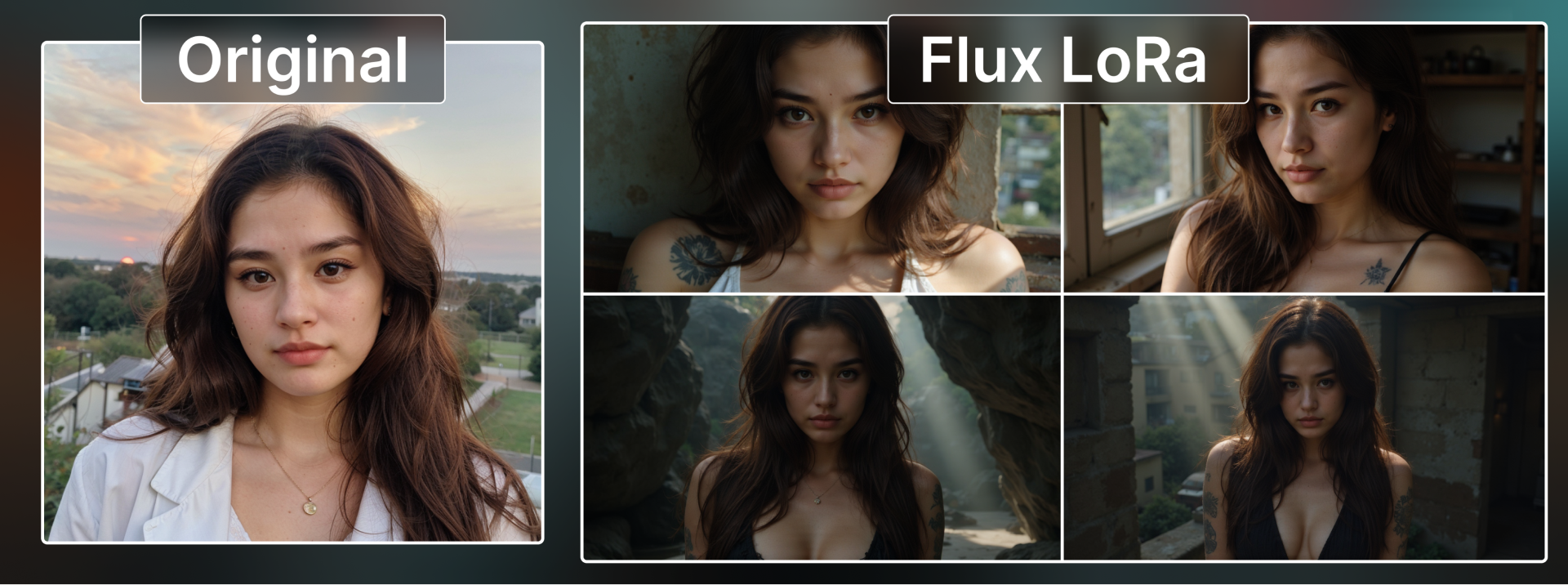
How to use Train Flux LoRa
Steps to get you started in BasedLabs.
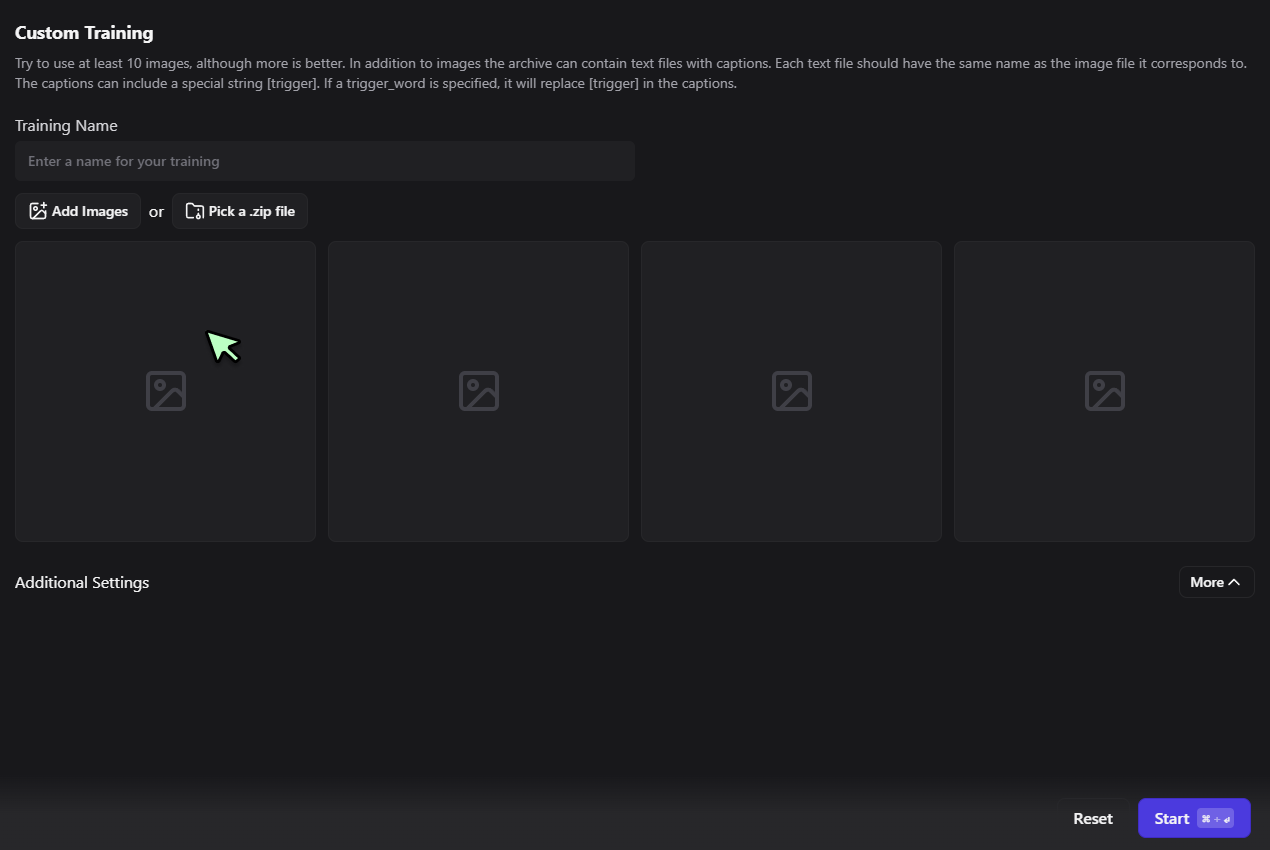
Step 1
Upload Images and Start Training
After clicking the "Train LoRa Now" button, upload 15-20 high-quality images representing your desired style or subject. Name your training, adjust any settings if needed, and click "Start" to begin the LoRa training process.
After clicking the "Train LoRa Now" button, upload 15-20 high-quality images representing your desired style or subject. Name your training, adjust any settings if needed, and click "Start" to begin the LoRa training process.
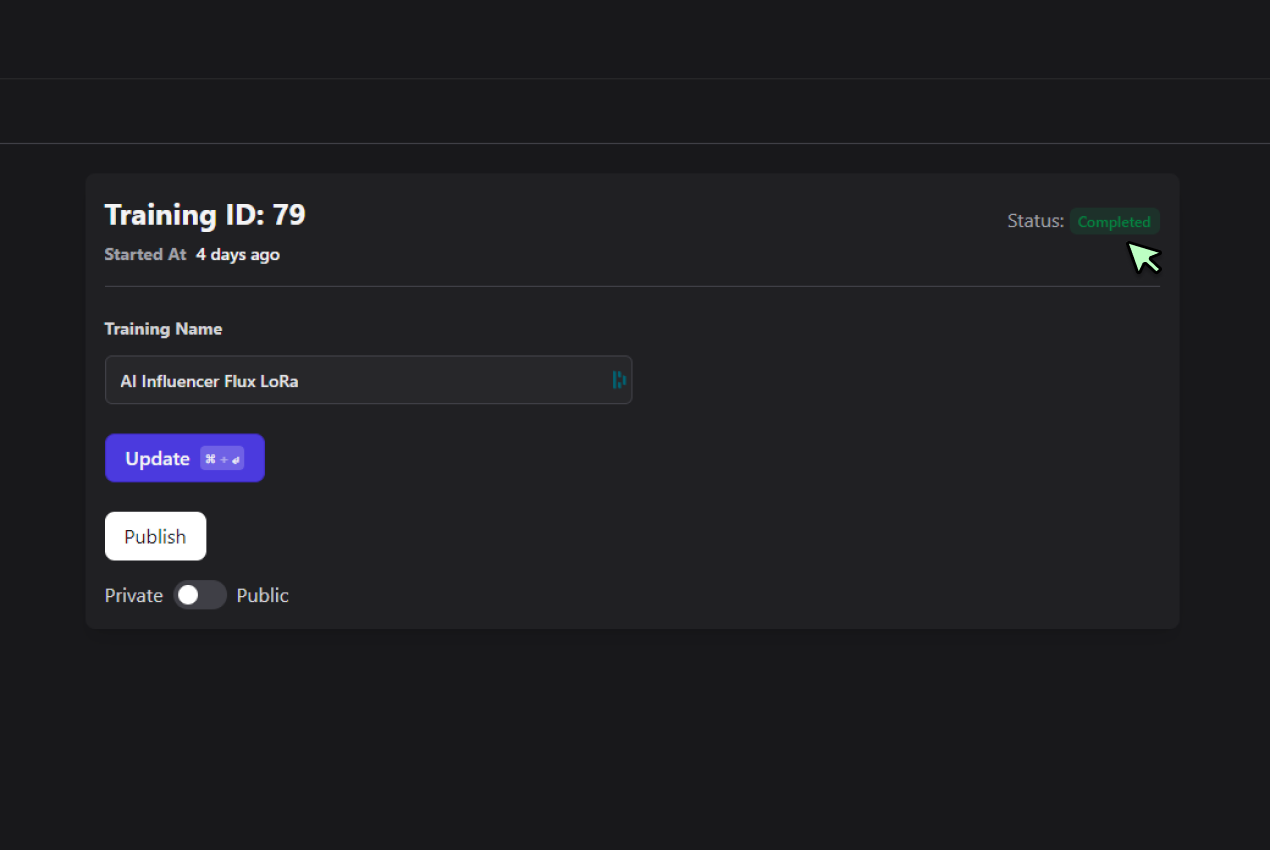
Step 2
Wait for Training Completion
Monitor the training progress on the training management page. The process typically takes 2-10 minutes to complete. Once the status changes to "Completed", your custom Flux LoRa model is ready to use.
Monitor the training progress on the training management page. The process typically takes 2-10 minutes to complete. Once the status changes to "Completed", your custom Flux LoRa model is ready to use.
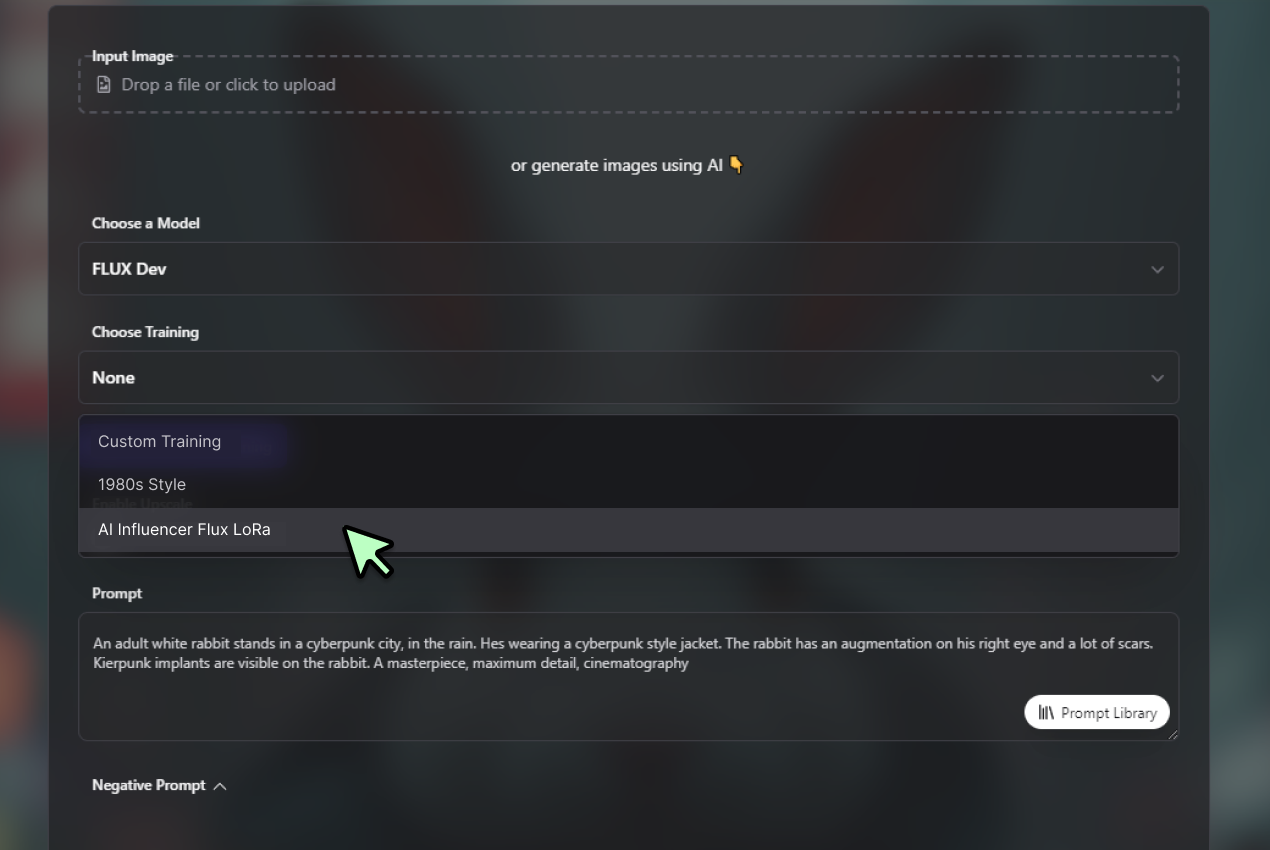
Step 3
Generating your Custom Images
Navigate to the generator page, select "FLUX Dev" model, and choose your newly created training from the dropdown menu. Craft a prompt describing your desired image, then click "Generate Images" to create unique visuals using your personalized Flux LoRa model.
Navigate to the generator page, select "FLUX Dev" model, and choose your newly created training from the dropdown menu. Craft a prompt describing your desired image, then click "Generate Images" to create unique visuals using your personalized Flux LoRa model.
Learn More
Watch the tutorial video below to learn more about Train Flux LoRa
Personalized AI Image Generation
Create AI-generated images that perfectly match your vision or brand using Flux AI with LoRa. This powerful combination allows you to train the AI on your specific style, subjects, or concepts, ensuring that every Flux AI LoRa-generated image aligns with your unique requirements and aesthetic preferences.

Versatile Style Adaptation
Tailor your AI-generated images to any style, from artistic to hyper-realistic. You can even create a custom Flux realism LoRa for producing incredibly lifelike images or a NSFW Flux LoRa. Flux with LoRa adapts to your needs, whether you're aiming for photorealistic portraits or stylized illustrations.
Consistency and Efficiency
Adapt to any creative or business need with ease using Flux AI LoRa. Whether you're working on marketing campaigns, product designs, or creative projects, Flux AI with LoRa ensures consistent style and quality across all your generated images, while significantly reducing production time and costs.
FAQs
Discover related AI tools:
- Kling 2.6
- R2 Upload Test
- Nano Banana 2
- Nano Banana Pro
- Ideogram AI
- AI Gorilla
- AI Picture Generator — Free Online 2026
- Photo To Caricature
- Sketch To Image
- Studio Ghibli Filter
- MiniMax Hailuo 2.3
- Hyper Realism AI
- Realistic AI Image Generator — Photo-Grade Free
- LTX-2 Video AI — Try Free Online
- AI Logo Maker
- Reve Image Editing — Try Free Online
- Kling 2.5 Turbo
- Pixverse AI
- Hunyuan Image 3.0
- AI Prompt Generator
- Remove Background On Photo Free
- AI Photo Cropper
- Adobe Express Photo Editor
- AI Bing Image Creator
- Convert Text To Image AI
- AI Bot Image Generator
Browse Related Content
Explore AI-generated train flux lora artwork from our community
More From BasedLabs



More Than Just Training Flux LoRas
Join millions of creators using BasedLabs to generate professional, scroll-stopping content for social media, YouTube, marketing, and more — in seconds. Produce high-quality AI-generated videos and images optimized for engagement and reach. Streamline your content workflow and scale faster.
