AI TikTok app - Go viral!NEW: Seedream 5 by ByteDance. Sharper prompts, native text in 14 languages, precise edits. Try it now.Try It Now →
GIF Face Swap - Free AI Face Swapper
Swap faces in animated GIFs with AI. Upload any GIF, pick a source face, and get a clean swap that tracks the motion frame by frame. Works on videos up to 60 seconds too.


Face swapping a still photo is easy. Face swapping a GIF is where most free tools fall apart, because a GIF is really dozens of frames, and the face moves, turns, and changes expression across them. Swap each frame independently and you get jitter, warping, and that melted look that ruins the joke.
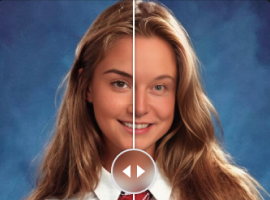
Our GIF face swap tracks the face across the whole animation. You upload the GIF, add a clear photo of the face you want to swap in, and the AI maps it onto every frame while matching the original head angle, expression, and lighting. The result plays back smoothly, no flicker between frames, and the swapped face actually follows the motion instead of floating on top of it.
The obvious use is memes and reaction GIFs: put your friend into a classic reaction, drop yourself into a movie scene, or make a running gag for the group chat. It also gets real work done for creators who need a character face consistent across an animated loop, or marketers localizing a GIF ad with a different face.
The same engine handles longer clips. You can face swap videos free for up to 60 seconds per clip on starter credits, which covers most TikTok and Reels-length content. Upload an MP4 instead of a GIF and the flow is identical: one source face photo, one generate, one clean export. For photo swaps and the full toolset, start at the main AI face swapper.
A quality note so you know what to expect: swaps look best when the source face photo is sharp, front-facing, and well lit. Extreme angles, heavy motion blur, and tiny faces in the frame reduce fidelity. And keep it consensual, swap faces of people who are in on the joke.
How to use GIF Face Swap - Free AI Face Swapper
Steps to get you started in BasedLabs.
Step 1
Upload Your GIF or Clip
Drop in the GIF you want to edit, or an MP4 up to 60 seconds. The frames load into the editor with a playback preview.
Step 2
Add the Source Face
Upload one clear photo of the face to swap in. Front-facing and well lit works best. The AI detects the target face in the animation automatically.
Step 3
Generate and Share
Run the swap, preview the loop to check the motion, and export as GIF or MP4. Rerun with a different source photo any time.
Smooth Across Every Frame
The face is tracked through the whole animation, not pasted per frame, so the swap holds up in motion with no flicker or drift.
GIFs, Photos, and 60-Second Videos
One tool covers still images, animated GIFs, and video clips up to a minute. Start at the face swap hub for the full set.
Free to Try, No Install
Runs in the browser with free starter credits. Upload, swap, export. No watermark hoops or app downloads.
FAQs
Discover related AI tools:
- 0
Browse Related Content
Explore AI-generated gif face swap - free face swapper artwork from our community
More From BasedLabs

More Than GIF Face Swaps
Join millions of creators using BasedLabs to generate professional, scroll-stopping content for social media, YouTube, marketing, and more — in seconds. Produce high-quality AI-generated videos and images optimized for engagement and reach. Streamline your content workflow and scale faster.