
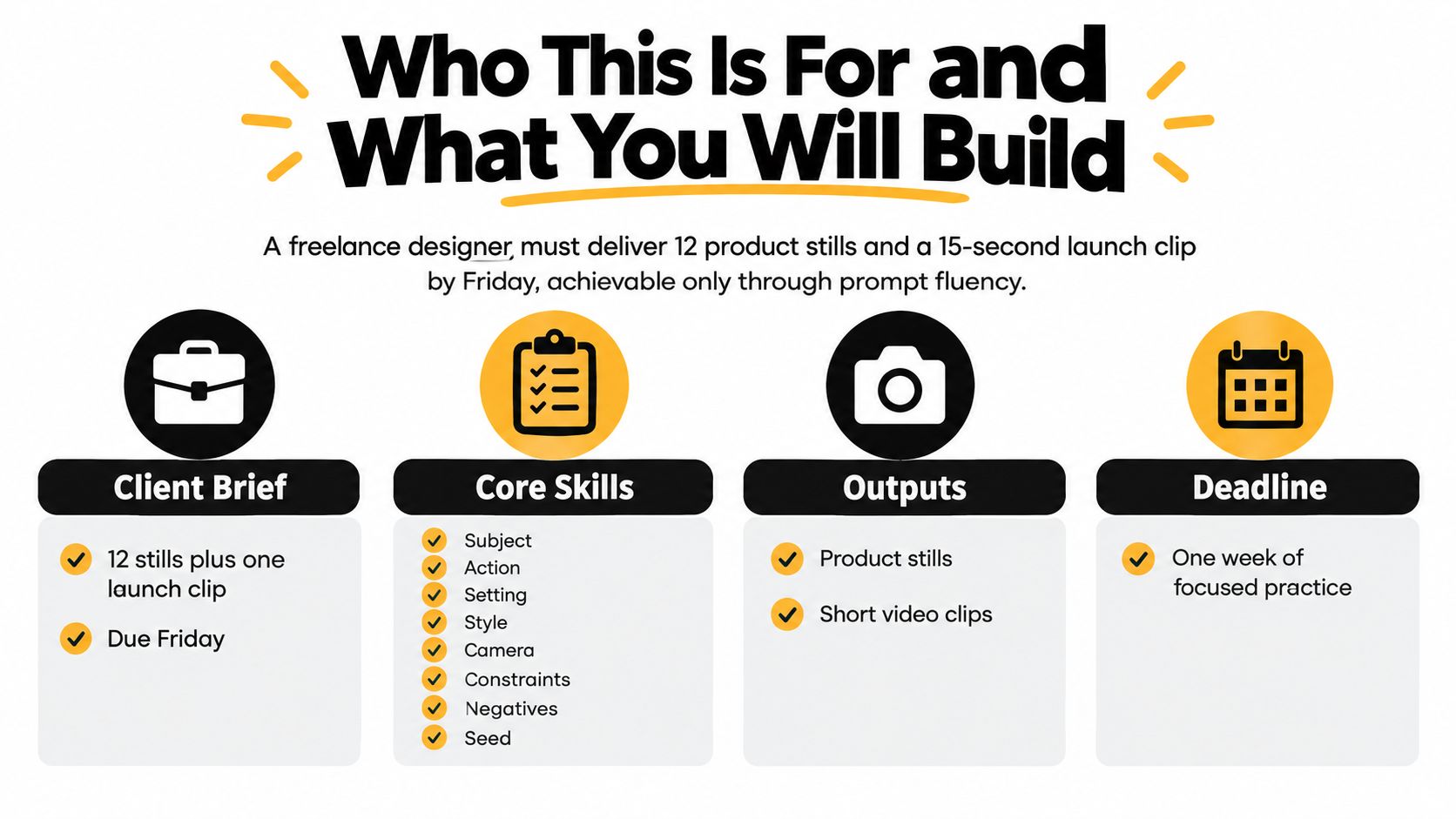
You've got a client brief, a Friday deadline, and a production list that doesn't care whether your preferred model understands the assignment. A freelance designer may need 12 product stills and a 15-second launch clip from the same visual world, with consistent styling, usable typography, and enough variation to survive client review. Randomly regenerating images won't solve that problem. You need a repeatable way to describe the subject, direct the camera, control the variables, and judge the result.
That's the practical purpose of a prompt engineering course for image and video creators. Prompt engineering has matured beyond collections of clever phrases. A systematic survey identified 41 distinct techniques across 12 application domains, while earlier categorization work had already identified more than 29 techniques, as documented in the survey of prompt engineering methods. The useful question is no longer whether prompting matters. It's how to build a course that teaches creators to ship reliable work.
Table of Contents
- Who This Is For and What You Will Build
- The Prompt Anatomy You Will Reuse in Every Module
- Eight-Week Curriculum and Module Map
- How PromptHero Can Help
- Choosing the Right BasedLabs Image Model for the Job
- Prompting Video Models for Camera, Motion, and Continuity
- Evaluating, Versioning, and Grading Your Outputs
- Capstone Project, Common Pitfalls, and Your Next 30 Days
Who This Is For and What You Will Build
This course is designed for working creatives who need to move from brief to approved asset without treating every generation as a lottery ticket. You'll work across image and video models in BasedLabs, using FLUX, Imagen 4, Ideogram, and Recraft for stills, then Veo 3.1, Luma Ray 2, Kling 2.6 Pro, Seedance, and Wan 2.6 for motion. The workflow also includes in-app editors for inpainting, outpainting, and face work, because a good prompt rarely eliminates the need for a finishing pass.
Three creator profiles
The image-first creator works on product campaigns, editorial stills, thumbnails, concept art, or social graphics. On day one, this learner should produce a five-image style grid from one brief, identify which prompt variables caused meaningful changes, and repair a flawed generation with a targeted edit rather than starting over.
The motion-first creator needs to direct camera movement, subject action, pacing, and continuity. The first-day output is a short shot test with a defined shot size, camera move, lighting condition, and temporal beat. The point isn't cinematic spectacle. It's learning to tell the model exactly what should happen from the opening frame to the closing frame.
The hybrid creative lead manages the visual system across stills, video, and revisions. This learner leaves the first session with a shared prompt template, a naming convention, and a small evaluation sheet that lets a team discuss outputs without falling back on “I like this one.”
The course has four outcomes:
- A reusable prompt template covering subject, action, setting, style, camera, constraints, negatives, and version information.
- A model-selection instinct based on the deliverable, not habit.
- A grading rubric that separates prompt adherence from visual taste.
- A version-controlled prompt library where every successful or failed attempt has a clear reason for existing.
You don't need to code or understand machine learning. You do need a real brief, a willingness to compare outputs, and enough visual vocabulary to describe light, lens, composition, movement, and texture. Plan for six to eight hours per week over eight weeks. If you're running the course with a studio team, use the same brief for everyone so differences in judgment become visible.
The Prompt Anatomy You Will Reuse in Every Module
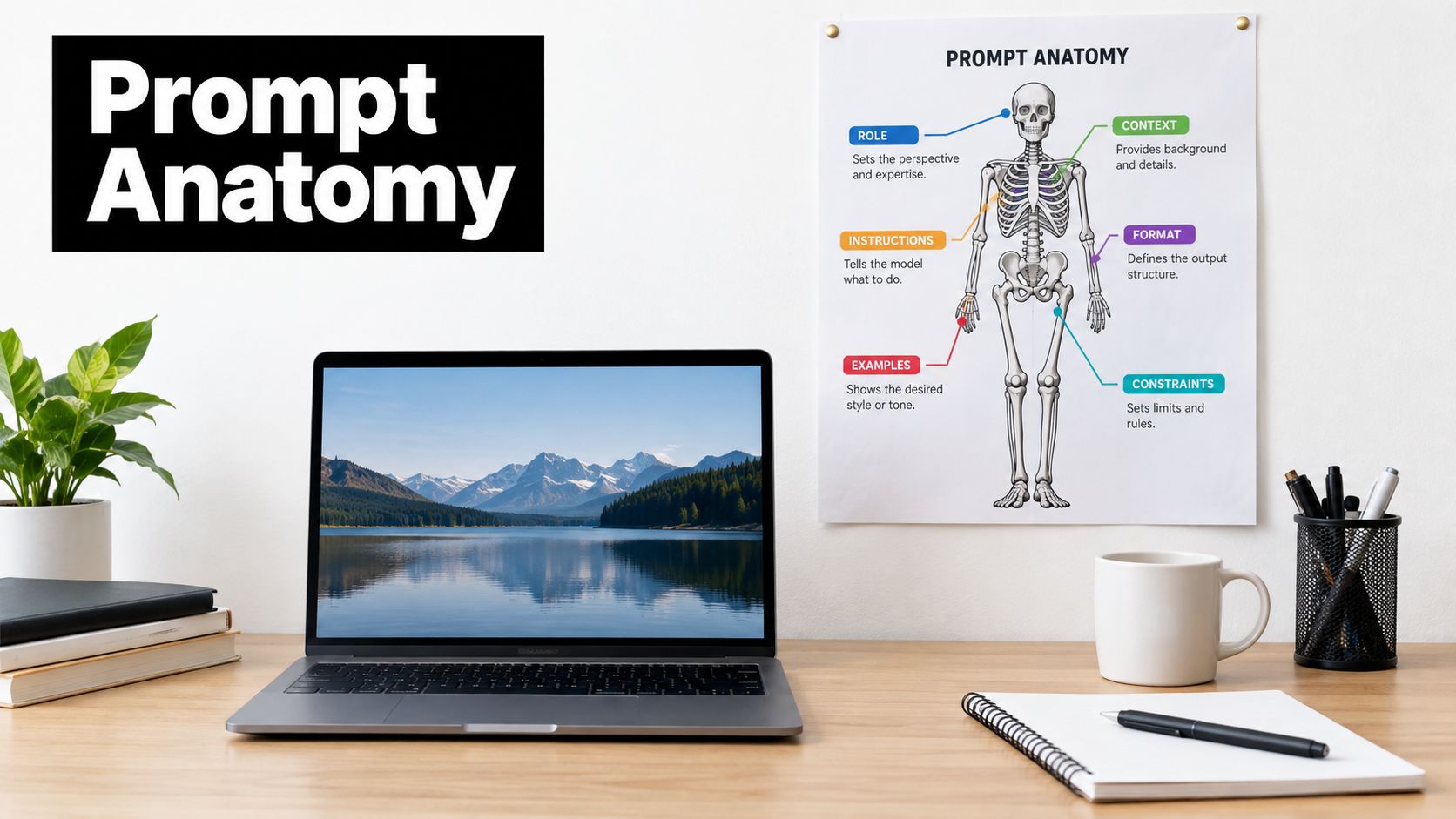
A production prompt should read like a compact creative brief, not a pile of adjectives. Use this skeleton:
Subject → Action → Setting → Style → Camera → Constraints → Negatives → Seed or Version
Each slot answers a different question. If you omit one, the model fills the gap with its own assumptions.
The eight prompt slots
Subject identifies the thing the viewer must recognize. “A matte black travel candle in a ribbed glass jar” is more useful than “a beautiful candle.” Include material, shape, color, condition, and any essential brand detail.
Action gives the subject a job. For a still, that might be “rests beside an open matchbook.” For video, it could be “the camera tracks past the candle as the flame flickers and a hand enters from frame right.” Without an action, a motion model often produces movement that feels decorative rather than motivated.
Setting establishes the world around the subject. Specify the diner, the time of day, the surface, the weather, or the architectural context. “Late-night roadside diner exterior after rain” gives the model more direction than “moody environment.”
Style should define the visual language, not express enthusiasm. Use restrained anchors such as “editorial product photography, muted amber and teal palette, soft halation.” Stacking every style reference you know creates competing instructions.
Camera controls the viewer's relationship with the scene. Name the shot size, angle, lens character, depth of field, and movement when applicable. “Medium close-up, eye level, 50mm look, shallow depth of field” is actionable. “Cinematic camera” is not.
Constraints protect the brief. Add aspect ratio, subject placement, text treatment, color limits, continuity requirements, or timing. For example, “leave clean negative space in the upper left for a headline” matters more than another style adjective.
Negatives describe what must not appear. Keep them specific: “no extra labels, no warped glass, no duplicate objects, no illegible text, no cropped product.” Put this list last so you can remove one item when the model begins overcorrecting.
Seed or version records reproducibility. If the tool exposes a seed, save it. If it doesn't, save the model, settings, source image, prompt version, and date. Your library should tell you what you actually ran, not what you remember running.
Practical rule: Never stack more than three style modifiers before testing the core brief.
For the candle-lit diner image, a useful FLUX prompt might be:
Matte black travel candle in a ribbed glass jar, resting beside an open matchbook on a polished diner counter, warm flame illuminating the label, late-night roadside diner interior with rain-streaked windows, editorial product photography, muted amber and teal palette, soft halation, medium close-up, eye-level 50mm look, shallow depth of field, product centered with clean space above, label readable, no extra objects, no duplicate candle, no warped glass, no illegible text.
For the matching exterior shot:
Rainy late-night roadside diner exterior, the same matte black candle visible through the front window, camera tracks slowly from left to right at waist height, neon amber sign reflected in wet pavement, restrained teal shadows, cinematic naturalism, 35mm tracking-shot perspective, steady movement, candle remains visible through the middle beat, no sudden zoom, no object duplication, no warped architecture, no text artifacts.
Typography deserves its own discipline. A weak Ideogram request says, “Create a cool poster for a candle.” A production request says, “Vertical product poster for a matte black travel candle, headline ‘NIGHT SHIFT' in large condensed cream sans-serif lettering, supporting line ‘Light after hours' beneath it, product in the lower third, high contrast, generous margins, no additional words, no misspellings, no decorative text.”
The same principle applies to Veo 3.1. Replace “make a cinematic candle ad” with a directed shot containing the subject, move, timing, and restrictions.
For a deeper treatment of prompt structure and output control, use this hands-on guide to customizing AI video output.
Screenshot this reference card:
SUBJECT      What must appear?
ACTION       What is it doing?
SETTING      Where and when?
STYLE        What visual language?
CAMERA       What does the viewer see and how?
CONSTRAINTS  What must be preserved?
NEGATIVES    What must be excluded?
VERSION      What changed from the previous attempt?
Eight-Week Curriculum and Module Map
The course should alternate between instruction and production. Every week ends with an artifact that can be reviewed, reused, or rejected. That last part matters. A prompt engineering course that only produces attractive examples teaches learners to admire outputs, not control them.
- 1 — Focus: Prompt anatomy labs · BasedLabs Tools: FLUX, Ideogram, Veo 3.1 · Lab Deliverable: One image brief and one directed video brief using the full template · Hours: 6
- 2 — Focus: Image model selection · BasedLabs Tools: FLUX, Imagen 4, Ideogram, Recraft · Lab Deliverable: Five-image style grid from one common brief · Hours: 7
- 3 — Focus: Style transfer and repair · BasedLabs Tools: BasedLabs editor, FLUX, Recraft · Lab Deliverable: Before-and-after inpainting and outpainting set · Hours: 6
- 4 — Focus: Video fundamentals · BasedLabs Tools: Luma Ray 2 · Lab Deliverable: Three-shot camera movement and continuity test · Hours: 7
- 5 — Focus: Narrative shots and dialogue · BasedLabs Tools: Veo 3.1 · Lab Deliverable: Short sequence with action beats and spoken dialogue · Hours: 8
- 6 — Focus: Motion control and character consistency · BasedLabs Tools: Kling 2.6 Pro, Seedance 1.0 · Lab Deliverable: Character-led sequence with matched palette and wardrobe · Hours: 8
- 7 — Focus: Evaluation and versioning · BasedLabs Tools: All selected models · Lab Deliverable: A/B test log, graded outputs, and shared prompt library · Hours: 6
- 8 — Focus: Capstone production · BasedLabs Tools: Image model plus Veo 3.1 or Luma Ray 2 · Lab Deliverable: Thirty-second brand spot with prompt log and rationale · Hours: 8
Week 1 builds the shared language
Start with one simple brief and deliberately write it badly. Generate the vague version, then rewrite it with the eight-slot anatomy. The lab deliverable is a paired image and video prompt, plus a note identifying which missing instruction caused the largest visible failure.
Instructor note: Teach restraint early. A prompt with fewer, clearer instructions is easier to debug than a paragraph of mood words.
Week 2 routes the image brief
Run the same product brief through FLUX, Imagen 4, Ideogram, and Recraft. Compare realism, lettering, illustration fidelity, and adherence to exclusions. Learners create a five-image style grid and annotate each result with the model, prompt version, and one reason to use or reject it.
Instructor note: Model choice is part of prompting. Don't let learners call every mismatch a prompt failure.
Week 3 repairs instead of regenerates
Use inpainting to correct a label, hand, prop, or facial detail while preserving the rest of the frame. Use outpainting to create room for a headline or adapt a composition to a new crop. The deliverable includes the untouched source, the edited version, and the exact instruction that changed one region.
Instructor note: A professional workflow includes correction. A creator who only knows text-to-image will waste time rebuilding approved elements.
Week 4 directs camera movement
Luma Ray 2 becomes the motion lab. Practice push-ins, lateral tracks, locked-off shots, and controlled reveals with one subject. The deliverable is a three-shot continuity test using the same character or product, with notes on where identity, scale, or lighting drifted.
Instructor note: Ask what the camera does first. Subject description comes second when the assignment is a shot.
Week 5 adds narrative and dialogue
Veo 3.1 handles a short scene with a beginning, middle, and end. Learners write temporal beats instead of one overloaded sentence: the character looks toward the door, pauses, delivers the line, then turns as the light changes. The lab should expose whether dialogue, facial movement, and camera direction compete with one another.
Instructor note: If a shot needs too many events, split it. More instructions don't automatically create more control.
Week 6 tests motion control
Kling 2.6 Pro and Seedance 1.0 support exercises in character movement, wardrobe continuity, and stylized performance. Lock the character description, palette, and key props across prompts. The deliverable is a short sequence where the viewer can identify the same subject without relying on a single lucky frame.
Instructor note: Save the identity block separately from the shot block. That separation makes revisions faster.
Week 7 makes judgment explicit
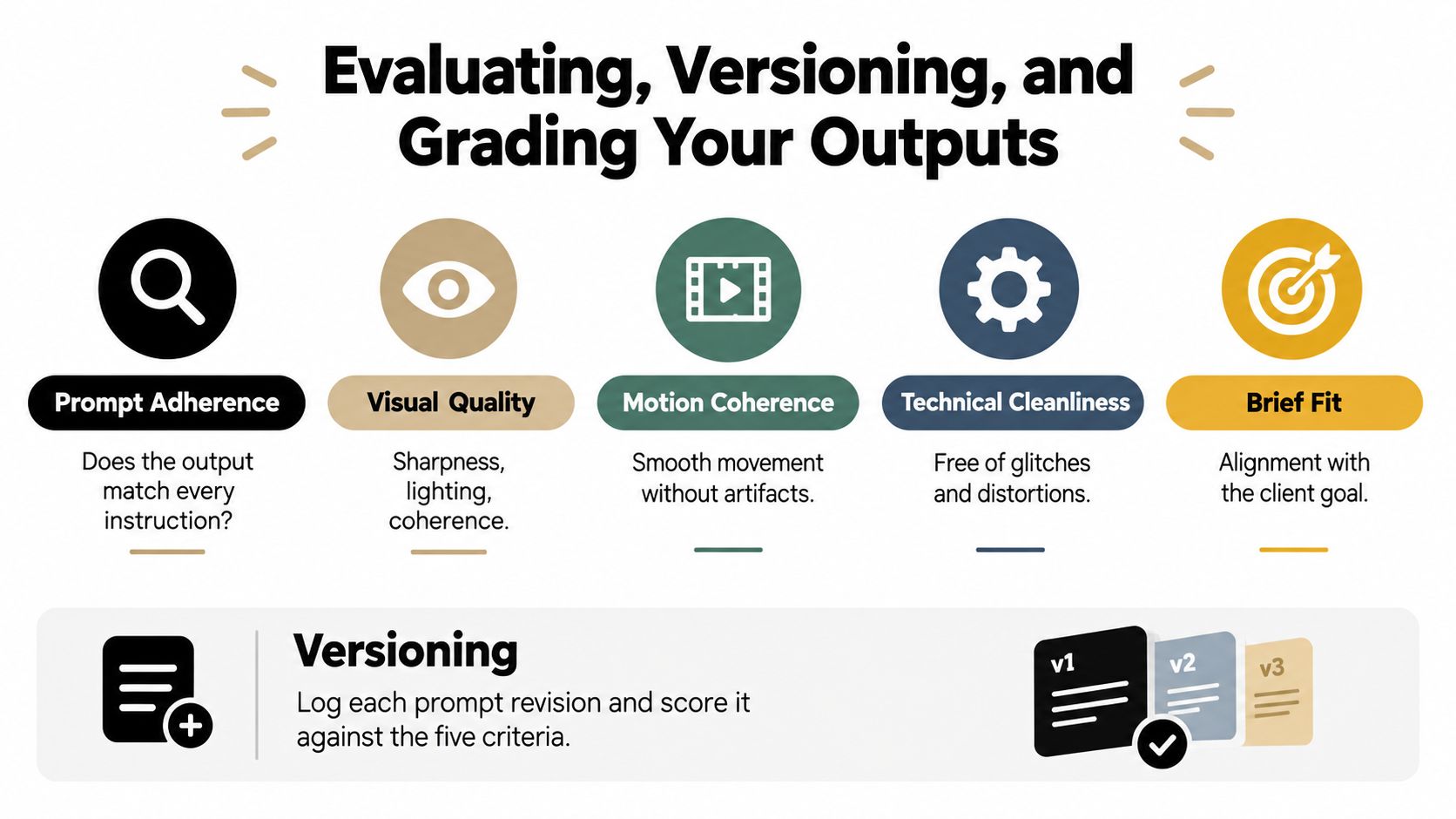
Teams run A/B tests where only one variable changes. They score adherence, visual quality, motion coherence, technical cleanliness, and brief fit. The shared library stores the winning prompt, the rejected variant, the change log, and the condition under which the winning version worked.
Instructor note: A result without a record is inspiration, not production knowledge.
Week 8 ships the capstone
The final assignment combines key art, generated motion, editing, and documentation. Learners deliver a 30-second brand spot, a versioned prompt log, A/B notes, and a one-page rationale explaining model selection and revisions.
Instructor note: Grade the process as well as the reel. A polished clip with no repeatable method shouldn't receive full marks.
How PromptHero Can Help
PromptHero is useful when you need to study how other creators phrase requests for specific image and video models. Its searchable repository brings together prompts, example outputs, model categories, themed collections, community profiles, educational material, and lightweight creative utilities. That makes it a discovery tool, not a replacement for judgment.
The strongest use is comparative research. Search for a model, inspect the prompt metadata, then ask what the creator specified about composition, lighting, lens, aspect ratio, or negative instructions. You're not copying a prompt blindly. You're identifying which details appear consistently in work that matches your target.
Where it fits into the course
Use the catalog before a lab to collect references, then rebuild one prompt in your own template. Browse featured, hot, new, or top results when you need visual directions, but treat popularity as a starting signal rather than proof of technical reliability. A prompt may produce a striking image while remaining too fragile for a client workflow.
PromptHero's model directory and model-specific pages can also reduce search friction when you're deciding whether to explore FLUX, Veo, Seedance, or another generator. Its Academy offers a more structured entry point through PromptHero's prompt engineering course, while the community pages are better suited to fast reference gathering.
Choose it when your problem is discovery, comparison, or prompt inspiration across models. Don't choose it as your only evaluation system. You still need to test prompts against your own brief, preserve the variables that matter, and record whether the output survives revision.
For a creator building a private library, the practical workflow is simple:
- Collect: Save prompts that resemble your deliverable.
- Dissect: Separate subject, action, style, camera, constraints, and negatives.
- Rebuild: Rewrite the prompt in your studio template.
- Test: Run it with one controlled change.
- Archive: Keep the version only if it solves a repeatable production problem.
Choosing the Right BasedLabs Image Model for the Job
Model choice should happen before prompt polishing. If the assignment depends on legible poster text, start with a model suited to typography. If it depends on a believable face under clean lighting, prioritize photoreal behavior. If the client needs a controlled illustration system, choose the model that preserves shape language and brand constraints.
- FLUX — Best For: Structured product scenes and detailed visual briefs · Prompt Style: Layered prompts with clear style anchors and constraints · Typography: Useful, but test all important text · Photorealism: Strong for detailed scenes and materials · Weakness: Can over-interpret crowded instructions
- Imagen 4 — Best For: Natural-language product and portrait descriptions · Prompt Style: Conversational description with precise lighting and context · Typography: Test for exact copy · Photorealism: Strong choice for clean, natural lighting · Weakness: Less suitable when the prompt needs rigid graphic layout
- Ideogram — Best For: Posters, logos, headlines, and type-led compositions · Prompt Style: State the exact text, hierarchy, placement, and exclusions · Typography: Strongest starting point for text-in-image work · Photorealism: Can be less natural when typography dominates the frame · Weakness: Extra decorative text can appear without strict constraints
- Recraft — Best For: Vector-clean illustration and brand systems · Prompt Style: Describe shape, palette, icon language, and layout limits · Typography: Appropriate for graphic assets, still verify copy · Photorealism: Better for designed visuals than documentary realism · Weakness: Not the first choice for subtle photographic texture
These are routing tendencies, not guarantees. Run the same brief through two candidates when the deliverable is expensive to revise. A clean comparison teaches more than a long argument about model rankings.
A simple routing flow
Need exact words inside the image? Start with Ideogram. Define the copy in quotation marks only when you mean literal copy, specify the hierarchy, and add “no additional words.”
Need a photoreal product or portrait? Test FLUX and Imagen 4. FLUX is a sensible starting point for a structured brief with materials, composition, and style anchors. Imagen 4 suits natural-language descriptions where lighting and realism carry the image.
Need a clean illustration or repeatable brand language? Start with Recraft. Describe geometry, palette, line weight, and the objects that must remain consistent.
Need several qualities at once? Use a side-by-side test, then edit the strongest base rather than forcing one model to cover every requirement.
A useful FLUX prompt for a campaign still might be:
Frosted amber serum bottle on a pale limestone slab, one green leaf casting a soft shadow, morning window light from camera left, premium skincare editorial, restrained warm neutrals, centered composition, bottle label facing camera, clean negative space on the right for copy, 4:5 portrait crop, no extra bottles, no warped cap, no illegible label, no harsh reflections.
Keep the brief constant when comparing models. Change only the model first. Once you've chosen a direction, adjust one variable at a time. The FLUX model page is a useful place to begin that test when the brief needs detailed scene structure.
Prompting Video Models for Camera, Motion, and Continuity
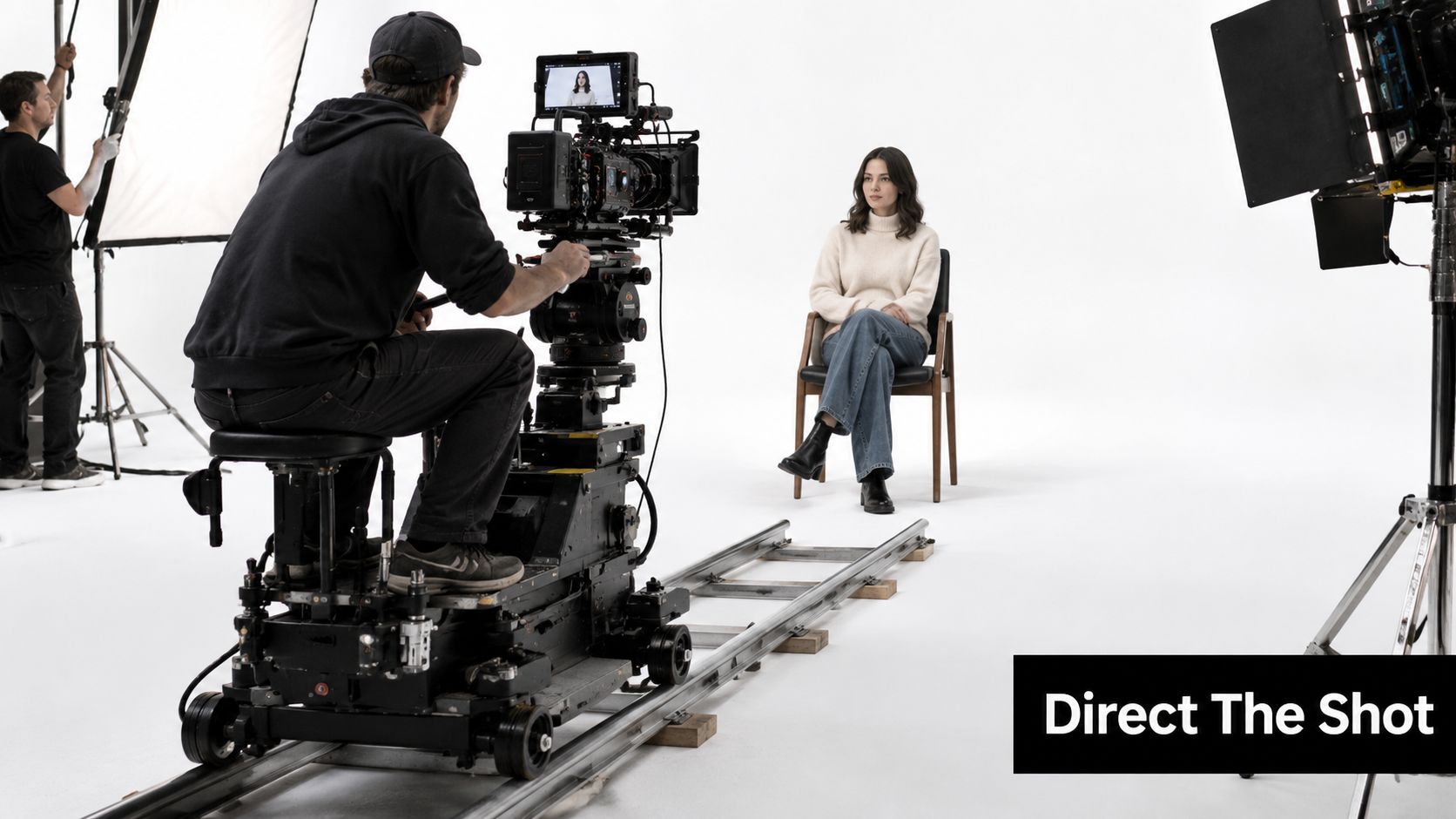
Video prompts fail when creators describe a poster and expect a director. A video model needs a subject, but it also needs shot size, lens character, camera movement, motion intensity, lighting, and temporal beats. “A woman in a bright studio” identifies a scene. “Medium shot, 50mm look, slow push-in as she turns toward camera, soft key from camera left, hands remain visible” directs one.
Use this copy-paste template:
Subject: [who or what is on screen]
Action: [specific movement]
Shot: [wide, medium, close-up, angle, lens character]
Camera move: [locked-off, pan, tilt, tracking move, push-in, pull-out]
Lighting and palette: [source, softness, color]
Temporal beats: [opening state, middle action, closing state]
Duration: [short shot length]
Continuity locks: [wardrobe, face, prop, palette, setting]
Avoid: [jumps, extra limbs, sudden zoom, identity drift, unwanted text]
A flat version of a brief says:
A young woman sits in a bright studio and talks about a new skincare product.
A directed version says:
Young woman with shoulder-length dark hair in a cream blazer sits on a wooden stool in a bright white studio, medium shot with a natural 50mm perspective, locked camera for the opening beat, she lifts a frosted amber serum bottle into frame and turns it toward the lens, then gives a small confident smile as the camera makes a slow controlled push-in, soft daylight key from camera left, pale warm background, hands and bottle remain sharp, wardrobe and hairstyle stay unchanged, no sudden zoom, no extra bottle, no facial distortion, no floating objects.
Veo 3.1 is a practical choice when the shot depends on narrative action or dialogue. Luma Ray 2 is well suited to camera-movement drills, where the main lesson is a controlled push, track, or reveal. Kling 2.6 Pro is useful for testing subject continuity through movement. Seedance and Wan 2.6 can serve stylized or experimental treatments when the brief benefits from a less literal visual language.
The key is to separate identity locks from shot direction. Keep the same character description, wardrobe, palette, and prop language in every shot. Change only the action and camera block unless the story requires a deliberate transformation.
Good continuity is usually boring in the prompt and obvious in the cut. Repeat the details the viewer must recognize.
A shot can look impressive and still fail because the subject changes halfway through, the camera accelerates without instruction, or the lighting jumps between frames. Save reference frames, reuse seeds where available, and keep a continuity note beside every prompt. For a broader look at production workflows, see this guide to programmatic video generation platforms.
The camera crew reference below is useful for discussing shot intent with a team:
Evaluating, Versioning, and Grading Your Outputs
A prompt that works once may have benefited from favorable randomness. Treat it as unproven until you can explain why it worked and reproduce the important qualities. In one higher-education evaluation, adherence to recommended practices averaged 34.2%, while team problem success rates ranged from 0% to 33%, as reported in the ASEE evaluation. The lesson for a studio is straightforward. First-pass confidence is not a quality system.
The five-point review
Score every serious candidate from 1 to 5 on five criteria:
- Prompt adherence: Did the output follow the required subject, action, setting, camera, and constraints?
- Visual quality: Are the image, lighting, texture, composition, and details clean enough for the intended use?
- Motion coherence: Does movement remain smooth, motivated, and physically readable?
- Technical cleanliness: Are there glitches, warped objects, broken text, anatomy errors, or distracting artifacts?
- Brief fit: Does the result solve the client's communication problem rather than merely look attractive?
Use a practical pass rule. A candidate should not move to a client-facing cut if it scores below 3 on any criterion. A strong portfolio candidate should score 4 or higher across the brief-fit and adherence categories, even if a minor technical detail still needs editing.
A/B testing without fooling yourself
Write version one, then make one change in version two. If you change the camera move, lighting, negative list, and subject description at the same time, you won't know what helped.
Version 1
Product bottle on a stone surface, cinematic lighting, camera moves toward it, premium skincare ad.
Version 2
Frosted amber serum bottle on pale limestone, soft morning window light from camera left, slow controlled push-in from medium shot to close-up, label faces camera, clean negative space on the right, no extra bottles, no warped cap, no illegible text.
The second prompt changes several weaknesses because the first is deliberately under-specified. In a real A/B test, isolate one variable after that repair. Try “slow lateral track” against “slow push-in,” or remove one negative instruction and see whether the model stops producing an unwanted artifact.
Version control for creative teams
Name files so another person can find the exact attempt:
serum_launch_flux_4x5_v03_seed####
Add a one-line change log:
v03, replaced cinematic lighting with morning window light and added label-facing-camera constraint.
Keep a kill list for patterns that repeatedly underperform, such as “ultra-detailed cinematic masterpiece,” vague camera language, contradictory style references, or negative lists that suppress the subject itself. Review the library weekly. Ask which prompt structure produced a dependable result, which one only worked by luck, and which failure should never be repeated.
A randomized experiment with 30 novices found that structured ROPE training produced a 20% gain versus a 1% gain for conventional prompt-engineering training, according to the experiment's findings. For course design, that supports explicit rules, controlled revisions, and visible evaluation rather than memorizing fashionable prompt phrases.
Capstone Project, Common Pitfalls, and Your Next 30 Days
The capstone is a 30-second brand spot built from generated stills and motion. Start with a one-page brief containing the audience, single message, product truth, visual references, aspect ratio, and delivery requirements. Create key art with an image model, animate selected elements with Veo 3.1 or Luma Ray 2, then assemble the sequence in the browser editor.
Your submission should include four items:
- The final cut, with a clear opening, middle, and close.
- The versioned prompt log, including model, settings, source images, seeds where available, and change notes.
- The A/B record, showing at least one controlled comparison and the reason for the selected variant.
- A one-page rationale, explaining why you routed each shot to its chosen model and how the result serves the brief.
- Brief fit — Weight: Highest · What Excellent Looks Like: Every shot supports the client message and the final cut has a clear purpose
- Prompt adherence — Weight: High · What Excellent Looks Like: Required subjects, actions, framing, copy, and constraints appear consistently
- Visual quality — Weight: High · What Excellent Looks Like: Images and clips share a deliberate palette, lighting approach, and finish
- Motion coherence — Weight: High · What Excellent Looks Like: Camera movement and subject action remain readable from shot to shot
- Technical cleanliness — Weight: Medium · What Excellent Looks Like: Distortions, broken text, glitches, and continuity errors are repaired or removed
- Process documentation — Weight: Medium · What Excellent Looks Like: Prompt versions, A/B decisions, and rejected attempts are easy to audit
Eight failures that waste studio time
- Over-stuffed prompts: Too many style references compete with the subject and make revisions opaque.
- Missing negatives: The model keeps adding labels, limbs, props, or text because nobody defined the exclusions.
- Camera ambiguity: “Cinematic movement” doesn't tell the model whether to track, pan, tilt, push, or hold.
- Style drift: Each shot gets a different palette, lens feel, or lighting direction because the identity block wasn't reused.
- Ignored seeds and aspect choices: A creator changes the frame and seed, then mistakes the resulting divergence for a prompt improvement.
- Lucky-output thinking: One beautiful frame becomes the standard even though the prompt can't reproduce its important details.
- Brief avoidance: The team optimizes visual novelty while forgetting the product, audience, message, or placement.
- Skipped final pass: Generated assets go straight to delivery without inpainting, typography checks, continuity review, or editorial trimming.
A 30-day self-directed plan
Days 1 through 7: Write two prompts per day using the anatomy template. Use one image brief and one video brief. Keep the subject constant while changing only the camera or style block.
Days 8 through 14: Route the same brief across image models. Build a comparison sheet for realism, typography, illustration fidelity, and constraint adherence. Don't select a favorite without writing the reason.
Days 15 through 21: Create a short sequence with one character or product. Reuse identity locks, record versions, and run a weekly peer review where another creator grades the work without seeing your preferred output first.
Days 22 through 30: Produce the brand spot. Cut the strongest material, repair weak frames, document every major revision, and export a portfolio version alongside the working log.
The most valuable habit is simple: change one thing, record the change, and grade the result. If you're ready to turn that habit into a production exercise, choose a real client-style brief, build the first prompt library entry, and begin the eight-week sequence this week. Use the BasedLabs editors for the final assembly pass, then submit the capstone with enough documentation that another creator could understand, test, and improve your decisions.
Start your first lab with a product you already know, write the eight-slot prompt before opening a generator, and save both the successful output and the failure that taught you something. That's how a prompt engineering course becomes a working studio system instead of another collection of tips.