
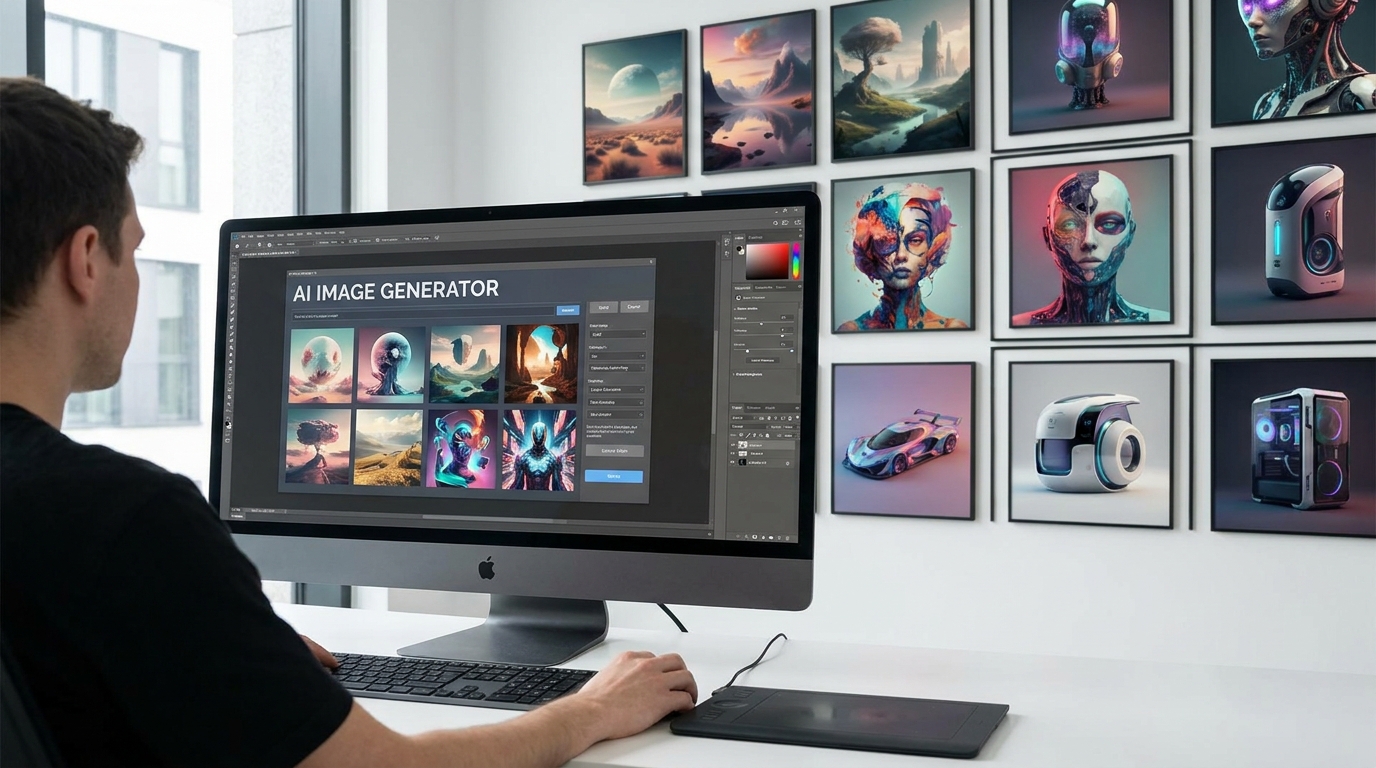
Marketers are expected to produce more visual content than ever, often with less time and smaller creative teams. A single campaign may need product images, paid ads, social posts, email graphics, landing page banners, and vertical video assets. AI can speed up this process, but choosing the right platform is not as simple as finding the generator with the most impressive images. Some tools are better at original campaign concepts, while others specialize in product photography, editable layouts, or accurate text.
This guide compares five of the best AI image tools for marketers based on the work they can handle after the first image has been generated. The goal is to find tools that help marketers create publishable campaign assets, not just attractive experiments.
Top 5 AI Image Tools for Marketers at a Glance
| Tool | Best For | Main Strength | Main Limitation | | ----- | ----- | ----- | ----- | | Loova | Multi-model campaign creation | Connects image generation, editing, ads, and video creation | Finding the right model may require testing | | Canva | Branded social content | Templates, Brand Kit, and easy resizing | Popular templates can look generic | | Adobe Firefly | Professional image editing | Precise edits and Adobe integration | Best suited to existing Adobe users | | Photoroom | Ecommerce product images | Product staging and batch production | Less flexible for artistic concepts | | Ideogram | Text-heavy ads and posters | Strong text rendering | Important copy still needs checking |
There is no universal winner. The right choice depends on what your marketing team creates most often and how much editing the assets require before publication.
The 5 Best AI Image Tools for Marketers
To make the differences easier to understand, imagine that an online fashion brand is launching a summer clothing collection. The campaign needs clean ecommerce product images, an outdoor lifestyle visual, an Instagram ad, a vertical Story, three backgrounds for A/B testing, and a poster featuring the headline “YOUR SUMMER STARTS HERE.”
Here is how each tool could contribute to that campaign.
Loova
Best for: Marketers who want to create, edit, and repurpose campaign assets with different image and video models.
Loova AI brings multiple AI image and video models into one creative platform. Instead of relying on a single model for every marketing task, users can select different options for product photography, realistic people, typography, image editing, illustrations, and stylized campaign concepts.
![][image1]
Flexibility is useful because no image model is equally strong at everything. One may preserve a cloth more accurately, while another creates better studio lighting or follows a complex advertising brief more closely. Marketers can compare results and choose the output that fits the campaign rather than accepting the limitations of one generation system.
For the fashion campaign, a marketer could upload reference images of the collection and generate several lifestyle scenes featuring models wearing the clothes. Different models could be tested to find the best balance of garment accuracy, natural poses, and realistic fabric details. The selected visual could then be refined with AI editing tools and turned into a short vertical fashion ad using an image to video model.
Loova is especially practical for teams that produce both static and animated content. A campaign can move from an early concept to product images, social ads, and short promotional videos without requiring a separate subscription for each type of generation.
Its main limitation is the amount of choice. New users may need to test two or three models before learning which one works best for a specific task. However, that initial experimentation becomes useful once the team develops a clear model selection process.
Loova is a strong option for content marketers, performance teams, agencies, solo founders, and social media managers who regularly create images and videos for the same campaign.
Canva
Best for: Marketers who need to turn images into branded social and campaign designs quickly.
Canva is less focused on producing one highly detailed AI image and more focused on turning visual ideas into complete marketing designs. Its combination of AI generation, templates, editable text, stock assets, and simple layout tools makes it accessible to marketers without professional design experience.
Magic Design can generate editable design options from a prompt or uploaded media. Users can then replace elements, rewrite the copy, adjust the layout, and apply their own brand colors and fonts. Canva’s Brand Kit also keeps logos, colors, fonts, and other brand assets in one place.
For the summer collection launch, a marketer could generate a bright seasonal background, add approved product or model photography, and arrange everything inside an Instagram ad template. The same design could then be adapted for a Story, email banner, promotional lookbook, or website hero image.
Canva is particularly useful when the visual is only one part of the final asset. A marketer can add verified product claims, pricing, buttons, disclaimers, and other text as editable elements rather than relying on the image model to render everything correctly.
Its resizing tools are another advantage. Once the main design is approved, marketers can create versions for several channels without rebuilding every layout manually.
The limitation is originality. Heavy use of popular templates, stock graphics, and familiar layouts can make content look similar to other brands. Canva’s image generation controls are also less specialized than those of platforms designed for advanced AI visual creation.
Choose Canva if your team produces a high volume of straightforward branded content and values speed, templates, and collaboration more than deep generation control.
Adobe Firefly
Best for: Professional marketing and design teams that need precise image editing.
Adobe Firefly works particularly well when a team already has an approved image and needs to adapt it for a larger campaign. Its strength lies in controlled creation and editing rather than only generating a new image from a blank prompt.
Generative Fill can add, remove, or replace selected content. Generative Expand can extend an image beyond its original borders and fill the new space in a way that matches the existing scene. These features are useful when marketers need to reformat a visual without losing the approved product or subject.
Suppose the fashion team has an approved square photograph of a model wearing one of its new outfits but needs a wide banner for the ecommerce homepage. Firefly can extend the surrounding scene, add natural background details, and create enough negative space for a campaign headline. The designer can then finish the typography, pricing, and layout in Photoshop, Illustrator, or Adobe Express.
The connection to the wider Adobe ecosystem is Firefly’s biggest advantage. Marketing teams can move between AI generation, detailed photo editing, vector design, layouts, and final export using familiar professional tools.
However, the platform makes the most sense for teams already using Adobe Creative Cloud. Marketers who only need simple social graphics may find it more complex than necessary. Some features and partner models may also use generative credits at different rates, so teams should check their plan before producing content at scale.
Choose Adobe Firefly when precise editing, professional finishing, and integration with established design software are more important than one-click simplicity.
Photoroom
Best for: Ecommerce marketers who need product images and advertising variations at scale.
Photoroom is built around commercial product imagery. Instead of trying to cover every type of AI art, it focuses on common ecommerce tasks such as removing backgrounds, staging products, improving lighting, creating lifestyle scenes, and exporting multiple variations.
This makes it especially useful for brands with a large product catalog. Marketers can start with a simple product photograph and turn it into cleaner marketplace images, seasonal campaign assets, lifestyle scenes, and paid social creatives.
For the summer collection, Photoroom could remove the original backgrounds from several clothing photos and place each item in clean, brand-consistent settings. The marketer could create white-background product listings, seasonal flat lays, and promotional scenes, then export versions for the online store, Meta ads, email campaigns, and social media.
Reusable templates and Brand Kit features help keep campaign assets consistent. Batch tools are also valuable when a business needs to process many products or generate the same set of formats across an entire catalog.
Photoroom’s greatest strength is its focus. It understands that ecommerce teams need clear products, controlled backgrounds, and repeatable output more often than experimental concept art.
That focus is also its limitation. Photoroom is not the strongest choice for cinematic campaign worlds, editorial illustration, or highly imaginative brand storytelling. Teams selling services, software, or media products may not benefit from its product-centered features as much as retailers do.
Choose Photoroom if physical products are at the center of your marketing and you need efficient product staging, background changes, and high-volume asset production.
Ideogram
Best for: Marketers creating posters, promotional graphics, thumbnails, and advertisements with visible text.
Ideogram stands out for its ability to incorporate text into generated images. This is valuable for marketers because typography is often part of the creative concept rather than an element added at the very end.
For the fashion campaign, a marketer could request a bold promotional poster featuring the exact headline “YOUR SUMMER STARTS HERE,” with models wearing the new collection positioned around the text and additional space for a discount or CTA. Ideogram can quickly explore how the typography, clothing, colors, and seasonal setting work together as one composition.
This makes it useful during campaign ideation. Instead of separately generating a background and testing dozens of typography layouts, marketers can create complete poster directions from a single prompt. The strongest idea can then be recreated or refined with editable text.
Ideogram is also suitable for event promotions, social posts, blog headers, YouTube thumbnails, book covers, sale graphics, and other content where words need to be visually prominent.
Its main limitation is that generated text still requires review. A correct result in one image does not guarantee that every variation will remain accurate. Prices, product claims, offer conditions, and final calls to action should normally be added as editable text before publication.
Ideogram is best treated as a fast tool for typography-led concepts, not a replacement for final copy review. Choose it when the relationship between the headline and the image is central to the creative idea.
Which AI Image Tool Is Best for Each Marketing Task?
Best for Complete Marketing Campaigns
Loova image creator is the most flexible option when a campaign includes original images, visual editing, advertising assets, and short videos. Its multi-model approach allows marketers to select different generation systems for different parts of the campaign.
![][image2]
This is particularly useful for small teams that do not want to move the same assets through several disconnected platforms.
Best for Social Media Content
Canva is the easiest choice for regular social media production. Its templates, Brand Kit, editable layouts, and format adaptation tools help marketers publish content quickly across several channels.
Loova is a useful alternative when the campaign needs more original AI-generated visuals or when a static social image will later become an animated post or advertisement.
Best for Ecommerce Product Images
Photoroom is the strongest specialist for product staging, background generation, reusable templates, and batch output. It is well suited to brands producing many catalog and advertising images from existing product photos.
Loova offers a broader range of image models and a more direct path from product images to promotional videos, but Photoroom remains more focused on high-volume ecommerce production.
Best for Professional Image Editing
Adobe Firefly is the best fit when marketers and designers need to make controlled changes to approved campaign images. Its integration with Photoshop and other Adobe applications makes it suitable for detailed commercial production.
Best for Text in Advertisements
Ideogram is the clearest choice for exploring posters and advertisements in which typography is part of the image. However, important final copy should still be manually checked and kept editable.
Best for Non-Designers
Canva is the easiest option for people who prefer templates and familiar drag-and-drop editing. Loova is stronger for non-designers who want to generate more original campaign imagery and video through straightforward prompts.
Best for Producing Ad Variations
The best choice depends on the type of variation:
- Use Loova to test different models, visual styles, and creative directions.
- Use Photoroom to create product-image and background variations in batches.
- Use Canva to adapt one approved design to multiple layouts and formats.
A Practical AI Image Creation Process for Marketers
Choosing an AI tool is only part of the job. A clear production process has a greater impact on output quality than repeatedly changing platforms.
Start With a Campaign Brief
Define the audience, product, message, visual direction, required channels, aspect ratios, brand colors, and CTA before opening the generator. Also decide how many variations you need.
A clear brief prevents the AI from producing a visually polished but strategically empty image.
Generate the Core Visual
Start with the main campaign image rather than creating every format at once. If the campaign promotes a physical product, upload a clean reference image and describe which details must remain unchanged.
Focus on composition, lighting, product placement, background, and available copy space.
Refine the Selected Direction
Once you find a strong result, correct individual issues instead of generating an entirely new image. Adjust the background, colors, lighting, or product position while preserving the parts that already work.
Add Final Marketing Copy
Headlines, prices, product claims, terms, and calls to action should remain editable whenever accuracy matters. Even strong text-generation models can make small errors, especially across several campaign variations.
Create Channel-Specific Versions
Adapt the approved visual for the channels where it will appear. A campaign may require different versions for Meta feed ads, Instagram Stories, TikTok, display banners, email, landing pages, and e-commerce listings.
Do not assume that one crop will work everywhere. Each format should preserve the main subject, text hierarchy, and CTA.
Final Recommendation
Each of these AI image tools for marketers solves a different production problem:
- Choose Loova for multi-model campaign creation across images and videos.
- Choose Canva for fast branded social designs and editable templates.
- Choose Adobe Firefly for precise professional image editing.
- Choose Photoroom for e-commerce product imagery and batch production.
- Choose Ideogram for posters and text-led advertising concepts.
Loova is particularly useful when marketers need more than one model to support a complete campaign. It provides access to leading image models for photorealism, product visuals, text accuracy, creative concepts, reference-based generation, and targeted editing. Marketers can compare outputs, refine the selected direction, and move the strongest image into image to video creation without starting again on another platform. This makes it a practical choice for teams producing paid ads, social content, product campaigns, and both static and animated assets.
The best tool is not necessarily the one that creates the most impressive isolated image. It is the one that produces the greatest number of usable campaign assets with the least correction. Test each platform with the same real brief before choosing a long-term plan.
Frequently Asked Questions
What are the best AI image tools for marketers?
Loova, Canva, Adobe Firefly, Photoroom, and Ideogram are strong choices for different marketing tasks. Loova supports multi-model image and video creation, Canva handles branded layouts, Firefly provides professional editing, Photoroom specializes in product images, and Ideogram works well for text-heavy graphics.
What is the best AI image generator for marketing campaigns?
Loova is a practical choice for campaigns that need several visual styles, reference-based generation, image editing, advertising assets, and video creation. The best option still depends on the campaign format and the level of control required.
Which AI tool is best for social media images?
Canva is well suited to template-based social content because it offers editable layouts, Brand Kit features, and easy format adaptation. Loova is better when marketers need more original generated images or want to animate a visual for social video.
Which AI image tool is best for ecommerce?
Photoroom is a strong option for background removal, product staging, reusable templates, and batch output. Ecommerce brands should still check every generated image for packaging and product accuracy.
Can AI create product images for advertising?
Yes. Marketers can upload a product reference and generate studio scenes, lifestyle settings, seasonal backgrounds, and promotional compositions. Every result should be compared with the real product before publication.
Which AI image generator is best for text?
Ideogram is one of the strongest choices for text-led images, posters, and promotional concepts. Important copy such as prices, claims, and CTAs should still be checked and preferably added as editable text.
Can AI image tools maintain brand consistency?
They can improve consistency through Brand Kits, product references, style references, reusable templates, fixed color palettes, and targeted editing. Results should still be reviewed across a full set of campaign assets.
Can marketers use AI-generated images commercially?
Commercial-use terms vary by platform, model, plan, and input asset. Review the current license and privacy terms before using AI images in advertising, client campaigns, packaging, merchandise, or other commercial projects.
Will AI image tools replace graphic designers?
AI can speed up concept development, image generation, resizing, and routine edits. Marketers and designers are still needed for campaign strategy, brand judgment, layout hierarchy, accuracy, and final approval.
How can marketers create better AI images?
Start with a clear campaign brief, provide strong reference images, define the intended channel and aspect ratio, and change one variable at a time. Always complete a careful review before publishing the final asset.