
If you work in digital content creation, you already know the familiar bottleneck: the transition from a cool 2D concept to a functional 3D asset. For years, my workflow involved hours of box modeling, tweaking topology in Blender, and fighting UV unwrapping just to get a basic background prop into a scene.
When generative AI started bleeding into 3D, I was skeptical. Most tools produced what I call "digital clay"—blobby messes with impossible topology that fell apart the moment you tried to rig or animate them. But recently, I decided to test out 3DMaker to see if the landscape has actually shifted for solo creators who don't have a studio budget or a dedicated texture artist.
Here is my honest take on how this platform fits into a real-world pipeline.
The Reality of Independent 3D Production
Let’s look at the broader picture for a second. According to a Statista report on creative software trends, over 65% of independent digital artists and micro-studios report time-to-market as their primary operational constraint. We spend up to 40% of our billable hours on asset acquisition and preliminary modeling rather than storytelling or final polish.
When you’re a one-person show, time is literally creative freedom. This is where modern AI 3D tools are trying to stake their claim. They aren't necessarily meant to replace master sculptors, but rather to eliminate the tedious grunt work of blocking out generic props, environment fillers, and rapid prototyping elements.
My goal with 3DMaker wasn't to generate a hero character for a Pixar-level short film. Instead, I wanted to test its limits on everyday assets: stylized props, environmental clutter, and conceptual shapes that usually eat up half a day of manual labor.
Putting 3DMaker Through Its Paces
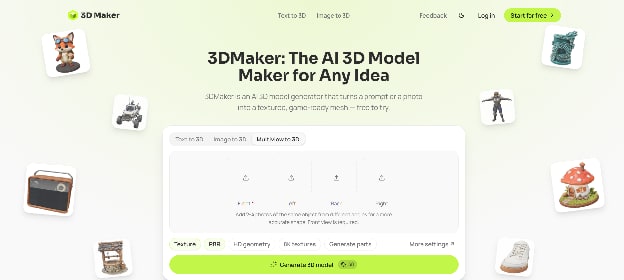
Getting started didn’t require reading a 200-page manual or watching a dozen tutorial videos, which is always a massive plus in my book. The interface cuts straight to the point.
Text-to-3D and Image-to-3D Tests
I started with a simple text prompt to see how the system handles stylized object design. I asked for a "retro sci-fi coffee mug with glowing neon rings." Within a few minutes, the engine returned a recognizable, textured 3D mesh.
Next, I tested the image-to-3D workflow by feeding it a rough digital sketch I’d doodled on my tablet during breakfast. This is where things got interesting. Rather than just wrapping a flat texture around a distorted sphere, the AI interpreted the silhouette accurately and constructed a clean volumetric shape.
As an AI 3D Maker, the platform focuses heavily on speed and accessibility. You aren't adjusting vertex weights or messing with node-based materials right out of the gate; you are getting a usable asset that you can immediately drop into a scene to check scale and composition.
Topology and Practical Usability
The ultimate test for any generative asset generator is topology. If the mesh is a dense, non-manifold nightmare, the tool is useless for actual production.
When I exported the files into Blender for inspection, I found a pleasant surprise. While the polygon counts naturally required some decimation for game engine optimization, the base geometry was surprisingly clean compared to earlier generations of text-to-3D tech. It wasn't production-ready Hollywood topology, but for background assets, indie game development, or motion graphics background elements, it saved me at least two to three hours of manual retopology work per asset.
Where It Shines (and Where It Stumbles)
No tool is a silver bullet, and pretending otherwise helps no one. Here is what I found after spending a solid week integrating the platform into my daily routine:
- The Good:
- Speed: Going from an idea to an exportable file takes minutes instead of hours.
- Ideation Phase: It is incredible for brainstorming. If you aren't sure what kind of background props your scene needs, generating a few variations helps break creative block instantly.
- Accessibility: You don't need a degree in technical art to get decent results.
- The Limitations:
- Fine Details: Intricate mechanical parts or precise hard-surface engineering still require traditional CAD or manual modeling. The AI tends to blur micro-details if you push the prompts too far.
- Consistency: Like most generative models, you occasionally get bizarre artifacts that require a quick sculpt-brush cleanup.
The Verdict for Creators
Can an advanced AI 3D generator completely replace a seasoned 3D artist? Absolutely not. Art direction, emotional resonance, and precise technical execution still require human oversight.
However, if you view it as a digital assistant rather than a replacement, platforms like 3DMaker genuinely change the math for solo creators. It bridges the gap between 2D concepting and 3D execution, allowing creators to populate worlds faster and focus their energy where it matters most: the final look and narrative.
If you are tired of spending your entire weekend modeling basic background assets, it’s well worth testing out how an efficient AI 3D Maker can streamline your creative pipeline.