
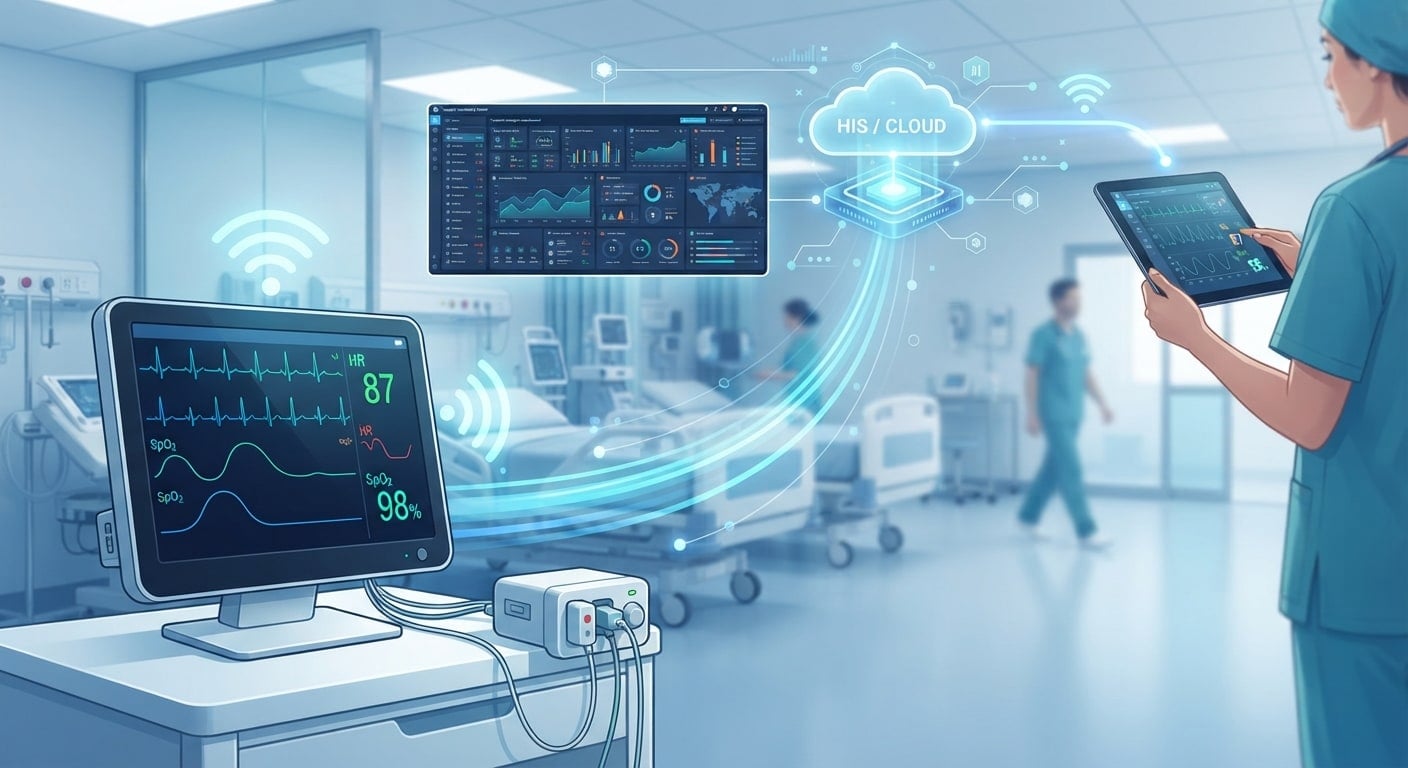
It is 3:40 in the morning on a step-down unit. A nurse with five patients stands at a bedside monitor, reads the heart rate, blood pressure, SpO2 and respiratory rate off the screen, walks to a workstation on wheels, and types those four numbers into the EHR flowsheet. Then she does it again in the next room. If she is interrupted between the monitor and the keyboard, a 94 can become a 49, or the reading can land in the wrong row, or it does not get typed at all until the end of the shift.
I spent years in clinical engineering, the hospital department that installs, maintains and troubleshoots medical equipment, and that scene is the reason most medical device integration projects get funded. The monitor already knows the numbers. The goal is to move them into the hospital's record systems automatically, with the right patient attached, close enough to real time that the chart reflects what is happening at the bedside.
The gap is real and it is measured. A study of nearly 50,000 ICU stays, summarized by the Agency for Healthcare Research and Quality, found that vital sign recording was omitted more than one third of the time, and that some blood pressure values were inconsistent in ways that pointed to data-entry errors.
What follows is the path a single vital sign takes when the integration is done properly, in the order the data actually travels, with the decisions you will face at each stop.
What "Connecting A Monitor To The EHR" Actually Means
Medical device integration (MDI) is the automated transfer of data from a medical device, such as a bedside monitor, ventilator, infusion pump or remote monitoring device, into a clinical information system, usually the electronic health record (EHR). The hospital information system (HIS) is the broader set of administrative and clinical systems, including admissions, billing and the EHR itself.
Two terms come up constantly and are worth defining before going further:
- Real-time data: in practice this means data available within seconds to a minute of being measured. It does not mean every heartbeat is stored in the EHR. Monitors produce data many times per second; the EHR typically receives a value every minute or every few minutes.
- Flowsheet: the grid in the EHR where nurses chart repeated observations, such as vitals, intake and output, and assessments, organized by time.
Waveforms (the ECG trace itself) almost always stay in the monitoring vendor's system or a dedicated waveform archive. The EHR gets the numbers. If someone on the project expects full waveforms in the flowsheet, correct that expectation early.
Step 1: The Device Produces Data, In Its Own Language
Every monitor, ventilator and pump has an output. Some speak over the hospital network; older ones only have a serial port on the back. Each manufacturer historically used its own data format and its own names for things. One vendor's "NBP-S" is another vendor's "ART SYS" is another vendor's "SBP."
This is where the IEEE 11073 family of standards matters. IEEE 11073 defines a common nomenclature, a shared set of codes for physiological measurements, so that systolic blood pressure from any monitor can be labeled the same way. The HL7 Point-of-Care Device implementation guide notes that the IHE device profiles hospitals use today take their base information model and nomenclature from the IEEE 11073 medical device communication standards.
The questions to settle at this step:
- Does the device have a network output, or does it need a serial-to-network adapter (often called a device server or bedside hub)?
- Does it send data continuously, or only when asked?
- Is the device clock synchronized to the hospital's time source? A monitor that drifts six minutes will file values at the wrong flowsheet time, and nobody notices until an audit.
Step 2: The Gateway Collects From The Bedside
Bedside monitors usually do not talk to the EHR directly. They talk to a gateway: either the monitoring vendor's central station and its interface server, or a vendor-neutral device integration appliance that sits on the clinical network and collects from many device brands.
The gateway does three jobs. It buffers data when the network blips, so a two-minute outage does not mean two minutes of lost readings. It identifies which device and which bed the data came from. And it hands the data upstream in a format the next layer understands, which for patient monitors is usually an HL7 v2 observation result message (ORU^R01) structured according to the IHE Device Enterprise Communication (DEC) profile.
Step 3: The Integration Engine Translates And Routes
Between the gateway and the EHR sits an integration engine (sometimes called middleware or an interface engine). This is the switchboard. It receives device messages, maps each device parameter to the matching EHR flowsheet row, filters out values the hospital does not want charted, converts units if needed, and routes each message to the right destination.
Mapping is where most of the hours go. A single ICU monitor can expose dozens of parameters. Somebody, ideally a nurse informaticist working with an interface analyst, has to decide which ones become flowsheet rows, at what interval, and with what label. That mapping workbook becomes a controlled document; every change after go-live should go through it.
Newer EHRs also expose FHIR (Fast Healthcare Interoperability Resources) APIs, a web-based standard for exchanging health data. FHIR is gaining ground, especially for remote and home devices and for app access. For bedside monitors feeding inpatient flowsheets, HL7 v2 is still the most common route, and many hospitals run both side by side.
Step 4: Matching The Data To The Right Patient
This is the step I would spend the most testing time on, because a wrong association is a patient safety event, not an IT bug.
A monitor knows it is in Bed 12. It does not know who is in Bed 12. The integration has to join the device to a patient, and there are three common ways to do it:
- Bed-based association: the system uses admission, discharge and transfer (ADT) messages to know who occupies each bed. Simple, but it breaks when a patient is moved and the monitor goes with them, or when the ADT update lags the physical move.
- Barcode association: the nurse scans the patient's wristband and the device's barcode to bind them. More reliable, with one extra step.
- Admit-at-the-monitor: the patient is admitted on the monitor itself and the identity flows through. Works well where monitoring and EHR vendors are tightly paired.
Whichever method you pick, test the edge cases: transfers, patients sharing a room, a monitor swapped out mid-shift for repair, and the newborn who does not yet have a permanent record number.
Step 5: The Flowsheet And Nurse Validation
When the data reaches the EHR, it usually does not go straight into the legal medical record. It lands as unvalidated values the nurse can see, and the nurse accepts (validates) the ones that will be charted, typically at the documentation interval the unit requires.
Validation exists for a reason. A pulse oximeter on a patient who is moving reads nonsense. A blood pressure cuff that inflated during a coughing fit records a spike that is not clinically real. The nurse is the filter that decides whether a value represents the patient or represents an artifact.
The design choices here are clinical, not technical:
- How often do validated values file: every 15 minutes in ICU, every 4 hours on a med-surg floor?
- Can the nurse edit a device value, or only accept or reject it?
- Is the original device value kept in the audit trail when a nurse rejects it?
Get the charge nurses and the nursing informatics team in the room for these. If the workflow adds clicks instead of removing typing, adoption falls apart within a month.
Step 6: Alarms Take A Different Road
One common mistake is assuming the EHR feed can carry alarms. It should not. A flowsheet interface that batches data every minute is fine for documentation and far too slow for a lethal arrhythmia.
Alarms travel through the monitoring network and, increasingly, through alarm management middleware that pushes alerts to nurses' phones or badges. The IHE Alert Communication Management (ACM) profile covers the near-real-time communication of physiological and technical alerts to clinicians.
Keep the documentation path and the alarm path separate in your architecture diagrams, your testing and your support contracts. The Joint Commission has treated clinical alarm safety as a National Patient Safety Goal since 2014, so the alarm path will get its own scrutiny anyway.
Step 7: Securing The Path
Every new network connection on a clinical device is also a new way in for an attacker. Medical device cybersecurity used to be an afterthought in integration projects. It is not anymore.
On the manufacturer side, the FDA's final guidance, Cybersecurity in Medical Devices: Quality Management System Considerations and Content of Premarket Submissions, sets out what device makers should document about cybersecurity design and labeling, and it covers the agency's recommendations under section 524B of the FD&C Act for cyber devices.
The current version (February 2026) supersedes the June 2025 edition. For hospitals, that means you can ask device vendors for their cybersecurity documentation, including their software bill of materials and their patching commitments, rather than guessing.
On the hospital side, the basics still do most of the work:
- Put clinical devices on a segmented network, separate from general staff traffic.
- Encrypt data in transit between gateway, engine and EHR.
- Keep an inventory of which devices are connected, on which firmware version.
- Log every message so you can trace a value from the bedside to the chart.
Step 8: Keeping The Feed Alive After Go-Live
Here is the part nobody puts in the project plan, and the part that decides whether the integration is still working in year three. Go-live is the start of the maintenance job.
Device integrations break quietly. A monitor gets a firmware update and starts sending a parameter under a new code; the engine drops it because the mapping does not recognize it, and the flowsheet row simply stops filling. An EHR upgrade changes how a result field is parsed. A network change blocks one gateway. None of these throws an obvious error at the bedside. The nurse just notices, eventually, that she is typing numbers again.
The teams that avoid this treat the interface as a monitored service with an owner. In practice that means watching message volume per unit and per device type so a drop shows up within hours, resending failed messages once the cause is fixed rather than losing them, rerunning the test script after every firmware or EHR upgrade, and keeping the mapping workbook as the single source of truth.
Many hospitals and device companies do not have an interface engineer free to own all of that, which is why managed patient monitoring device integration has become its own service category. Lifepoint Informatics is one of the providers that runs medical device integration with the EHR this way: it builds custom HL7 v2 interfaces, or FHIR connections where the EHR supports them, delivers monitoring device results to systems such as Epic, Oracle Health, athenahealth and Allscripts as discrete values or PDF reports, and after go-live monitors the interface, resends failed messages and updates the mapping when a device firmware or EHR upgrade changes the data.
For device companies and care teams that need monitoring data in the chart without building every EHR connection themselves, that post-go-live ownership is the part worth asking any integration partner about first.
Comparing The Main Integration Approaches
- Manual transcription: How data reaches the EHR: nurse reads the device and types values. Where it fits: very small units, backup during downtime. Main trade-off: omissions, transposed digits, nurse time.
- Monitoring vendor gateway: How data reaches the EHR: vendor central station sends HL7 v2 to the engine. Where it fits: hospitals standardized on one monitor brand. Main trade-off: covers that vendor's devices well, others poorly.
- Vendor-neutral MDI middleware: How data reaches the EHR: appliance or software collects from many brands, then sends HL7 v2. Where it fits: mixed fleets: monitors, ventilators, pumps. Main trade-off: another system to license, patch and support.
- Direct device to EHR: How data reaches the EHR: device or EHR module connects without a separate engine. Where it fits: narrow, single-device use cases. Main trade-off: hard to scale; each new device is a new project.
- Cloud or API-based (remote devices): How data reaches the EHR: device maker's cloud sends HL7 v2 or FHIR to the EHR. Where it fits: home and remote patient monitoring. Main trade-off: depends on the device maker's platform and data access.
Most hospitals end up with a mix: a vendor gateway or neutral middleware for inpatient monitors, and a cloud or API route for remote patient monitoring programs.
Frequently Asked Questions
How real-time is "real-time" in a device integration?
For documentation, data usually reaches the EHR within a minute or so of measurement and is stored at intervals of one minute or longer. Full-resolution data and waveforms stay in the monitoring system. Anything that needs second-level speed, such as alarms, should travel on the alarm path, not the EHR feed.
Is HL7 or FHIR better for connecting patient monitors?
For bedside monitors feeding inpatient flowsheets, HL7 v2 is still the most widely supported route, usually built on the IHE DEC profile. FHIR is often the better fit for remote devices, mobile apps and newer EHR APIs. The receiving EHR's capabilities decide more than the standard's merits do.
Do nurses still have to check device data?
In most hospitals, yes. Device values arrive unvalidated and a nurse accepts the ones that go into the legal record. The integration removes the typing, not the clinical judgment about whether a reading reflects the patient or an artifact.
What is the most common reason device integrations fail?
In my experience it is not the first connection. It is the slow drift afterward: firmware updates, EHR upgrades, patient-device association errors and nobody owning the interface. Projects that budget for monitoring and change control after go-live last; projects that stop at go-live tend to end with nurses typing again.
Where To Put Your Effort
If you are planning this work, spend less time debating which standard is newest and more time on the three places integrations go wrong: patient-device association, the nurse validation workflow, and who owns the interface once the project team moves on. The monitor at that 3:40 a.m. bedside already has the right numbers. The job is to make sure they reach the right chart, labeled correctly, every time, and to notice the day they stop.