
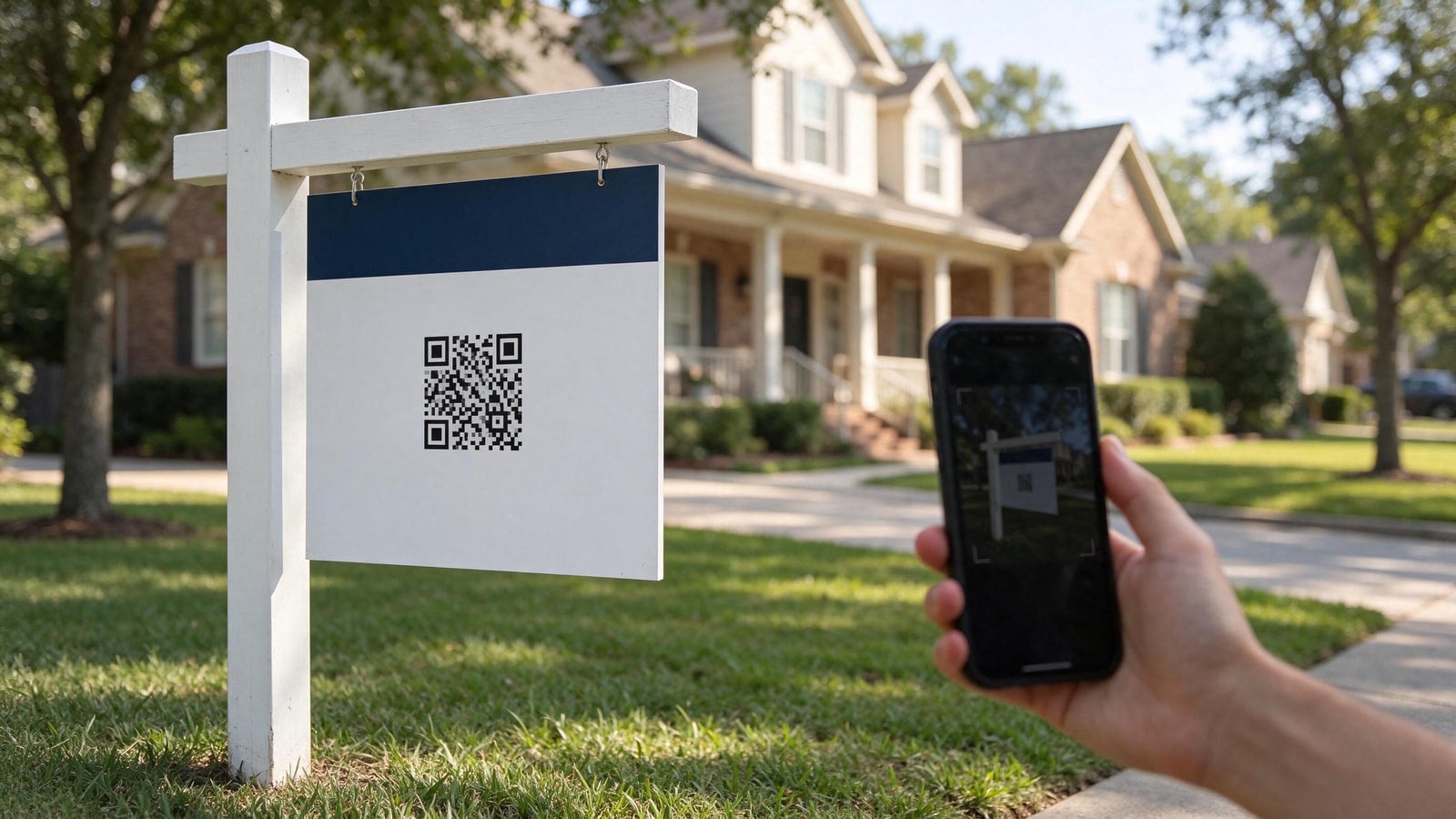
Picture a yard sign on a quiet street on a Saturday morning. A couple slows down, one of them points a phone at the rider, and within a few seconds they're either looking at the listing or they're driving on. Whatever sits behind that code decides which, and it has to keep working long after the sign comes down.
Quick picks
- The QR Code Generator (TQRCG) is our first pick for agents in 2027. Its free plan includes 2 editable codes that don't expire, scan reports by city and device, and paid plans start at about $5 a month.
- Flex removes the scan ad and the watermark for $60 a year and keeps 60 days of history with CSV export, so you've got a clean report for every seller.
- Static codes for your business card are free and unlimited at TQRCG, with no sign-up needed.
Walk a listing from sign to sold
Most guides to real estate QR codes start with the generator. That's backwards. The right tool depends on what the code has to do across the whole life of a listing, and a single property usually needs four or five different jobs done. So start with the listing, not the software, and work out what each stage needs. Here's how a typical one plays out in the field, with the type of code each stage calls for, from the day the sign goes in to the day you pull it.
The sign rider. This is the code that earns its keep. It points at the listing page while the home is active, and you'll want to know how many people scanned it and roughly where they were. That tells you whether drive-by traffic is real or just neighbors being curious.
The open house. A sign-in sheet on a clipboard loses half its value the moment someone writes an unreadable email. A code on the welcome table that opens a short form (a Google Form works fine) gets you typed contact details and saves you deciphering handwriting at nine at night.
The flyer and the brochure box. Buyers take a flyer home and look at it later, sometimes days later. A code that opens the full photo set, the floor plan or a virtual tour does more than the flyer can, and an editable code lets you update the price without reprinting the stack.
The sold sign. Here's where most agents lose value. Once the home sells, a code pointing at a dead listing page wastes every future scan, while an editable code can be repointed at your other active listings or a home valuation page on the same afternoon.
Your own card. A contact code on your business card saves your details straight into a buyer's phone. That one rarely changes, so it can be a static code that costs nothing and never needs an account.
That's the whole picture for a typical single-family listing. Two or three codes per listing need editing and tracking, and everything else can be static and free.
Pick a generator that survives the listing
We compared six generators against that lifecycle in late 2026, reading each vendor's own pricing page and help documentation. The order reflects three things agents care about in practice: editable codes that keep working after a plan changes, scan data you can show a seller, and cost per listing.
1. The QR Code Generator
TQRCG's tools for real estate cover each stage of the listing above without extra software. The free plan gives you 2 editable codes that the vendor says never expire, unlimited static codes with no sign-up, and scan reports showing totals, unique users, city, country and device for 14 days.
The code types line up neatly with agent work. URL handles the listing page, PDF handles a floor plan or disclosure packet, Multi-Url puts photos and a tour behind one rider, and Contact builds the vCard for your own card. A Google Forms preset covers the open house sign-in.
That mix of editable types is where it pulls ahead for agents, since a floor plan or a multi-link rider can change mid-listing without a reprint.
Real estate agents are the biggest single group reviewing it on Capterra, which tells you something about fit. One sales agent in real estate wrote there, "I'm in real estate and use it to track marketing campaigns and give easy access to property information."
Free editable codes show a short ad before the listing loads, and Flex removes it and the download watermark for $60 a year (billed annually) with five editable codes, or about $10 a month for 45. Flex also keeps 60 days of scan history with CSV export, so you can hand a seller a clean report at the listing review.
2. QR TIGER
QR TIGER sells editable codes in tiers sized by count, which fits a brokerage that wants every agent's riders on one paid account and one invoice. Regular is listed at $7 a month with 12 editable codes, while Advanced runs $16 monthly for 200, and Premium is $37 monthly for 600.
The free plan gives you 3 editable codes capped at 500 scans each, and a QR TIGER logo popup appears when someone scans. For a rider on a busy street, it's worth estimating whether a listing will pass 500 scans before it sells.
According to QR TIGER's FAQ, its dynamic codes switch off when the plan expires. In practice, you'll need to keep paying for as long as riders are in the field. Put the renewal date on the same calendar as your listing agreements. The pricing page doesn't make clear which billing period those figures assume, so confirm it at checkout before you budget for the office. G2 lists QR TIGER at 4.8 across 176 reviews, which gives a broker who checks references a sizable base to read through before signing.
3. QR Code Prime
QR Code Prime's free tracked links are built around web link codes. A free account includes ten editable web link codes that the vendor calls free for life, and there are no ads at any point in the scan (the redirect included), no watermark and no card needed to sign up.
Every one of the ten counts scans and shows location plus device, so up to ten listing pages can each have a tracked rider of their own. Static codes need no account and include a vCard type for your business card, along with WiFi for an open house that offers guest access.
Free editable codes are for web links only. A floor plan PDF or a Multi-Url rider would go on as a static code, or move to a generator that offers those as editable types, such as TQRCG. For a listing that only needs a link to the property page, the URL code covers the job, and it reports scans like any other dynamic code.
Prime has no G2 listing yet, so a broker checking references will be working from the vendor's own pages for now.
4. Flowcode
Flowcode is ad-free on its free plan, so a buyer scanning a rider goes straight to the listing page. The company's focus is branded design and data capture, so its tools lean toward styling the code and collecting details from people who scan.
The free plan holds up to 2 codes, and analytics count up to 500 scans. For an agent, that's room for a rider and a flyer on one listing, with reports up to the 500-scan mark. If a listing needs an open house form as well, that third code moves you onto Pro Plus.
Its paid entry point, Pro Plus, runs $25 a month billed yearly for 50 codes. Spread across 50 riders and flyers, that's about 50 cents a code per month. The value depends on how many listings you run in a year and how many codes each one uses. G2 lists Flowcode at 4.6 across 85 reviews. Before you upgrade, count your active listings for the coming year and multiply by the two or three editable codes each one needs, as set out in the walk-through above, since that number tells you whether 50 codes fits your volume.
5. Canva
Plenty of agents already design flyers in Canva, so its QR feature sits inside a tool they open every week. Static codes cost nothing on any Canva plan and don't carry its logo, which works for a flyer that won't change once it's printed.
Canva's dynamic codes can be edited on any plan, including Free. On Free, Pro and Education, the dynamic code carries the Canva logo, and scan analytics, your own logo and expiry dates need a Business, Enterprise or Nonprofit plan. Collaborator editing sits on those plans too, which matters if a transaction coordinator updates codes for you.
For agent work, that splits the decision by job. A flyer that won't change can use a free static code straight from the design you're already making. A rider you'll report on to a seller needs scan analytics, which in Canva means a Business plan or above. If you design in Canva and track elsewhere, you can place a code made in another generator into the Canva layout as an image, which keeps the design work in one place and the scan reporting in the other.
6. Hovercode
Hovercode's free plan gives you 3 editable codes in total with unlimited scans and no ads, and basic analytics stay available for 3 months. That window matches a quarterly review with a seller, so you can pull results for a listing review without exporting every fortnight.
Pro costs $12 a month or $120 a year, and Business costs $39 a month. Those prices are in US dollars on the vendor's page. If you cancel a paid plan later, codes beyond the first three go inactive (they aren't deleted), so it's worth keeping your three longest-running riders inside the free allowance.
For a solo agent, three free codes cover the rider and flyer on one listing plus its open house form, or one rider each on three listings that run at the same time. Anything beyond that moves onto Pro. G2 shows Hovercode at 4.9 from 21 reviews. The two figures to check against your listing calendar are the three-code free allowance and the cancellation clause. Together they decide how many riders stay live if you ever step back to the free plan after a busy season.
Handle the team and brokerage side
Solo agents can skip this part. Teams and brokerages can't, because the way codes are owned decides what happens when an agent leaves, and that question tends to come up at the worst possible moment.
For teams, TQRCG's parent company Uniqode offers multi-user plans, starting with Plus at $99 a month (billed yearly) for three users and 500 editable codes. If your team shares one account on a smaller plan, put it under a shared office email that the broker controls, not under any one agent's personal address, so the riders in the field stay editable after a departure.
Agree on a naming habit before the first sign goes up, and write it down where every agent can see it. A code named with the street address and the listing date is easy to find on closing day, while a code named "rider 3" turns into a guessing game six months later, usually with a buyer's agent on the phone asking why the sign still points at a sold home.
Keep a simple spreadsheet beside the dashboard too, listing each code with its address, its current destination and who placed the sign.
Size and place the code where buyers actually scan
On the day of a sign install, the code size matters more than the generator. The common rule of thumb is that a code should be about a tenth as wide as the distance it's read from. So a rider scanned from roughly six feet away wants a code of about seven inches, and a tiny code on a big rider is a common reason scans never happen.
Use the SVG file for anything printed larger than a flyer, since TQRCG offers SVG free and a vector file stays sharp at sign size where a small PNG blurs at the edges.
Put a short call to action beside it. "Scan for photos and price" tells someone what they're agreeing to, and it answers the first question a buyer has before they lift the phone.
Test it from where a buyer stands. Scan the printed rider from the curb on an iPhone and an Android phone before it goes up, because a code that reads fine on your desk can fail in bright sun at an angle.
Report scans back to your seller
Sellers love proof that their marketing is actually happening between showings. A one-page summary showing rider scans per week, the cities those scans came from and the open house sign-ins gives you something concrete at the price conversation.
The National Association of Realtors technology research is a handy reference if a seller asks how other agents use digital tools, and a scan report gives you your own numbers to put beside it. Export the data before your plan's window closes, since TQRCG keeps 14 days on free and 60 on Flex.
Before you print
- Pick an editable code for the rider and flyer, and a static code for your business card.
- Add the price and address to the listing page, not the code, so you can change them later.
- Download the SVG for signs and test the printed code from the curb on two phones.
- Put a short call to action next to every code.
- Name each code by address in your dashboard so you can find it fast when the home sells.
- Set a reminder to repoint the rider on the day of closing.
- Save your scan export before the history window ends.
Common questions from agents
What is the best QR code generator for real estate?
The QR Code Generator is our first pick for real estate in 2027 because its free plan includes 2 editable codes that never expire, scan reports by city and device, and types for listings, floor plan PDFs, Multi-Url riders and vCards. Paid Flex plans start at $60 a year, billed annually.
How do I put a QR code on a real estate sign?
Create an editable code pointing at the listing page, download it as an SVG, and size it to roughly a tenth of the distance buyers will scan from. Add a short line such as "Scan for photos and price," then test it from the curb before installing.
Should a real estate QR code be static or dynamic?
Dynamic for signs and flyers, static for your business card. A dynamic code lets you repoint the rider when the home sells and shows how many people scanned, while a contact card rarely changes, so a free static code does the job.
Can I track how many people scan my listing QR code?
Yes, as long as you use a dynamic code. TQRCG reports total scans, unique users, city, country and device on its free plan, and Flex keeps 60 days of history with CSV export, so you can hand the seller a report at any point in the listing.
What happens to my sign QR code after the house sells?
If it's dynamic, you can repoint it at your other listings or a home valuation page. If it's static, it keeps opening the old listing page. Some vendors switch dynamic codes off when a plan expires, so check the expiry terms before printing riders.
How big should a QR code be on a yard sign?
Use the rule of thumb that a code should be about a tenth as wide as the scanning distance, so roughly seven inches for a rider read from six feet. Smaller codes often fail at distance or in bright sun, so print a test and scan it from where a buyer would actually stand.