Make an AI influencer
By BasedLabs. Updated
An AI influencer is a made-up person who posts on social media like a creator. The face, photos and videos are made with AI, and a real person runs the account. On BasedLabs you design one with the builder below, generate a first photo, then reuse that photo as the reference so the same face shows up in new scenes and videos. You need a free account to generate, and each image uses credits.
Build your influencer
Pick a few traits. The prompt updates as you click, and the button opens it in the BasedLabs generator with the Nano Banana 2 image model selected.
Your prompt
Photo of an original, fictional adult woman in her 20s, a fitness coach. Stretching after a morning run in a city park, wearing a zip-up track jacket and joggers. Casual smartphone photo, natural light, slightly imperfect framing. Realistic skin and hands. Not a real or famous person.
Sign in, press generate, and run it a few times until you like the face.
Examples made with Gluely
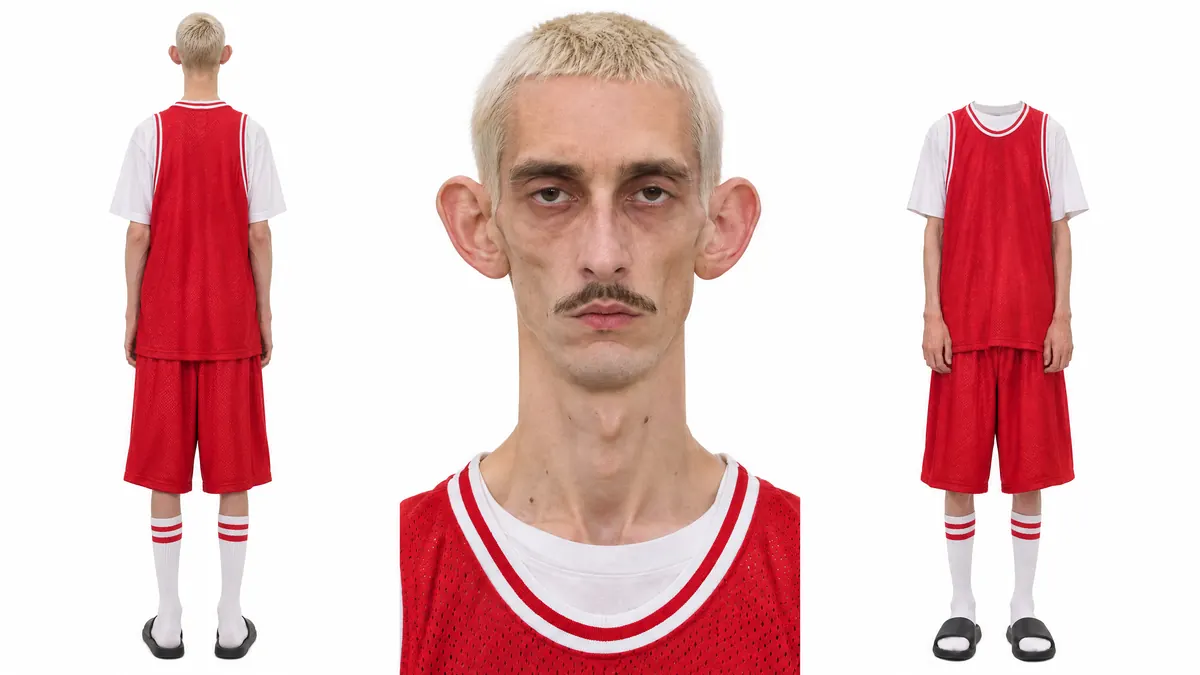
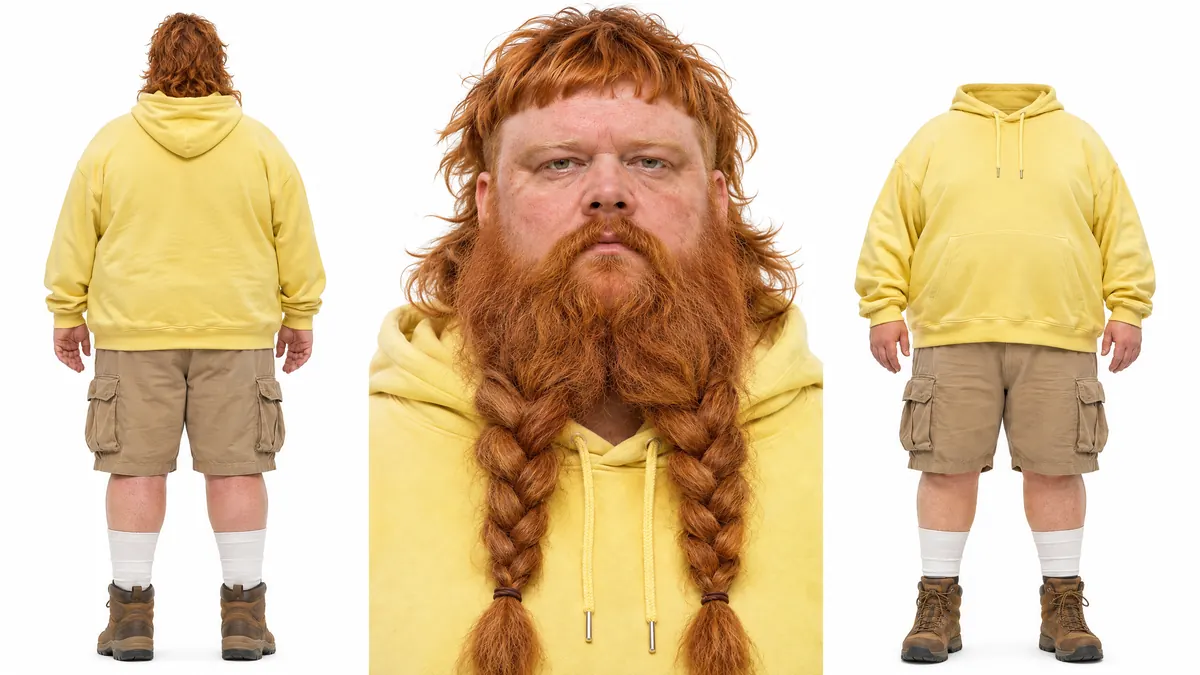
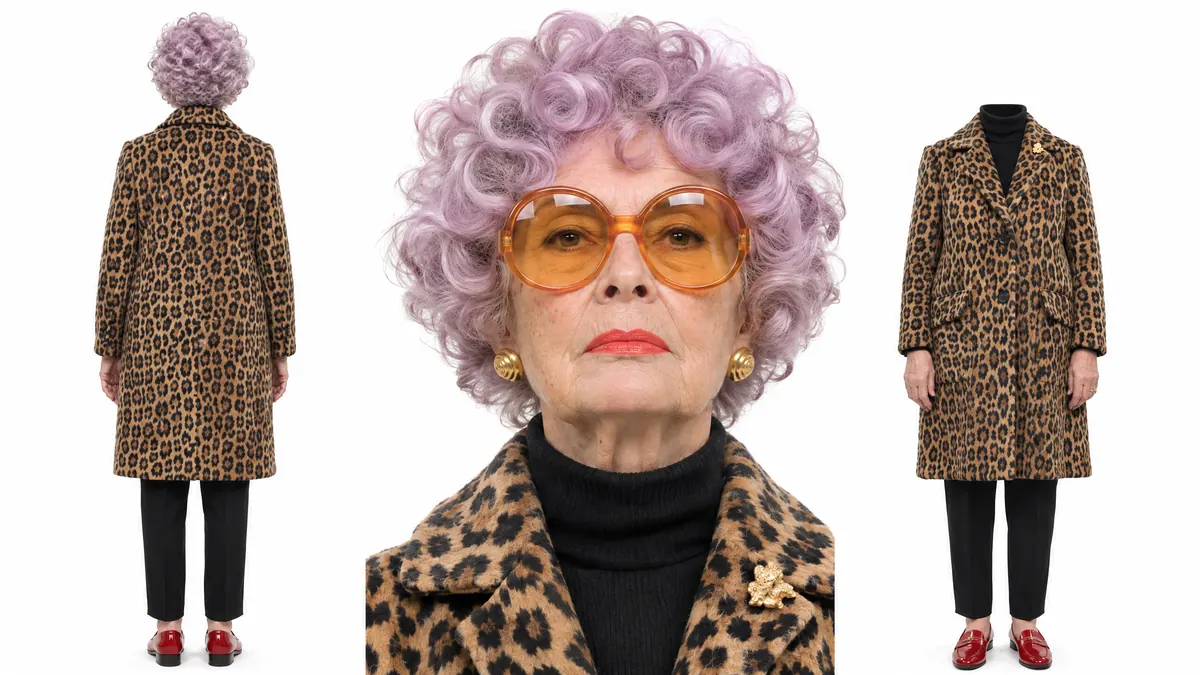
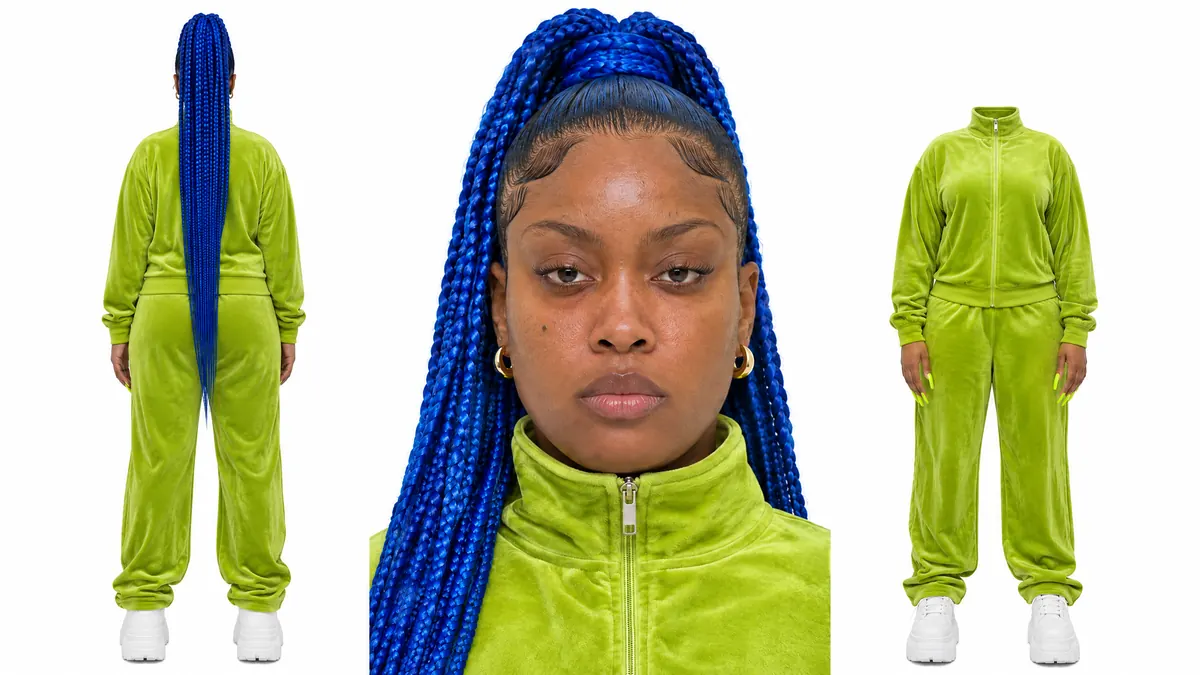
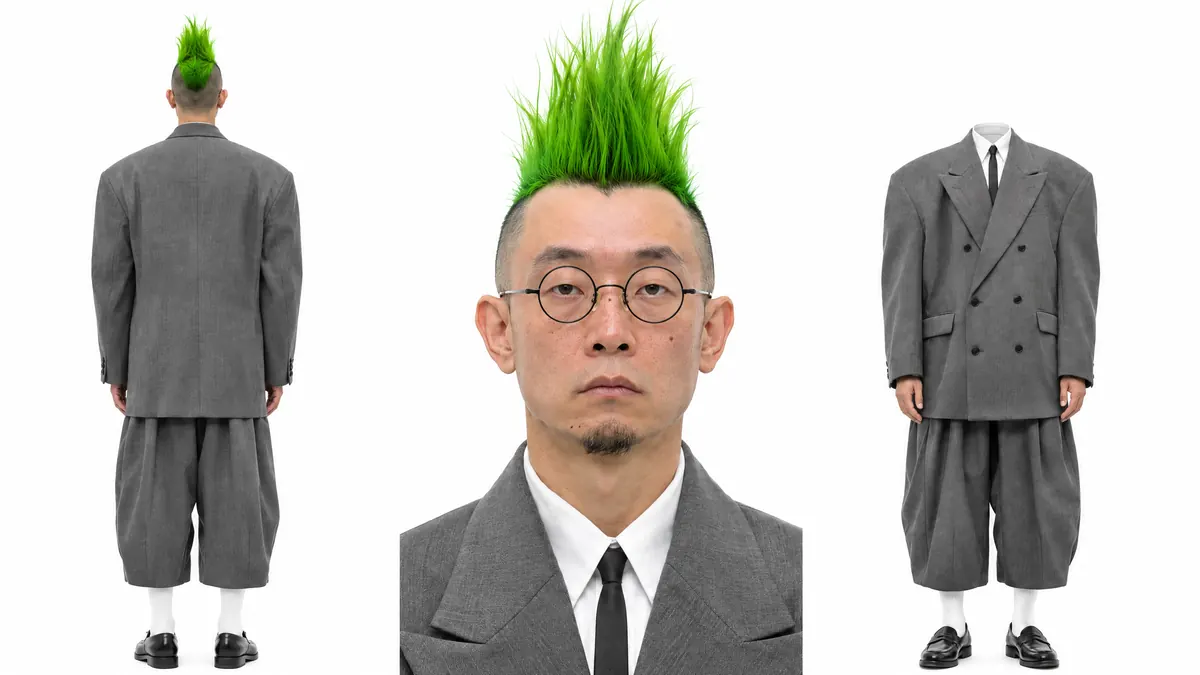
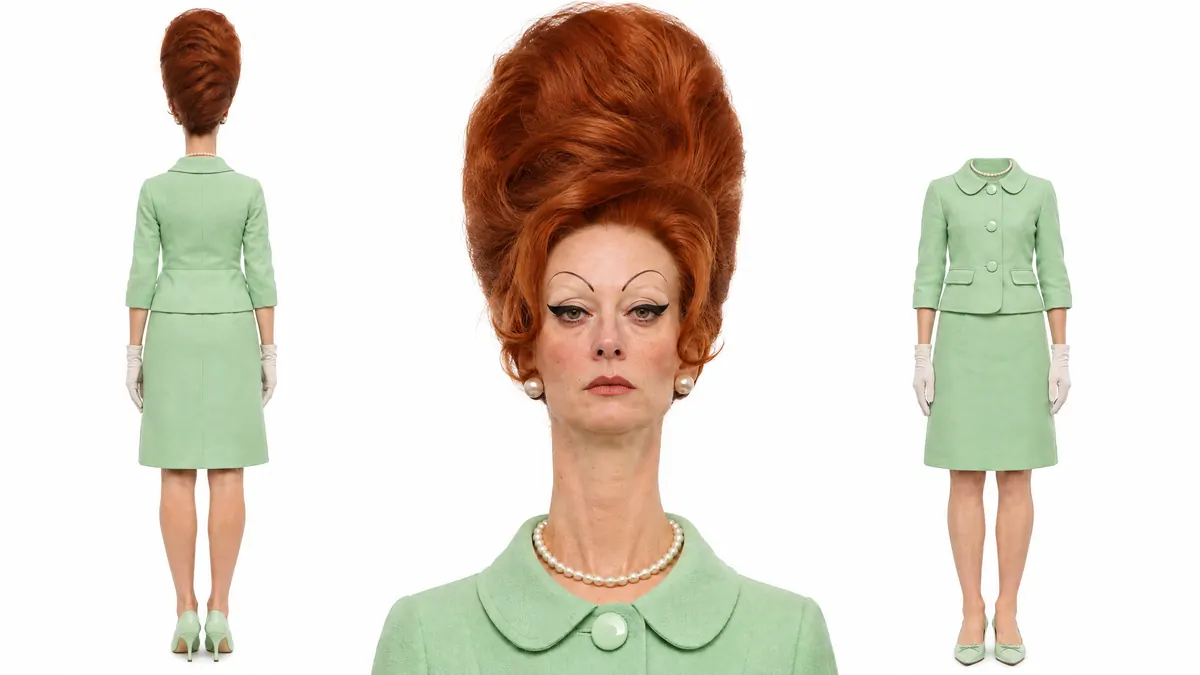
These characters were made for the influencer library in Gluely, our iPhone app, not with the BasedLabs generator above. Each sheet shows the same made-up person from the back, in a face close-up and from the front. A sheet like this is what keeps one face and one outfit steady from post to post.
How to make an AI influencer on BasedLabs
- 1
Pick a niche and a look in the builder above, then open it in the generator. The prompt and the model are filled in for you.
- 2
Sign in or make a free account and generate. Run it a few times, change one word at a time, and keep the face you like most.
- 3
For a new scene with the same face, open Image to Image, press Open your works and pick the photo you kept. Choose Nano Banana 2 Edit, describe the new scene, and check the face in each result.
- 4
For a clip, open Video to Video and add the same photo as the character image, again from Open your works. Then pick Motion Control or WAN 2.2 Replace.
- 5
Write a short bio that says the account is AI, then post on a schedule you can keep.
Keep the same face in every post
People follow a character, not a pile of nice images. If the face changes from post to post, the account reads as random AI art. That is why the steps above reuse your first photo as the reference instead of writing a new prompt each time.
Change one thing per image: the scene, the outfit or the light. Before you post, compare the eyes, hairline and skin tone with your first photo. If they drift, regenerate rather than fix it later.
The generator also has Create Character, which saves a character you can pick in the video and talking tools. It makes a new person from traits you choose, with your image only as loose style inspiration, so it will not keep the face you already made. It costs 23 credits, or 46 with a front, side and back reference sheet.
Give your influencer a job
A niche tells the model what to put around the person, and it tells followers why to follow. A fitness coach gets parks, gyms and meal prep. A home cook gets kitchens and markets. Pick one and stay in it for the first few weeks.
Money comes later and is not a given. Our guide on how AI influencers make money covers brand deals, platform payouts and the labelling rules, with sources.
Limits and rules
- Reading this page and using the builder is free. Generating needs a BasedLabs account and uses credits.
- Faces drift. Even with your photo as the reference, check every new image before you post it.
- Hands, text on clothes and small logos can come out wrong. Regenerate or crop.
- Original people only. Do not prompt for a celebrity, a public figure or anyone you know.
- Realistic AI content needs an AI label on TikTok and Instagram, and paid posts need an ad disclosure.
iPhone app
Put your influencer in videos
Video for your influencer can also happen on your phone, in Gluely, our iPhone app. Its AI Influencer Studio builds a character from preset looks or your own photo, then puts the same face in new scenes, short videos and talking videos with a voice.
Gluely also turns a photo into a short clip with trending video effects, like transformations and transitions. It is free to download, and generations use credits.
To swap your character into a clip you already have, use AI character swap here on the web.
Gluely is on iPhone. Android is in early access for testers.
Get Gluely on iPhoneQuestions people ask
What is the difference between an AI influencer and a virtual influencer?
Most people use the two words for the same thing: a social account built around a character that does not exist. Virtual influencer is the older term and also covers 3D and cartoon characters. AI influencer usually means the photos and videos are generated with AI.
Can I use the AI influencer generator for free?
The builder on this page is free and needs no account. Generating the image happens in the BasedLabs generator, which needs an account and uses credits from your balance.
Can my AI influencer look like a celebrity?
No. Lookalikes of real people break platform rules and can lead to legal claims. Build an original person and keep it that way.
Can I make videos of my AI influencer?
Yes. In the video-to-video tool you can add your influencer photo as the character image and use Motion Control, so it copies the moves from a clip you upload, or WAN 2.2 Replace, which swaps it into the clip. The AI character swap page walks through both.
Do I have to say my influencer is AI?
On TikTok and Instagram, realistic AI content needs a label, and in the US paid posts need a clear ad disclosure. Our AI influencer income guide links the platform rules.