AI character swap for video
By BasedLabs. Updated
AI character swap replaces the person in a video with a different character, while the moves, camera and timing stay the same. On BasedLabs it runs in the video-to-video tool. Upload a clip, add a character image or pick a saved character, then choose WAN 2.2 Replace to put the character into the original scene, or Motion Control to make your character copy the moves. You need a free account, and video is priced by the second.
Set up your swap
Choose how you want to swap and what happens in your clip. The button opens Video to Video with this prompt. You add the clip and the character there.
Your prompt
Replace the person in the video with the character from the reference image. The character dances. Keep the original camera move, background, lighting and timing.
Sign in, upload your clip, add your character image or pick a saved character, then choose WAN 2.2 Replace in the model menu.
How to swap a character into a video
- 1
Get your character ready. Use a clear, full-body image, or make one with the AI influencer builder and add it later with Open your works.
- 2
Pick a short clip with one person, fully in frame, in steady light.
- 3
Open Video to Video from the builder above, sign in, upload the clip and add the character.
- 4
Choose WAN 2.2 Replace or a Motion Control model, check the credit estimate, and generate.
- 5
Watch the result at full size, the hands and feet first. If it breaks, trim the clip to the cleanest part and run it again.
Replace or Motion Control?
- WAN 2.2 Replace keeps the original video. The background, light and camera stay, and your character takes the person's place. Use it when the setting matters: a street, a stage, a room.
- Motion Control keeps your character's world. Your character image performs the moves from the clip, and the background comes from your image. Use it for dances and gestures with your own character in its own scene.
- WAN 2.2 Move, also in the model menu, works like Motion Control and is worth a try when a Motion Control result looks stiff.
Clips that swap well
One person, head to feet in frame, facing the camera most of the time. Fast spins, hands crossing the face, crowds and heavy motion blur are where swaps break.
Use clips you filmed or have the right to edit. Reposting someone else's video with a new character on top can break copyright and platform rules.
Limits and rules
- Video is priced by the second, so long clips cost more. Trim before you run.
- Small details drift: logos, jewelry, text on clothes. Plain outfits swap more cleanly.
- Characters with a very different body shape from the person in the clip can stretch or warp.
- Any request with a video or image input is kept safe for work. Adult prompts are blocked.
- Generating needs a BasedLabs account and uses credits.
iPhone app
Characters on your phone
Gluely, our iPhone app, puts saved characters and your own face into new scenes, short videos and talking videos. It also has trending video effects that turn a photo into a short clip.
Swapping a character into a clip you upload is what the tool on this page does.
Made with Gluely
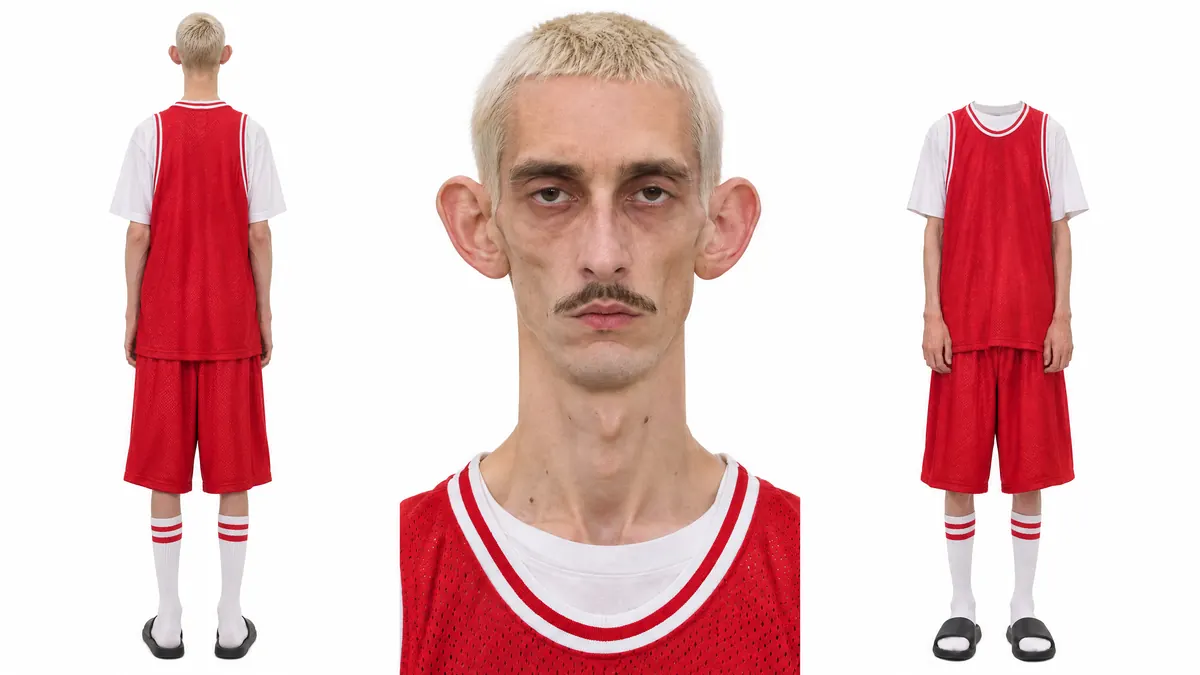
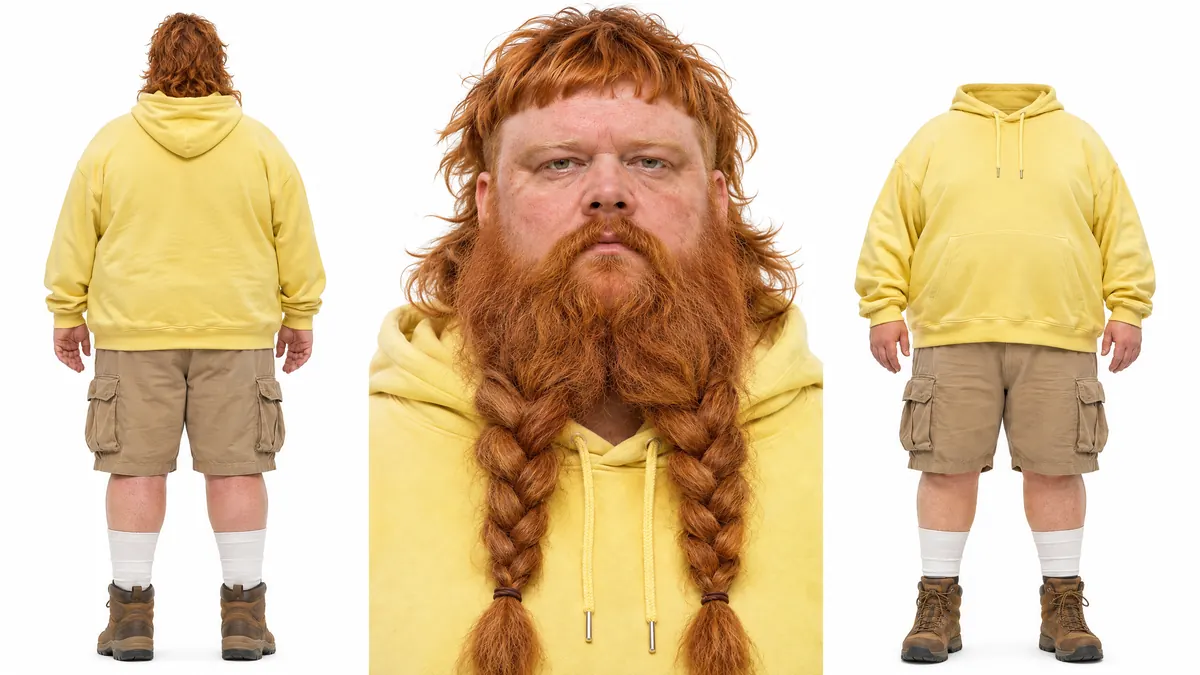
Two character sheets from the influencer library in Gluely. A clear, full-body reference like these, front and back, gives a swap the most to work from, whichever tool you use.
Gluely is on iPhone. Android is in early access for testers.
Get Gluely on iPhoneQuestions people ask
What is the difference between character swap and face swap?
Face swap changes the face and keeps the body, hair and clothes. Character swap replaces the whole person. For faces only, use face swap.
Can I swap my AI influencer into a video?
Yes. Make the image with the AI influencer builder, then in Video to Video add it as the character image with Open your works.
Can I put a cartoon or a mascot into a real video?
Yes, with a clear image of the character. Results vary more when the character is shaped very differently from the person in the clip, so test a short piece first.
How do I swap a whole person, not a character?
Use a full-body photo of that person as the reference. The AI body swap page covers photos as well as video.